
Saving a Text File
-
Choose File – Save As.
The Save As form appears.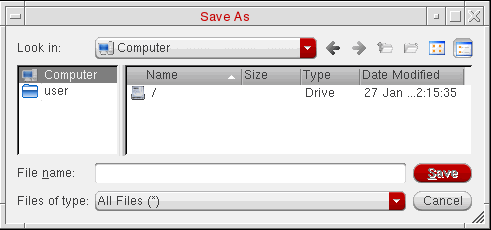
-
(Optional) Use the navigation tools (drop-down combo box and toolbar buttons) to specify the directory to which you want to save the text file.
If you do not specify a directory path, your home directory is used. - In the File name field, type a name for the text file.
- Click Save.
The program writes the specified text file. You can edit the file using a text editor.
Related Topics
Return to top