
Routing Channel Creation when Generating Cover Blockages
Abstract generator enables you to create routing channels through cover blockages. Consider layer Metal1. When generating a cover obstruction on this layer, you can choose to cut a routing channel through this layer. The routing channel will take the shape of the layer-purpose pair, which you specify as a parameter. In this example, the routing channel will be in accordance with (y9, drawing) layer-purpose pair.
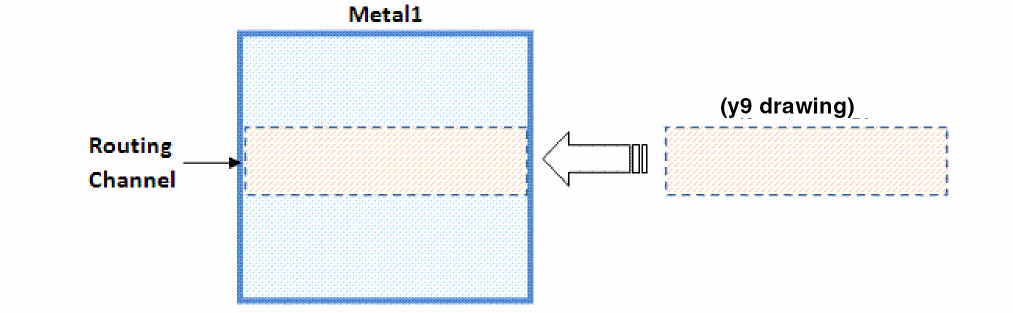
To create a routing channel when generating a cover blockage, specify the parameters in the Routing channel for cover blockage field.

Here, Metal1 refers to layer through which a routing obstruction needs to be cut. (y9 drawing) is the layer-purpose pair that indicates the shape of the routing channel.
You can use the AbstractBlockageRoutingChannelOnLayers option to create a routing channel when generating a cover blockage.
absSetBinOption("Block" "AbstractBlockageRoutingChannelOnLayers" "(Metal1 (y9 drawing)) (Metal2 (y9 drawing))")
Layers (y [0-9] drawing) are system-defined layers. So, the results may not be accurate when these layers are used for creating routing channels.
Related Topics
Modifying Blockage Geometry in the Abstract View
Return to top