
Troubleshoot System Bin Issues
ABS-11904
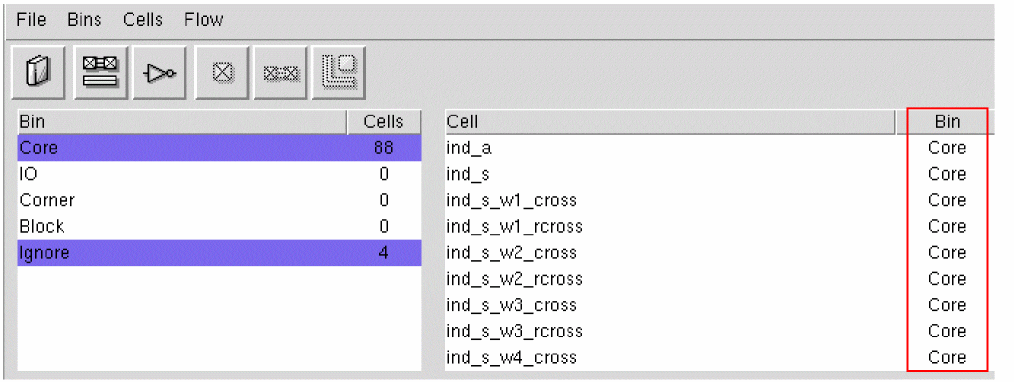
Failed to delete the system bin because system bins such as Core, IO, Corner, Block, and Ignore cannot be deleted.
Troubleshooting: The five system bins are Core, IO, Corner, Block, and Ignore. You cannot add, rename, or remove system bins.
ABS-11905
Failed to delete the name user bin because the bin contains cells.
Transfer all cells to another bin and then try again. To delete a user bin:
-
Select the bin you do not need and want to delete, and choose Bins – Delete and confirm the deletion.
If the bin you are deleting is not empty, you will be prompted (the Delete User Bin form will be displayed) to specify where to put its cells before the bin is deleted.
The name of the selected user bin is displayed in the Delete bin field.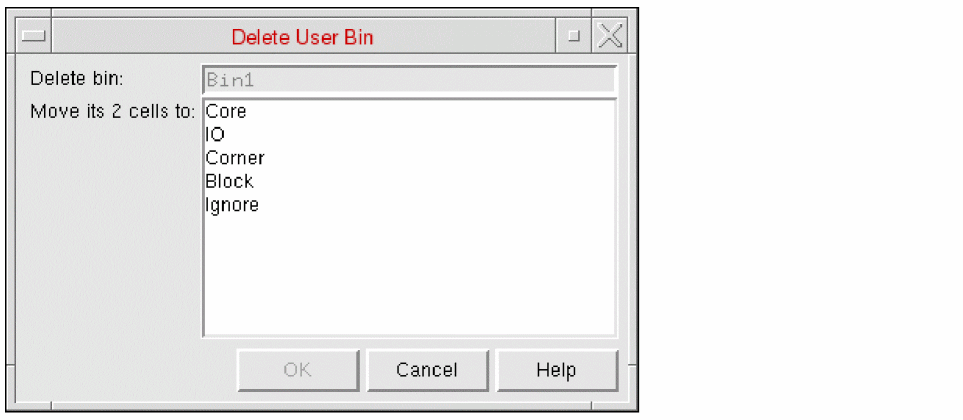
- In Move its 2 cells to, select the bin to which you want the cells of the deleted bin to be moved
- Click OK.
The cells are moved and the user bin is deleted.
Related Topics
Bin Preferences for Abstract Generation
Return to top