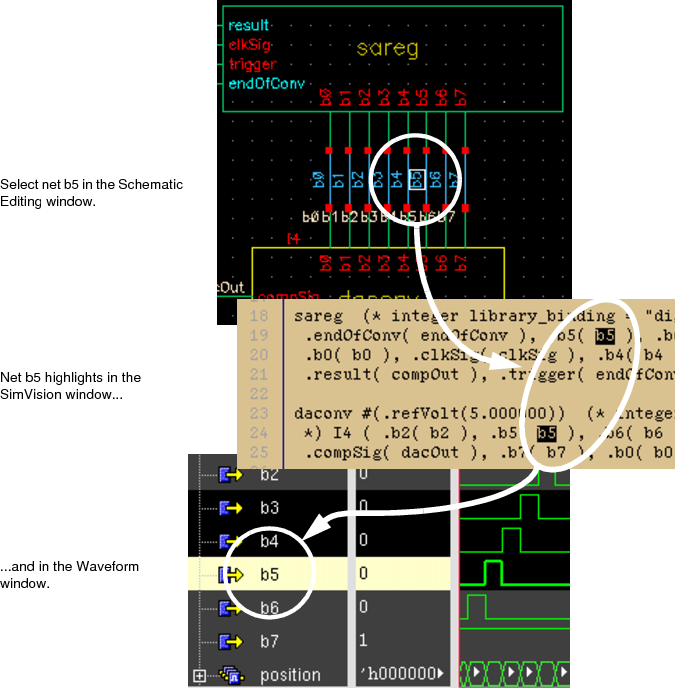
In AMS Designer, the applications that support cross-selecting nets are SimVision, the schematic editor, and the Waveform window. You can enable cross-selecting in the schematic editor by following steps 2 through 4 in "Cross-Selecting Instances". With these options set, you can cross-probe nets as summarized in the following table.
|
|
|
Responding Application | ||
|---|---|---|---|---|
|
|
|
Schematic Editor |
SimVision |
Waveform |
|
Initiating Application |
Schematic Editor |
|
Yes |
Yes |
|
SimVision |
Yes |
|
Yes |
|
|
Waveform |
No |
Yes |
|
|
For example, if you select a net in the schematic editor, the same net automatically highlights in the SimVision window. However, if you select a net in the Waveform window, the schematic editor window does not reflect the selection.
You cannot cross-probe global signals with AMS Designer.
The following illustrates the cross-selecting that occurs when the b5 net is selected in the Schematic Editing window.