
By default, the Mixed Net Browser shows the top-most module in the design hierarchy. You can use the Scope Tree for AICM sidebar to change the scope to display the modules with mixed nets.
To define the scope for mixed-signal net display, do the following in the Mixed Net Browser:
-
On the Browse the design hierarchy mixed-signal branches tab, expand the design hierarchy tree to reach the level that contains the module for which you want to view mixed-signal nets.
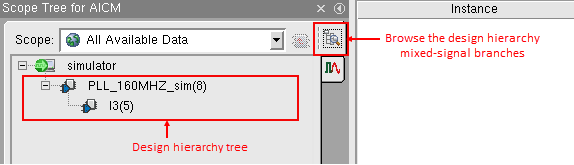
The total count of connect modules at each instance in the design hierarchy is shown next to the instance name.
- Click the instance for which you want to display the auto-inserted connect modules in the table to the right.
The Mixed Net Browser displays the connect module instances at the selected level and all levels below it. - (Optional) To view the connect module instances at the selected level only, select the Show local AICMs only check box on the Browse the design hierarchy mixed-signal branches tab.
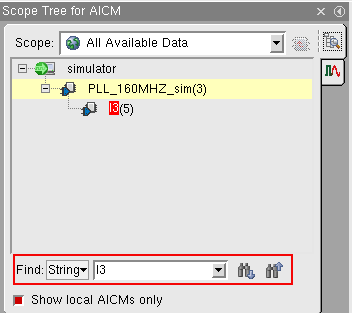
The count of connect modules is changed to reflect the connect modules at an instance level only. - (Optional) In case of a large design, use the Find field to specify the substring to be searched in the design hierarchy.
All instance names that contain the searched substring shown the text highlighted in red.
Related Topics
Working with Mixed Net Browser
Viewing the Mixed-Signal Nets in the Defined Scope