It is recommended that you invoke SimVision from a directory other than the unified PSFXL/SST2 database result directory so that you can directly open the unified PSFXL/SST2 database with both the containers. This can be done as follows:
- Select the File - Open Database menu option, or click the Open an SST2 database icon.
The Open Database window is displayed, as shown below.
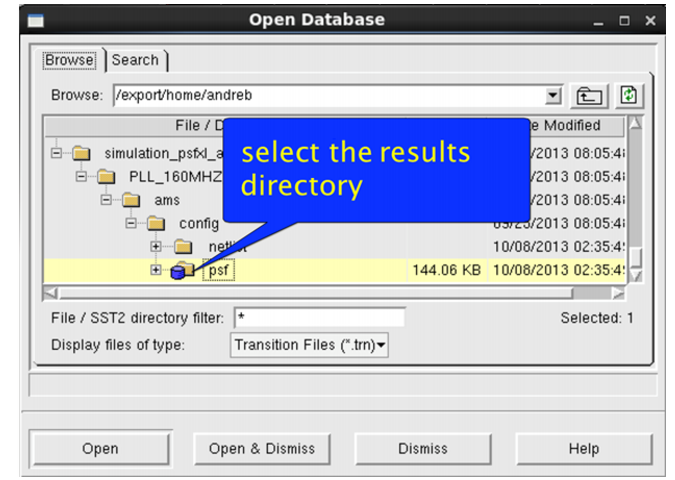
- Select the directory containing the results.
- Click Open & Dismiss.
The unified database containing both the containers is displayed in SimVision.
To display the unified database containing only the analog container in SimVision, expand the results directory, choose PSFXL Files (*.tran) from the Display files of type drop-down list, select logFile (created during simulation), and click Open & Dismiss.
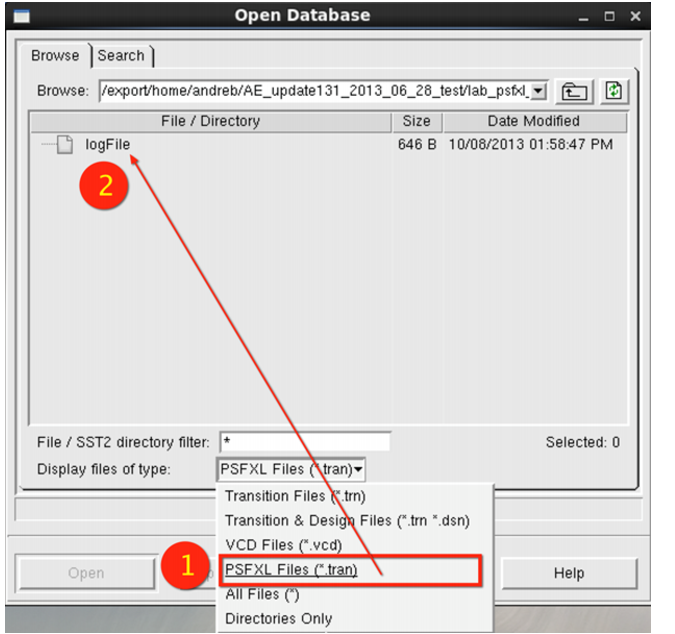
The unified database containing only the analog container is displayed in SimVision.
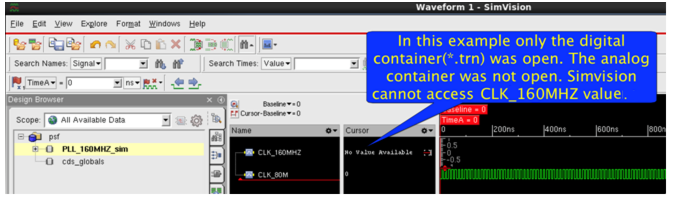
Though it is possible to open only the simulation digital (*.trn) container results during post-processing by selecting Transition Files (*.trn) from the Display files of type drop-down list, it is not recommended, because in this case, SimVision is not able to plot the analog vector values that are stored in the analog container. For such cases, SimVision displays No Value Available, as shown below.