
8
Sources - Independent Components
Symbol: idc
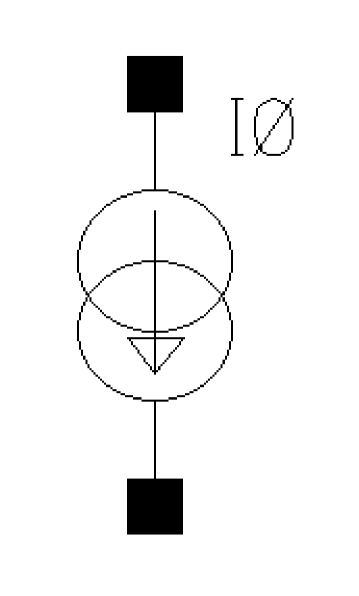
Command-line help
CDF Parameters
| CDF Parameter Label | CDF Parameter | spectre | auCdl | auLvs | hspiceD | UltraSim |
|---|---|---|---|---|---|---|
Syntax/Synopsis
Name ( sink src ) isource <parameter=value> ...
Positive current exits the source node and enters the sink node.
Example
i1 (in 0) isource dc=0 type=pulse delay=10n val0=0 val1=500u period=500n
Additional Information
This device is supported within the altergroups.
Symbol: iexp
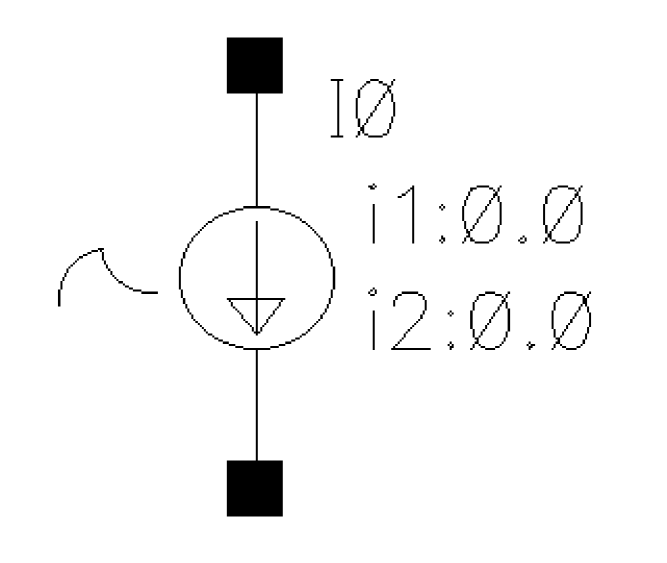
Independent Exponential Current Source
Command-line help
CDF Parameters
| CDF Parameter Label | CDF Parameter | spectre | auCdl | auLvs | hspiceD | UltraSim |
|---|---|---|---|---|---|---|
Syntax/Synopsis
Name ( sink src ) isource <parameter=value> ...
Positive current exits the source node and enters the sink node.
Example
i1 (in 0) isource dc=0 type=pulse delay=10n val0=0 val1=500u period=500n
rise=1n fall=1n width=250n
Additional Information
This device is supported within the altergroups.
Symbol: ipulse
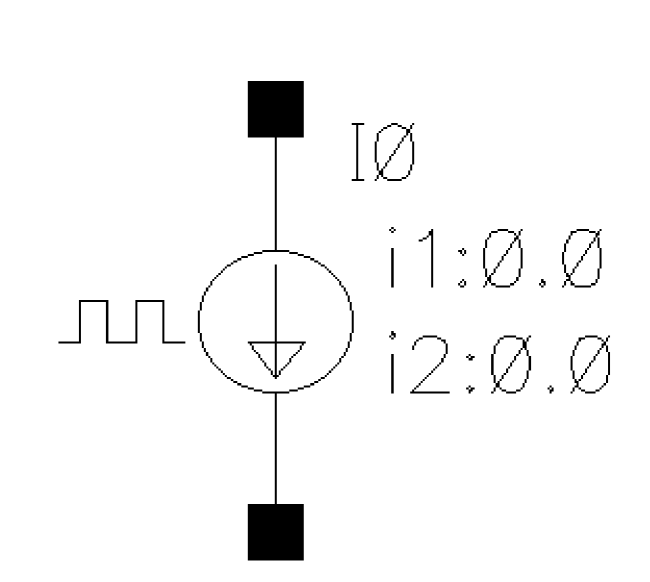
Independent Pulse Current Source
ipulse is a square wave varying isource.
CDF Parameters
| CDF Parameter Label | CDF Parameter | spectre | auCdl | auLvs | hspiceD | UltraSim |
|---|---|---|---|---|---|---|
Syntax/Synopsis
Name ( sink src ) isource <parameter=value> ...
Positive current exits the source node and enters the sink node.
Example
i1 (in 0) isource dc=0 type=pulse delay=10n val0=0 val1=500u period=500n
rise=1n fall=1n width=250n
Additional Information
This device is supported within the altergroups.
Symbol: ipwl
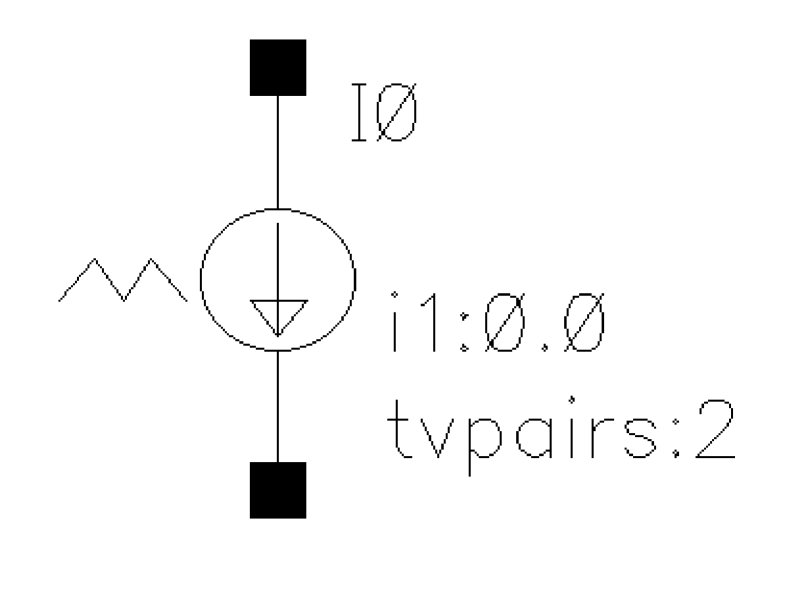
Independent Piece-Wise Linear Current Source
Command-line help
CDF Parameters
| CDF Parameter Label | CDF Parameter | spectre | auCdl | auLvs | hspiceD | UltraSim |
|---|---|---|---|---|---|---|
Syntax/Synopsis
Name ( sink src ) isource <parameter=value> ...
Positive current exits the source node and enters the sink node.
Example
i1 (in 0) isource dc=0 type=pulse delay=10n val0=0 val1=500u period=500n
rise=1n fall=1n width=250n
Additional Information
This device is supported within the altergroups.
Symbol: ipwlf
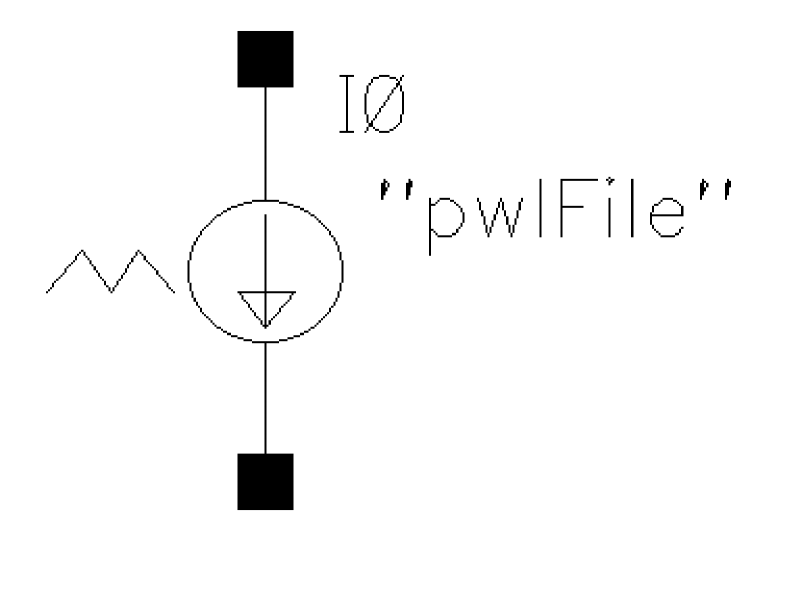
Independent Piece-Wise Linear Current Source Based on a File
Command-line help
CDF Parameters
| CDF Parameter Label | CDF Parameter | spectre | auCdl | auLvs | hspiceD | UltraSim |
|---|---|---|---|---|---|---|
Syntax/Synopsis
Name ( sink src ) isource <parameter=value> ...
Positive current exits the source node and enters the sink node.
Example
i1 (in 0) isource dc=0 type=pulse delay=10n val0=0 val1=500u period=500n
rise=1n fall=1n width=250n
Additional Information
This device is supported within the altergroups.
Symbol: isin
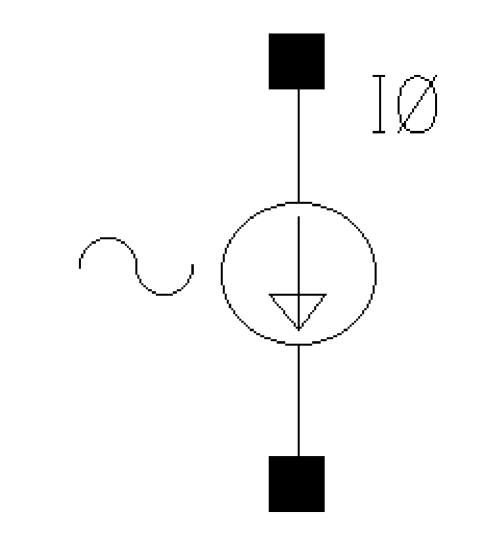
Independent Sinusoidal Current Source
isin is a sin wave isource.
Command-line help
CDF Parameters
| CDF Parameter Label | CDF Parameter | spectre | auCdl | auLvs | hspiceD | UltraSim |
|---|---|---|---|---|---|---|
Syntax/Synopsis
Name ( sink src ) isource <parameter=value> ...
Positive current exits the source node and enters the sink node.
Example
i1 (in 0) isource dc=0 type=pulse delay=10n val0=0 val1=500u period=500n
rise=1n fall=1n width=250n
Additional Information
This device is supported within the altergroups.
Symbol: isource
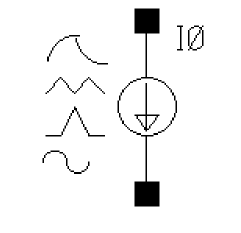
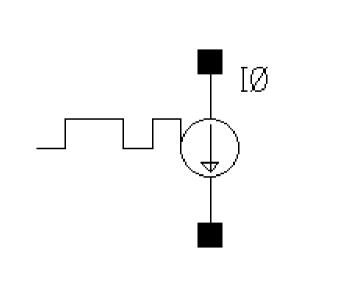
If Source type = prbs, and Trigger = External rising edge, External falling edge, or External both edges, two extra ports are added to the isource symbol as shown below:
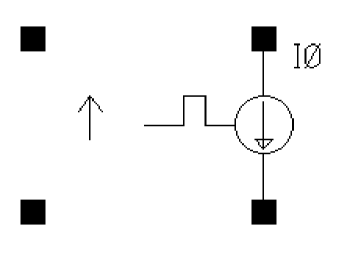
You can specify the wave shape for isource by selecting one of the following options from the Source type drop-down list box in the Edit Object Properties form:
- dc—Generates a dc level from isource. When the Source type is set to dc, the dc and temperature effect parameters are active. The dc setting sets the DC level for all analyses.
-
sine—Generates sinusoidal waveforms.
Up to two sinusoids can be generated simultaneously. They are denoted as 1 and 2. You can set the amplitude, frequency, and phase for both individually. The amplitude can be set to either a current or a power level. When you set a power level, the assumption is that the isource is perfectly matched. The source that is internal to isource gets double the amplitude specified by the power indBm. You can also specify sinusoidal AM or FM modulation of sinusoid 1. Sinusoid 2 cannot be modulated. -
pulse—Generates a step, a single pulse, or a periodic pulse waveform.
When you specify the current, you are specifying the current when isource is properly terminated, and not the current on the internal current source. Therefore, the current on the internal source is set to twice the value specified on the component. -
exp—Generates an exponential waveform. The exponential waveform can generate one exponential pulse, and cannot generate a periodic signal.
When you specify the current, you are specifying the current when isource is properly terminated, and not the current on the internal current source. Thus, the current on the internal source is set to twice the value specified on isource. -
pwl—Generates piecewise linear waveforms that allow an arbitrary input waveform to be generated.
The input can either be a file that contains time and current pairs, or you can enter the time-current pairs directly in the PWL source properties form. Remember that the current you enter in the piecewise linear file assumes that the isource is properly terminated. The internal current source gets set to double the value specified in the piecewise linear current specifications. - bit—Generates bit sequence or string from isource. The bit source has four states: 1, 0, m, and z, which represent the high, low, middle current, and high-impedance state respectively. It allows patterns defining a sequence of bits.
- prbs—PRBS is an acronym for Pseudo-Random Binary Sequence. This source has three modes. It can be used to generate a maximum-length pseudo-random sequence. You can specify the beginning state and tap gains for a Fibonacci PRBS generator. A third mode allows reading an ASCII file that describes the sequence of one and zero events to generate.
If you select the Display noise parameters check box in the Edit Object Properties form, the Noise file as Design Var? check box is displayed. You can select this check box to specify the noise file as a design variable in the Noise file name field.
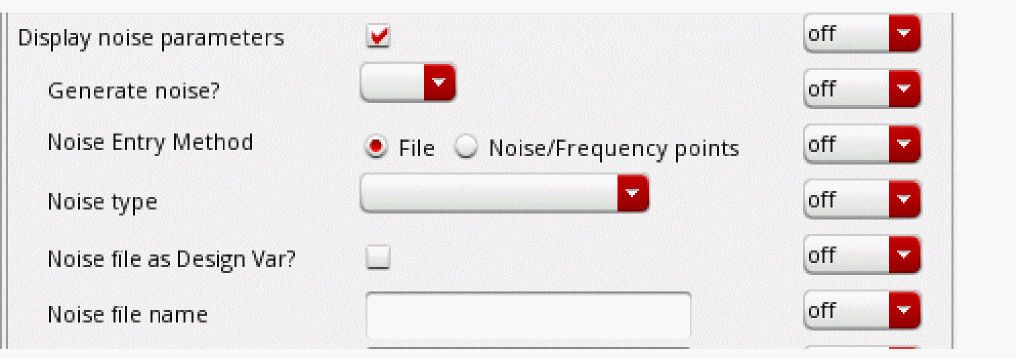
For more information on the available source types, see the section Source type in AnalogLib Components Used in RF Simulation.
The value of the DC current as a function of the temperature is given by:
I(T) = I(tnom) * [1 + tc1 * (T - tnom) + tc2 * (T - tnom)^2].
Command-line help
CDF Parameters
| CDF Parameter Label | CDF Parameter | spectre | auCdl | auLvs | hspiceD | UltraSim |
|---|---|---|---|---|---|---|
-
In case
pwlperiodis specified andpwlperiodstartis not specified, then another current-time pair must be added, where time =pwlperiodand current is the same as the current in the last current-time pair.
But, if the value specified forpwlperiodis the same as the time specified in the last current-time pair, then no additional current-time pair is required. -
In case both
pwlperiodandpwlperiodstartare specified, then another current-time pair must be added, where time = (pwlperiod + pwlperiodstart) and current is the same as the current in the last current-time pair.
-
In case
Syntax/Synopsis
Name ( sink src [ctl] ) isource <parameter=value> ...
Positive current exits the source node and enters the sink node. The third node(ctl) is used as a switch only for prbs.
Example
i1 (in 0) isource dc=0 type=pulse delay=10n val0=0 val1=500u period=500n
rise=1n fall=1n width=250n
Additional Information
This device is supported within the altergroups.
Symbol: iprbs
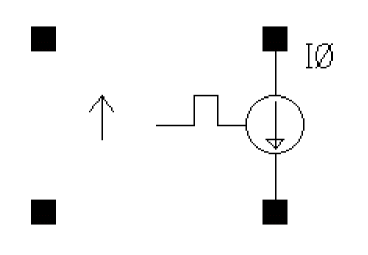
If Trigger = External rising edge, External falling edge, or External both edges, two extra ports are added to the iprbs symbol as shown below:
Command-line help
| CDF Parameter Label | CDF Parameter | spectre | spectreS | cdsSpice | auCdl | auLvs | hspiceS | hspiceD | UltraSim |
|---|---|---|---|---|---|---|---|---|---|
Symbol: multibit
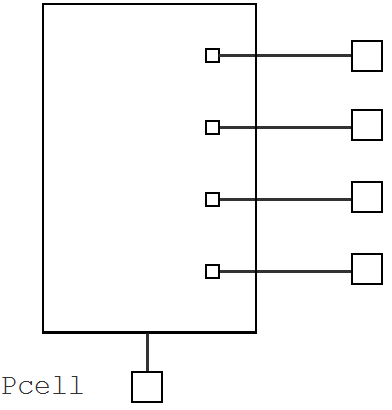
multibit is a Pcell, which allows you to provide a DC stimulus for a bus having multiple bits. The number of bits, the bit pattern, logic high, and logic low voltages can be selected as parameters. The Pcell also supports scalar (single bit) as well as bus outputs.
Example
For instance I0, the netlist as follows:
// Library name: analogLib
// Cell name: multibit
// View name: schematic
subckt multibit_pcell_0 a0 a1 a2 a3 ref
parameters a3=fmod(int((0)/8),2) vbit1=1 vbit0=0 a2=fmod(int((0)/4),2) \
a1=fmod(int((0)/2),2) a0=fmod(int((0)/1),2)
V3 (a3 ref) vsource dc=a3 > 0 ? vbit1 : vbit0 type=dc
V2 (a2 ref) vsource dc=a2 > 0 ? vbit1 : vbit0 type=dc
V1 (a1 ref) vsource dc=a1 > 0 ? vbit1 : vbit0 type=dc
V0 (a0 ref) vsource dc=a0 > 0 ? vbit1 : vbit0 type=dc
ends multibit_pcell_0
// End of subcircuit definition.
// Library name: InhConn
// Cell name: test
// View name: schematic
I0 (net5 net4 net3 net2 net1) multibit_pcell_0 a3=fmod(int((0)/8),2) \
vbit1=1 vbit0=0 a2=fmod(int((0)/4),2) a1=fmod(int((0)/2),2) \
a0=fmod(int((0)/1),2)
Component Parameters
| CDF Parameter Label | CDF Parameter | spectre | auCdl | auLvs | hspiceD | UltraSim |
|---|---|---|---|---|---|---|
Symbol: pdc
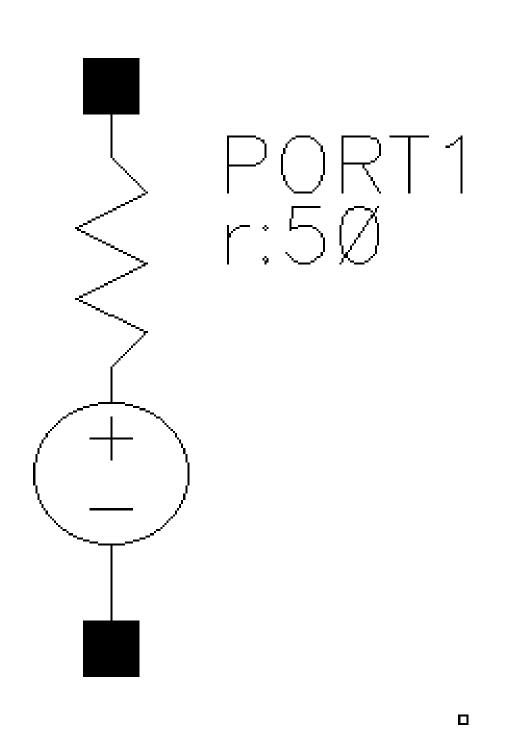
Independent DC Resistive Source
When Source type=dc, the dc and temperature effect parameters are active and set the DC level for all analyses. The DC voltage sets the DC level of the source for DC analysis. The value must be a real number. If you do not specify the DC value, it is assumed to be the time =0 value of the waveform.
The DC voltage parameter specifies the DC voltage across the port when it is terminated in its reference resistance. In other words, the DC voltage of the internal voltage source is double the user specified DC value, dc. The same is true for the values for the transient, AC, and PAC signals of the port.
For more information on this component refer to Appendix H of the Spectre Circuit Simulator and Accelerated Parallel Simulator RF Analysis User Guide.
Command-line help
CDF Parameters
| CDF Parameter Label | CDF Parameter | spectre | auCdl | auLvs | hspiceD | UltraSim |
|---|---|---|---|---|---|---|
Syntax/Synopsis
Name ( p n ) port <parameter=value> ...
Example
p20 (2 0) port num=2 r=50 type=pulse period=1e-9 rise=1e-10 fall=1e-10 val1=1 width=0.5n mag=1
Additional Information
This device is not supported within the altergroups.
Symbol: pexp
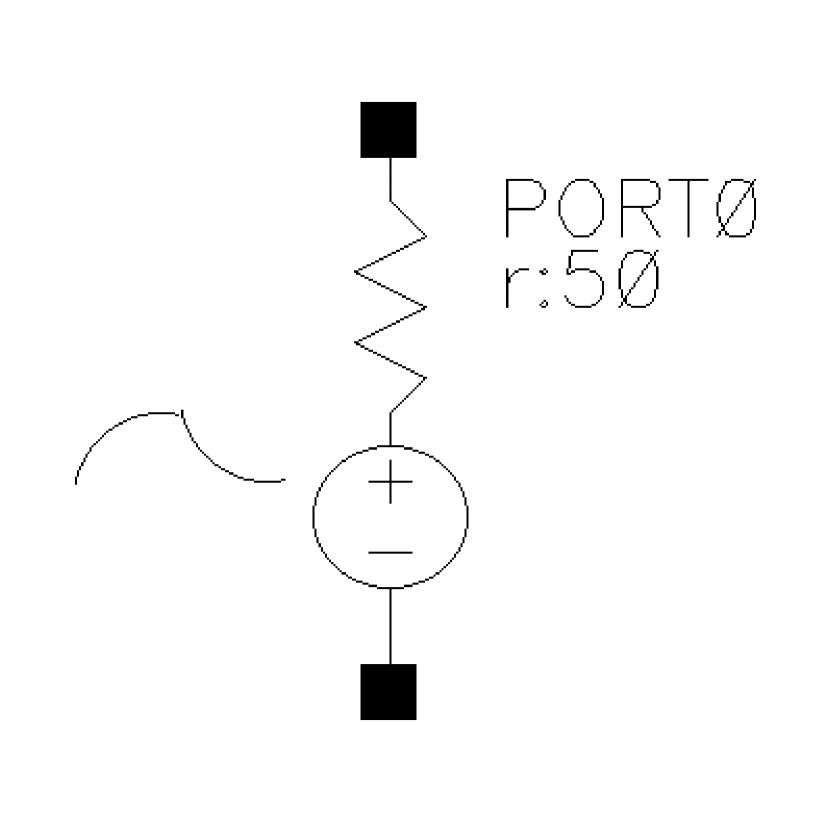
Independent Exponential Resistive Source
For more information on this component refer to Appendix H of the Spectre Circuit Simulator and Accelerated Parallel Simulator RF Analysis User Guide.
Command-line help
CDF Parameters
| CDF Parameter Label | CDF Parameter | spectre | auCdl | auLvs | hspiceD | UltraSim |
|---|---|---|---|---|---|---|
Syntax/Synopsis
Name ( p n ) port <parameter=value> ...
Example
p20 (2 0) port num=2 r=50 type=pulse period=1e-9 rise=1e-10 fall=1e-10 val1=1
Additional Information
This device is not supported within the altergroups.
Symbol: port
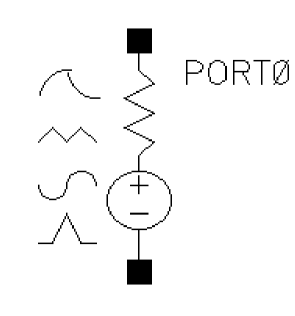
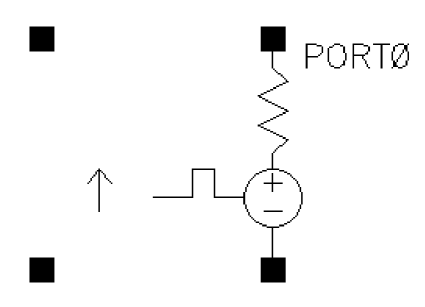
If Source type = prbs, and Trigger = External rising edge, External falling edge, or External both edges, two extra ports are added to the port symbol as shown below:
You can specify the wave shape for the port by selecting one of the following options from the Source type drop-down list box in the Edit Object Properties form:
- dc—Generates a dc level from the port. When the Source type is set to dc, the dc and temperature effect parameters are active. The dc setting sets the DC level for all analyses.
-
sine—Generates sinusoidal waveforms.
Up to two sinusoids can be generated simultaneously. They are denoted as 1 and 2. You can set the amplitude, frequency, and phase for both individually. The amplitude can be set to either a voltage or a power level. When you set a power level, the assumption is that the port is perfectly matched. The source that is internal to the port gets double the amplitude specified by the power indBm. You can also specify sinusoidal AM or FM modulation of sinusoid 1. Sinusoid 2 cannot be modulated. -
pulse—Generates a step, a single pulse, or a periodic pulse waveform.
When you specify the voltage, you are specifying the voltage when the port is properly terminated, and not the voltage on the internal voltage source. Therefore, the voltage on the internal source is set to twice the value specified on the component. -
exp—Generates an exponential waveform. The exponential waveform can generate one exponential pulse, and cannot generate a periodic signal.
When you specify the voltage, you are specifying the voltage when the port is properly terminated, and not the voltage on the internal voltage source. Thus, the voltage on the internal source is set to twice the value specified on the port. -
pwl—Generates piecewise linear waveforms that allow an arbitrary input waveform to be generated.
The input can either be a file that contains time and voltage pairs, or you can enter the time-voltage pairs directly in the PWL source properties form. Remember that the voltages you enter in the piecewise linear file assumes that the port is properly terminated. The internal voltage source gets set to double the value specified in the piecewise linear voltage specifications. - pwlz—Generates piecewise linear waveforms that allow an arbitrary input waveform to be generated. This source type resembles the pwl source type, except that some voltage values can be replaced by the high-impedance state. In addition to voltage-time pairs supported by pwl, pwlz also supports z-state in the waveform. When z-state is active, the voltage source is disconnected from the node and it is put in high-impedance state.
-
bit—Generates bit sequence or string from the port. The bit source has four states: 1, 0, m, and z, which represent the high, low, middle voltage, and high impedance state respectively. It allows patterns defining a sequence of bits. When the m state is specified, the output voltage is set halfway between
0state and1state voltages. - prbs—PRBS is an acronym for Pseudo-Random Binary Sequence. This source has three modes. It can be used to generate a maximum-length pseudo-random sequence. You can specify the beginning state and tap gains for a Fibonacci PRBS generator. A third mode allows reading an ASCII file that describes the sequence of one and zero events to generate.
If you select the Display noise parameters check box in the Edit Object Properties form, the Noise file as Design Var? check box is displayed. You can select this check box to specify the noise file as a design variable in the Noise file name field.
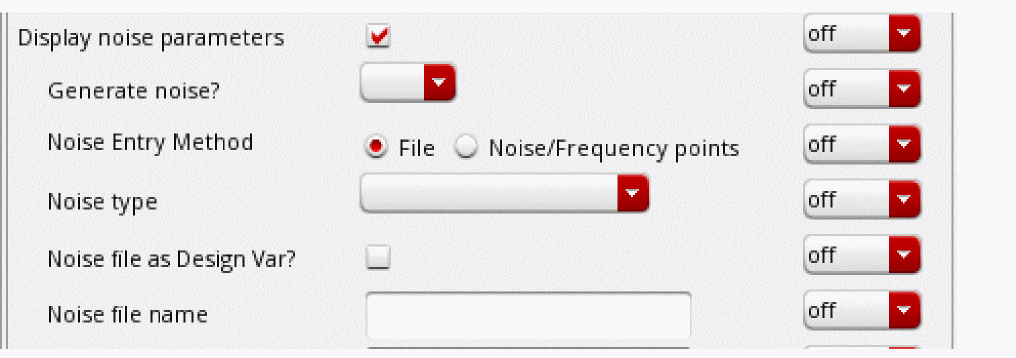
For more information on the available source types, see the section Source type in the chapter AnalogLib Components Used in RF Simulation in the Spectre Circuit Simulator and Accelerated Parallel Simulator RF Analysis User Guide.
For more information on this component refer to Appendix H of the Spectre Circuit Simulator and Accelerated Parallel Simulator RF Analysis User Guide.
Command-line help
CDF Parameters
| CDF Parameter Label | CDF Parameter | spectre | auCdl | auLvs | hspiceD | UltraSim |
|---|---|---|---|---|---|---|
For more information on the jitter parameters: pjamp, pjfreq, pjtype, rjrms, and rjseed refer to
Additional Information
Power of PWL waveform (pwldbm) is an alternative to Amplitude scale factor (scale). Use pwldbm to specify the rms power for the waveform and spectre automatically calculates the correct scale factor.
If pwldbm is specified, it overwrites the scale parameter.
Symbol: ppulse
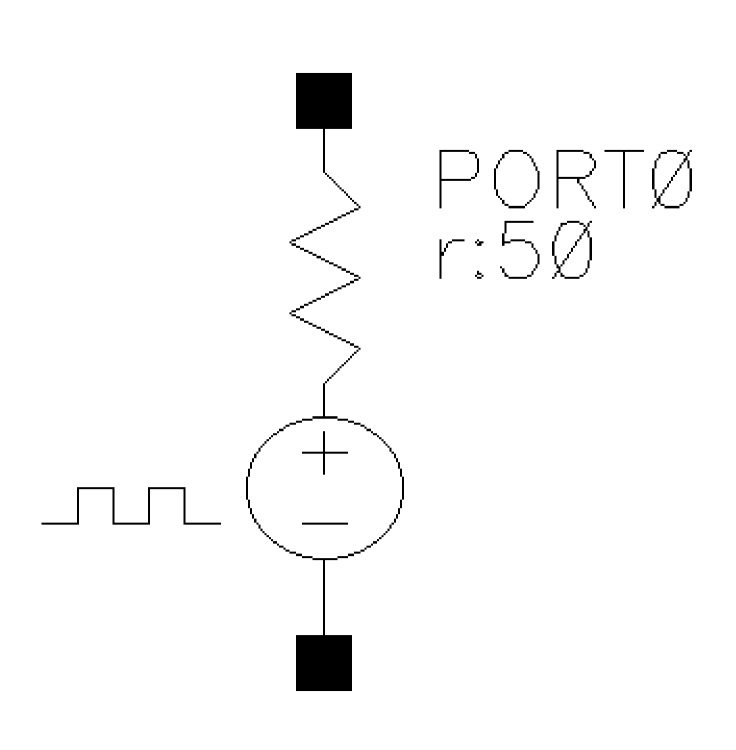
Independent Resistive Pulse Source
For more information on this component refer to Appendix H of the Spectre Circuit Simulator and Accelerated Parallel Simulator RF Analysis User Guide.
Command-line help
CDF Parameters
| CDF Parameter Label | CDF Parameter | spectre | auCdl | auLvs | hspiceD | UltraSim |
|---|---|---|---|---|---|---|
Symbol: pprbs
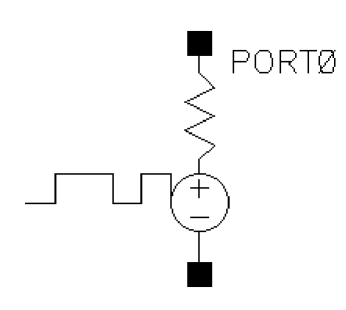
If Trigger = External rising edge, External falling edge, or External both edges, two extra ports are added to the pprbs symbol as shown below:
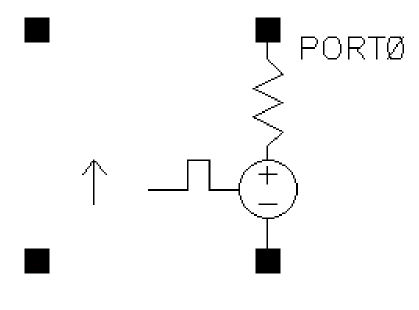
Independent Resistive Pulse Source
For more information on this component refer to Appendix H of the Spectre Circuit Simulator and Accelerated Parallel Simulator RF Analysis User Guide.
Command-line help
| CDF Parameter Label | CDF Parameter | spectre | spectreS | cdsSpice | auCdl | auLvs | hspiceS | hspiceD | UltraSim |
|---|---|---|---|---|---|---|---|---|---|
Symbol: ppwl
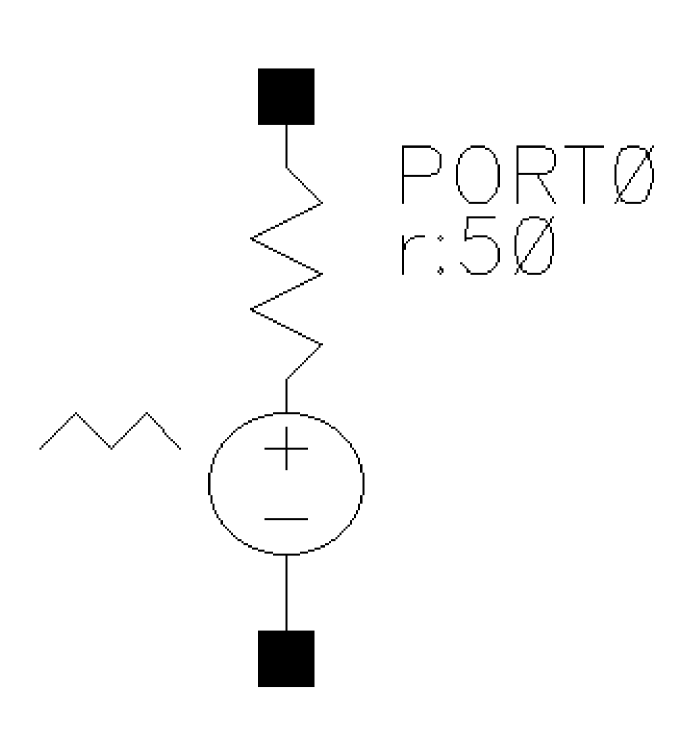
Independent Piece-Wise Linear Resistive Source
For more information on this component refer to Appendix H of the Spectre Circuit Simulator and Accelerated Parallel Simulator RF Analysis User Guide.
Command-line help
CDF Parameters
| CDF Parameter Label | CDF Parameter | spectre | auCdl | auLvs | hspiceD | UltraSim |
|---|---|---|---|---|---|---|
Symbol: ppwlf
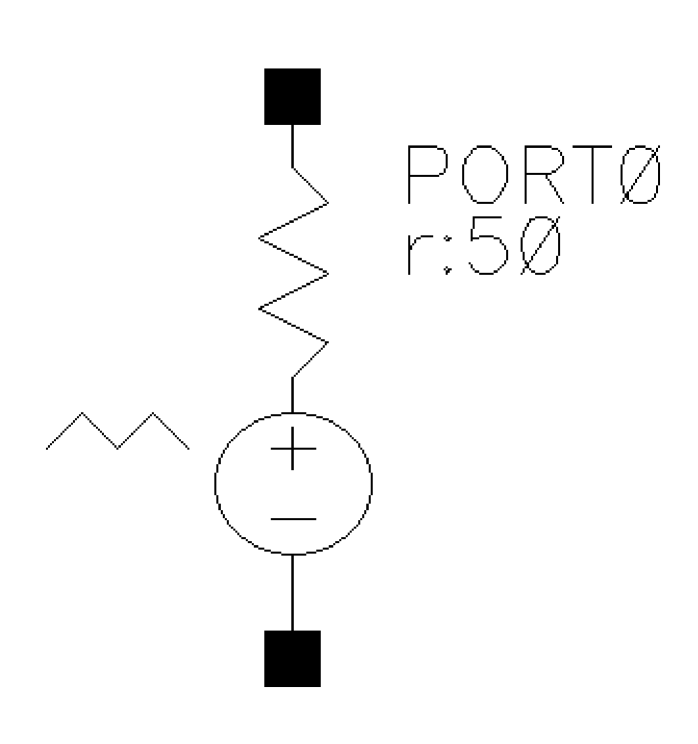
Independent Piece-Wise Linear Resistive Source Based on File
For more information on this component refer to Appendix H of the Spectre Circuit Simulator and Accelerated Parallel Simulator RF Analysis User Guide.
Command-line help
CDF Parameters
| CDF Parameter Label | CDF Parameter | spectre | auCdl | auLvs | hspiceD | UltraSim |
|---|---|---|---|---|---|---|
Symbol: psin
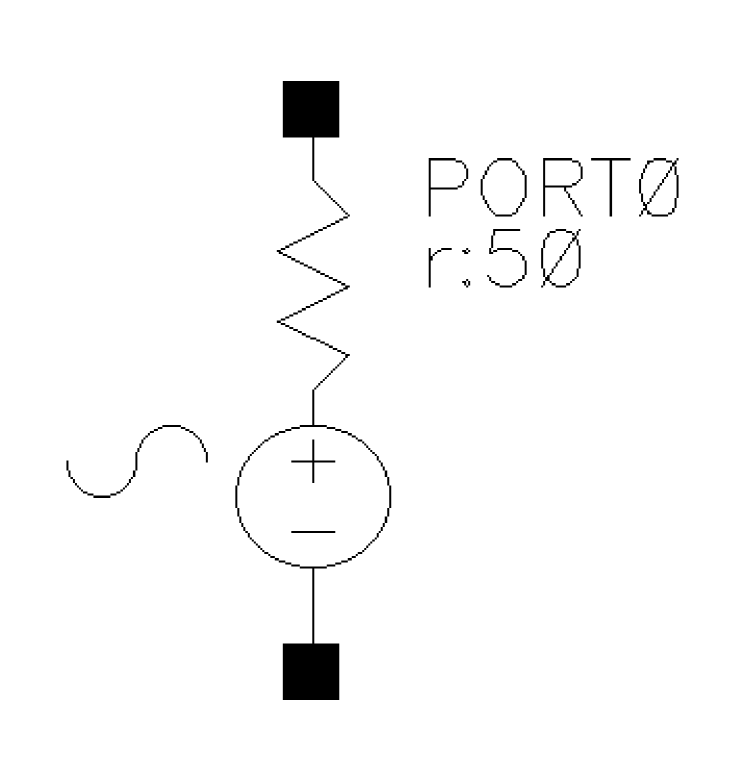
Independent Sinusoidal Resistive Source
The psin component is used in all RF circuits for SpectreRF and Spectre S-parameter simulations. When you netlist psin in the analog design environment using the Spectre simulator, you can see that psin is the port component in the Spectre simulation. A port is a resistive source that is tied between positive and negative terminals. It is equivalent to a voltage source in series with a resistor, and the reference resistance of the port is the value of the resistor.
For more information on this component refer to
Command-line help
CDF Parameters
| CDF Parameter Label | CDF Parameter | spectre | auCdl | auLvs | hspiceD | UltraSim |
|---|---|---|---|---|---|---|
Symbol: vdc
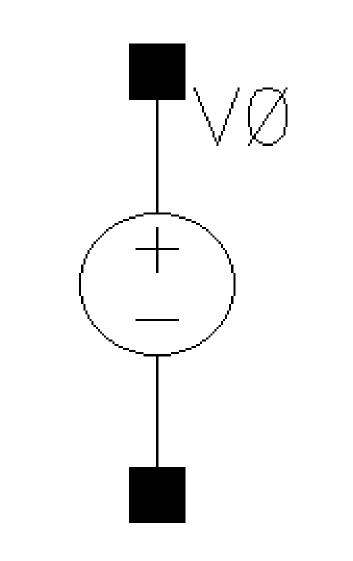
Command-line help
CDF Parameters
| CDF Parameter Label | CDF Parameter | spectre | auCdl | auLvs | hspiceD | UltraSim |
|---|---|---|---|---|---|---|
Syntax/Synopsis
Name ( p n ) vsource <parameter=value> ...
Example
vpulse1 (1 0) vsource type=pulse val0=0 val1=5 period=100n rise=10n fall=10n width=40n
vpwl1 (1 0) vsource type=pwl wave=[1n 0 1.1n 2 1.5n 0.5 2n 3 5n 5] pwlperiod=5n
Additional Information
This device is supported within the altergroups.
Symbol: vexp
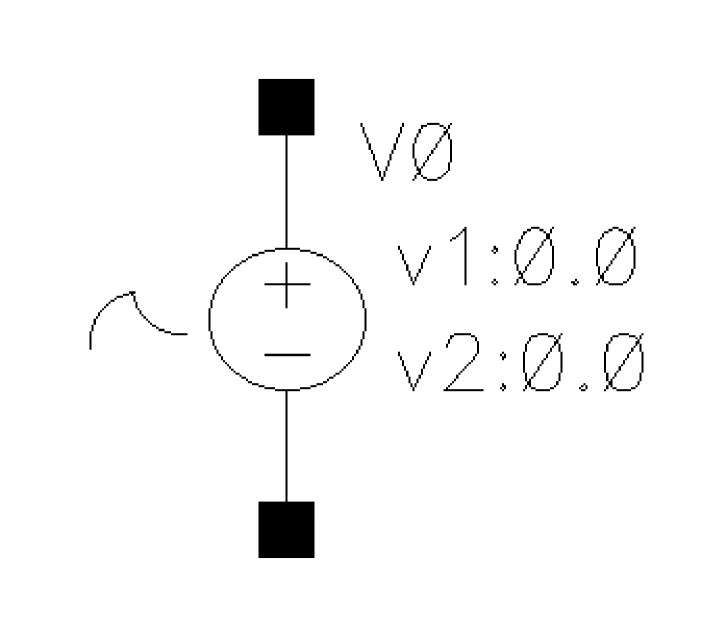
Independent Exponential Voltage Source
vexp is an exponential vsource.
Command-line help
CDF Parameters
| CDF Parameter Label | CDF Parameter | spectre | auCdl | auLvs | hspiceD | UltraSim |
|---|---|---|---|---|---|---|
Syntax/Synopsis
Name ( p n ) vsource <parameter=value> ...
Example
vpulse1 (1 0) vsource type=pulse val0=0 val1=5 period=100n rise=10n fall=10n width=40n
vpwl1 (1 0) vsource type=pwl wave=[1n 0 1.1n 2 1.5n 0.5 2n 3 5n 5] pwlperiod=5n
Additional Information
This device is supported within the altergroups.
Symbol: vpulse
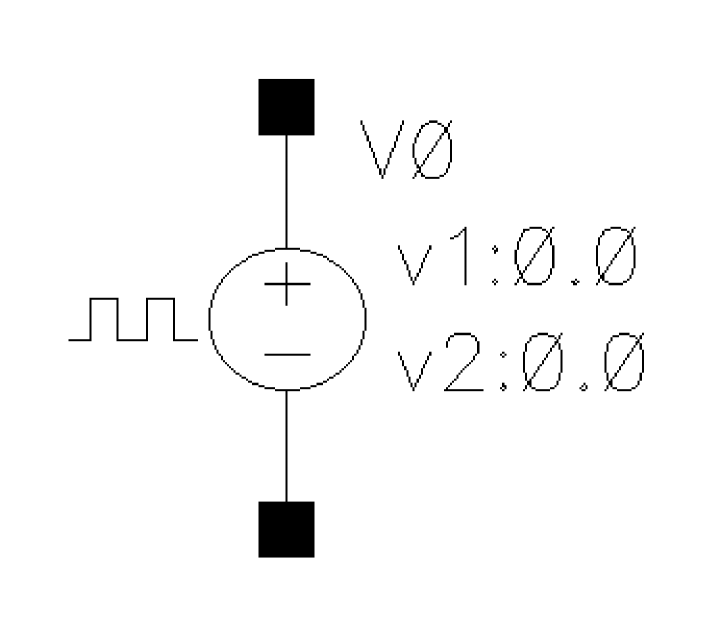
Independent Pulse Voltage Source
vpulse is a square wave varying vsource.
Command-line help
CDF Parameters
| CDF Parameter Label | CDF Parameter | spectre | auCdl | auLvs | hspiceD | UltraSim |
|---|---|---|---|---|---|---|
Syntax/Synopsis
Name ( p n ) vsource <parameter=value> ...
Example
vpulse1 (1 0) vsource type=pulse val0=0 val1=5 period=100n rise=10n fall=10n width=40n
vpwl1 (1 0) vsource type=pwl wave=[1n 0 1.1n 2 1.5n 0.5 2n 3 5n 5] pwlperiod=5n
Additional Information
This device is supported within the altergroups.
Symbol: vpwl
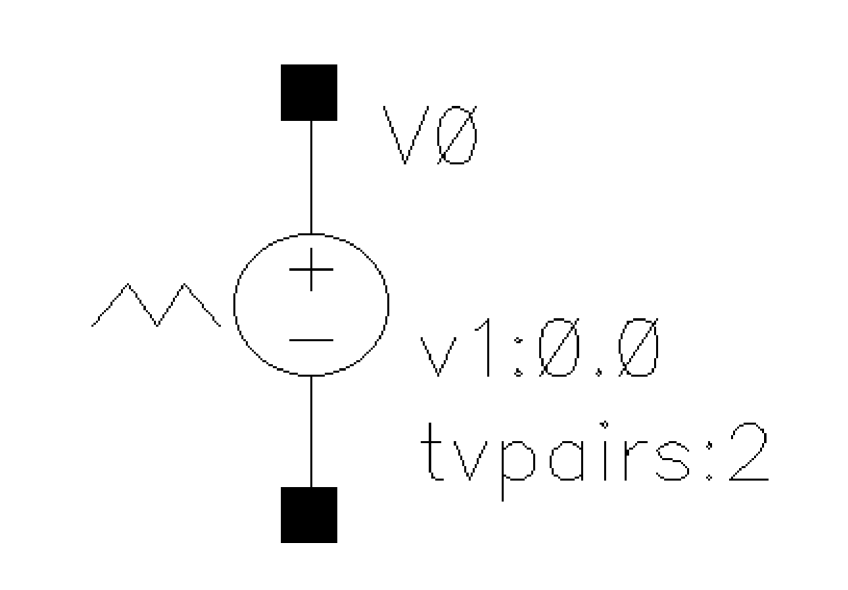
Independent Piece-Wise Linear Voltage Source
vpwl is a piece-wise linear vsource.
Command-line help
CDF Parameters
| CDF Parameter Label | CDF Parameter | spectre | auCdl | auLvs | hspiceD | UltraSim |
|---|---|---|---|---|---|---|
Symbol: vpwlf
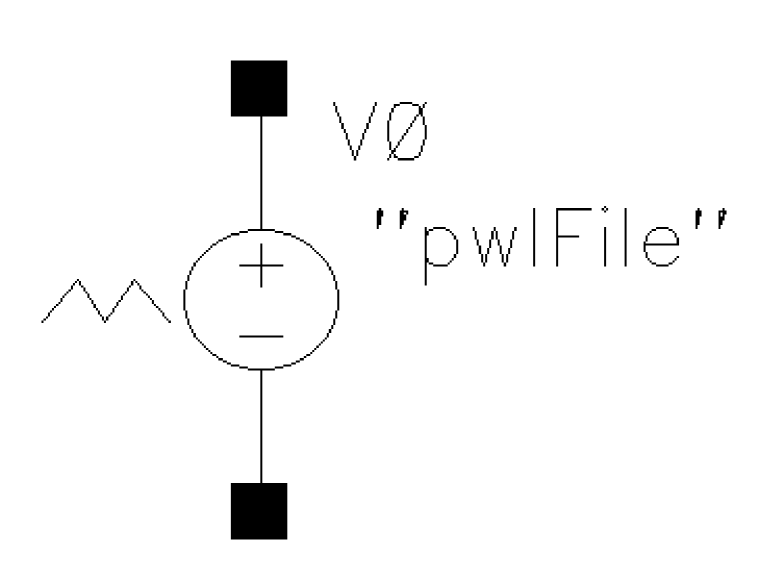
Independent Piece-Wise Linear Voltage Source Based on File
Command-line help
CDF Parameters
| CDF Parameter Label | CDF Parameter | spectre | auCdl | auLvs | hspiceD | UltraSim |
|---|---|---|---|---|---|---|
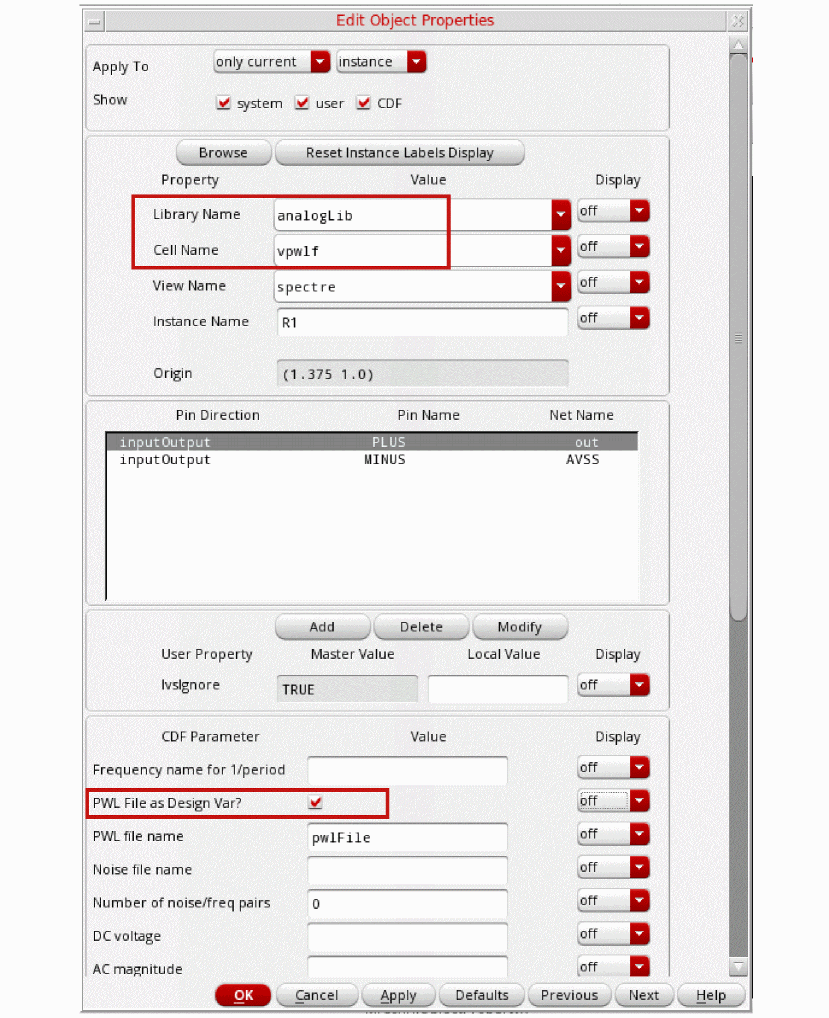
If you select vsource or vpwlf from the Cell Name drop-down list of the Edit Object Properties form, you can select the PWL file as Design Var? check box to specify the PWL data file as a design variable in the PWL file name field.
Symbol: vsin
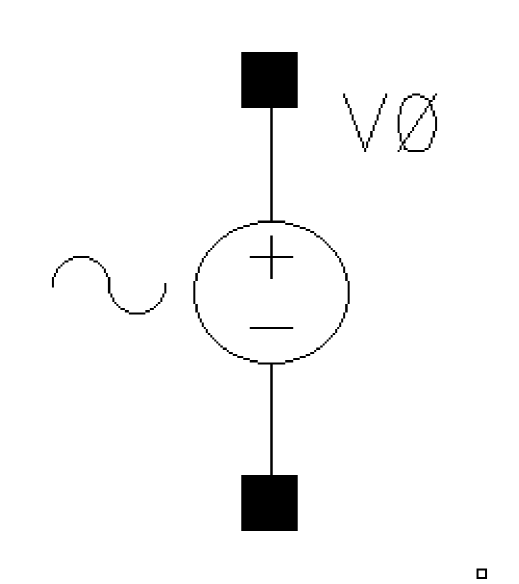
Independent Sinusoidal Voltage Source
vsin is a sin wave vsource.
Command-line help
CDF Parameters
| CDF Parameter Label | CDF Parameter | spectre | auCdl | auLvs | hspiceD | UltraSim |
|---|---|---|---|---|---|---|
Syntax/Synopsis
Name ( p n ) vsource <parameter=value> ...
Example
vpulse1 (1 0) vsource type=pulse val0=0 val1=5 period=100n rise=10n fall=10n width=40n
vpwl1 (1 0) vsource type=pwl wave=[1n 0 1.1n 2 1.5n 0.5 2n 3 5n 5] pwlperiod=5n
Additional Information
This device is supported within the altergroups.
Symbol: vsource
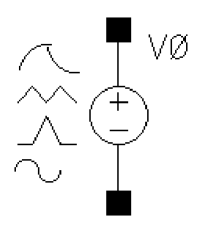
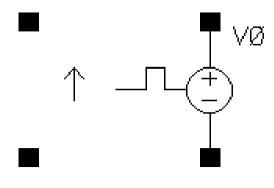
If Source type = prbs, and Trigger = External rising edge, External falling edge, or External both edges, two extra ports are added to the vsource symbol as shown below:
You can specify the wave shape for vsource by selecting one of the following options from the Source type drop-down list box in the Edit Object Properties form:
- dc—Generates a dc level from vsource. When the Source type is set to dc, the dc and temperature effect parameters are active. The dc setting sets the DC level for all analyses.
-
sine—Generates sinusoidal waveforms.
Up to two sinusoids can be generated simultaneously. They are denoted as 1 and 2. You can set the amplitude, frequency, and phase for both individually. The amplitude can be set to either a voltage or a power level. When you set a power level, the assumption is that the vsource is perfectly matched. The source that is internal to vsource gets double the amplitude specified by the power indBm. You can also specify sinusoidal AM or FM modulation of sinusoid 1. Sinusoid 2 cannot be modulated. -
pulse—Generates a step, a single pulse, or a periodic pulse waveform.
When you specify the voltage, you are specifying the voltage when vsource is properly terminated, and not the voltage on the internal voltage source. Therefore, the voltage on the internal source is set to twice the value specified on the component. -
exp—Generates an exponential waveform. The exponential waveform can generate one exponential pulse, and cannot generate a periodic signal.
When you specify the voltage, you are specifying the voltage when vsource is properly terminated, and not the voltage on the internal voltage source. Thus, the voltage on the internal source is set to twice the value specified on vsource. -
pwl—Generates piecewise linear waveforms that allow an arbitrary input waveform to be generated.
The input can either be a file that contains time and voltage pairs, or you can enter the time-voltage pairs directly in the PWL source properties form. Remember that the voltages you enter in the piecewise linear file assumes that the vsource is properly terminated. The internal voltage source gets set to double the value specified in the piecewise linear voltage specifications. - pwlz—Generates piecewise linear waveforms that allow an arbitrary input waveform to be generated. This source type resembles the pwl source type, except that some voltage values can be replaced by the high-impedance state. In addition to voltage-time pairs supported by pwl, pwlz also supports z-state in the waveform. When z-state is active, the voltage source is disconnected from the node and it is put in high-impedance state.
-
bit—Generates bit sequence or string from vsource. The bit source has four states:
1,0,m, andz, which represent the high, low, middle voltage, and high impedance state respectively. When themstate is specified, the output voltage is set halfway between0state and1state voltages. This source type lets you create simple or nested patterns defining a sequence of bits. - prbs—PRBS is an acronym for Pseudo-Random Binary Sequence. This source has three modes. It can be used to generate a maximum-length pseudo-random sequence. You can specify the beginning state and tap gains for a Fibonacci PRBS generator. A third mode allows reading an ASCII file that describes the sequence of one and zero events to generate.
If you select the Display noise parameters check box in the Edit Object Properties form, the Noise file as Design Var? check box is displayed. You can select this check box to specify the noise file as a design variable in the Noise file name field.
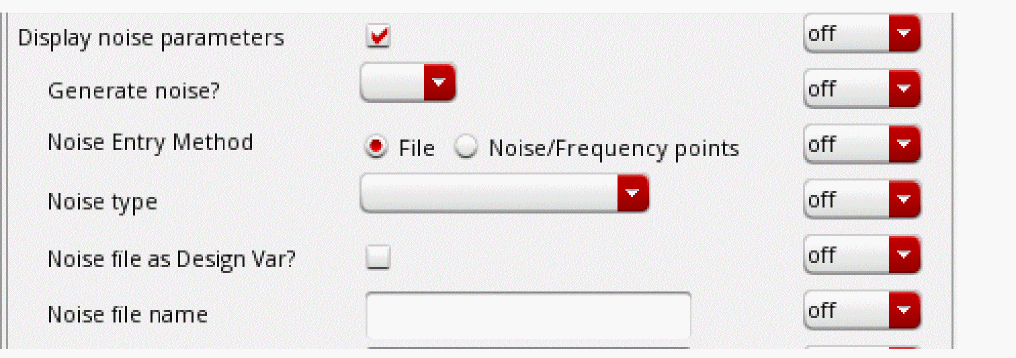
For more information on the available source types, see the section Source type in the chapter AnalogLib Components Used in RF Simulation in the Spectre Circuit Simulator and Accelerated Parallel Simulator RF Analysis User Guide.
Current through the source is computed and is defined to be positive if it flows from the positive node, through the source, to the negative node.
The value of the DC voltage as a function of the temperature is given by:
V(T) = V(tnom) * [1 + tc1 * (T - tnom) + tc2 * (T - tnom)^2].
Command-line help
CDF Parameters
| CDF Parameter Label | CDF Parameter | spectre | auCdl | auLvs | hspiceD | UltraSim |
|---|---|---|---|---|---|---|
-
In case
pwlperiodis specified andpwlperiodstartis not specified, then another voltage-time pair must be added, where time =pwlperiodand voltage is the same as the voltage in the last voltage-time pair.
But, if the value specified forpwlperiodis the same as the time specified in the last voltage-time pair, then no additional voltage-time pair is required. -
In case both
pwlperiodandpwlperiodstartare specified, then another voltage-time pair must be added, where time = (pwlperiod + pwlperiodstart) and voltage is the same as the voltage in the last voltage-time pair.
-
In case
Symbol: vbit
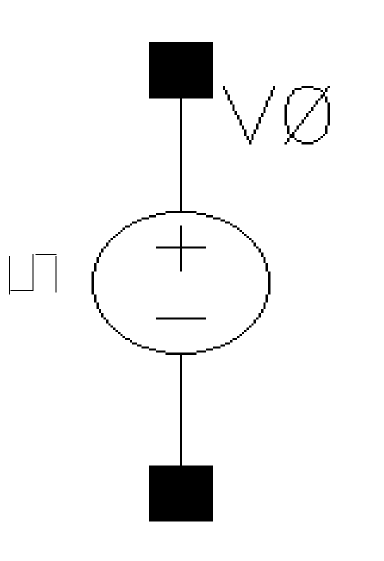
Command-line help
| CDF Parameter Label | CDF Parameter | spectre | spectreS | cdsSpice | auCdl | auLvs | hspiceS | hspiceD | UltraSim |
|---|---|---|---|---|---|---|---|---|---|
Symbol: vprbs
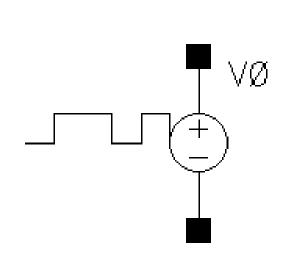
If Trigger = External rising edge, External falling edge, or External both edges, two extra ports are added to the vprbs symbol as shown below:
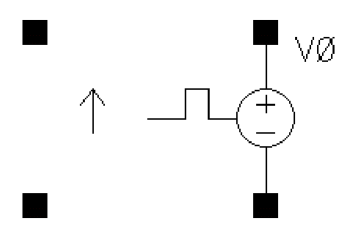
Command-line help
| CDF Parameter Label | CDF Parameter | spectre | spectreS | cdsSpice | auCdl | auLvs | hspiceS | hspiceD | UltraSim |
|---|---|---|---|---|---|---|---|---|---|
Return to top