
5
Passive Components
Symbol: cap
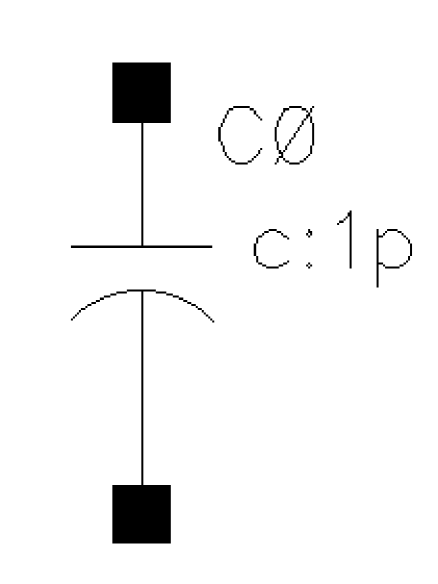
You can assign the capacitance or let Spectre compute it from the physical length and width of the capacitor. In either case, the capacitance can be a function of temperature or applied voltage.
Component Parameters
| CDF Parameter Label | CDF Parameter | spectre | auCdl | auLvs | hspiceD | UltraSim |
|---|---|---|---|---|---|---|
Syntax/Synopsis
Name ( 1 2 ) ModelName <parameter=value> ...
Name ( 1 2 ) capacitor <parameter=value> ...
model ModelName capacitor <parameter=value> ...
Example
Following is a sample without model:
c2 (1 0) capacitor c=2.5u tc1=1e-8
Following is a sample with model:
c2 (1 0) proc_cap c=2.5u tc1=1e-8
Following is a sample model statement:
model proc_cap capacitor c=2u tc1=1.2e-8 tnom=25
Additional Information
This device is supported within the altergroups.
Symbol: capq
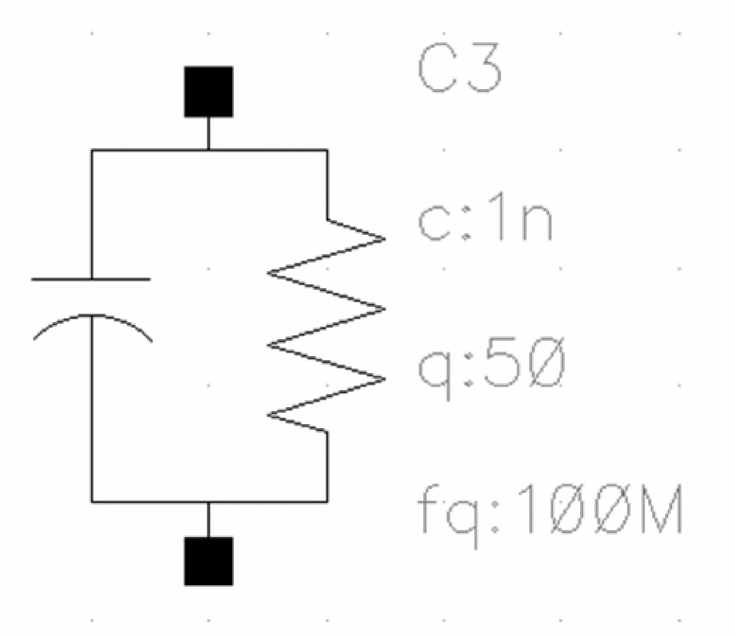
Two Terminal Capacitor Resistor
The capq instance is a capacitor with the Q factor q' specified at a particular frequency fq.
The parameter mode specifies the exact form of the frequency dependence of the real part of the admittance Re(Y). The equations are written in terms of admittance Y, where by default,
-
w=2*Pi*freq -
wq=2*Pi*fq -
fq=1.0e8 Hz. This is the frequency at whichqis measured. -
mode=1. This is the integer parameter that selects the frequency dependence. -
alph=0. This is the scaling factor forQ.
The following table describes the various modes and the corresponding equations:
Component Parameters
| CDF Parameter Label | CDF Parameter | spectre |
|---|---|---|
Example
C0 (net1 net2) capq c=1n q=50 fq=100M mode=4 alph=0.35
Additional Information
This device is supported within the altergroups.
Symbol: core

This component models the magnetic hysteresis, with air gap, frequency, and temperature effects. The model is based on the AWB model for magnetic cores and windings. The user has to specify the core’s material and geometric parameters to model the hysteresis.
The material parameters to specify are the ‘Br’, ‘Bm’, and ‘Hc’ of the core. The geometric parameters are the area, magnetic path length, and the air gap of the core.
You can specify the magnetic path length in one of the following ways:
Cores without terminals represent complete magnetic loops. Cores with terminals are fragments that you can use as building blocks to build models of complicated core structures.
Command-line help
CDF Parameters
| CDF Parameter Label | CDF Parameter | spectre | auCdl | auLvs | hspiceD | UltraSim |
|---|---|---|---|---|---|---|
Syntax/Synopsis
Name ... ModelName <parameter=value> ...
model ModelName core <parameter=value> ...
Example
Following is a sample instance statement:
c1 (1 0) core_mod area=1.2 len=8.1 id=0.55 gap=0.25
Following is a sample model statement:
model core_mod core len=7.7 area=0.85 br=1e3 bm=5e3 hc_t1=0.2 p1_f1=2.08
f1=10e3 p2_f2=50 f2=100K bflux=1e3 density=4.75
Additional Information
This device is not supported within the altergroups.
Symbol: corefragment
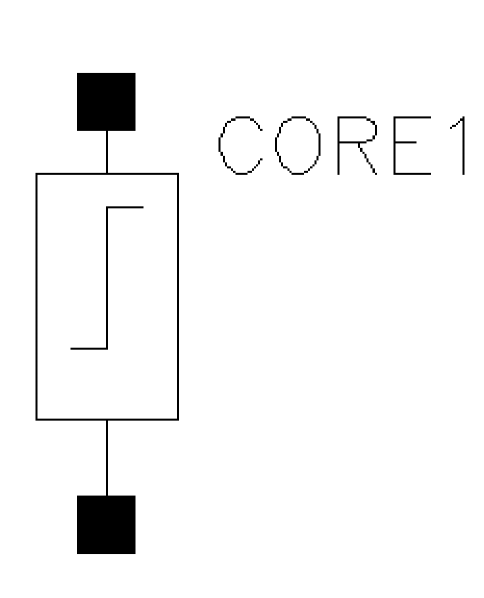
Cores without terminals represent complete magnetic loops. Cores with terminals are fragments that you can use as building blocks to build models of complicated core structures.
Command-line help
CDF Parameters
| CDF Parameter Label | CDF Parameter | spectre | auCdl | auLvs | hspiceD | UltraSim |
|---|---|---|---|---|---|---|
Symbol: delay
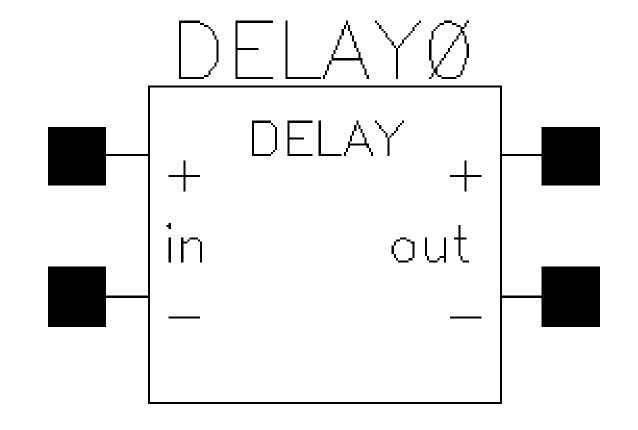
The delay line model is a four terminal device with zero output impedance and infinite input impedance. The output between nodes ‘p’ and ‘n’ is the input voltage between nodes ‘ps’ and ‘ns’ delayed by the time delay ‘td’ and scaled by ‘gain’.
Command-line help
CDF Parameters
| CDF Parameter Label | CDF Parameter | spectre | auCdl | auLvs | hspiceD | UltraSim |
|---|---|---|---|---|---|---|
Syntax/Synopsis
Name ( p n ps ns ) delay <parameter=value> ...
Example
dl1(outp outn cntrlp cntrln) delay td=10n gain=1.5
Additional Information
This device is not supported within the altergroups.
Symbol: delayline
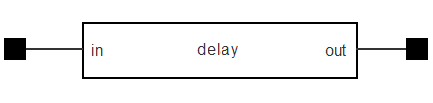
The delayline element is a lossless transmission line section with a specified delay time Td and characteristic impedance Z0. The ABCD matrix of a lossless transmission line section is given by:

Command-line help
CDF Parameters
| CDF Parameter Label | CDF Parameter | spectre | auCdl | auLvs | hspiceD | UltraSim |
|---|---|---|---|---|---|---|
Syntax/Synopsis
Name ( in out ) mtline <parameter=value> ...
Example
DL0 ( net1 net2 ) mtline z0=50 td=1n
Symbol: fracpole
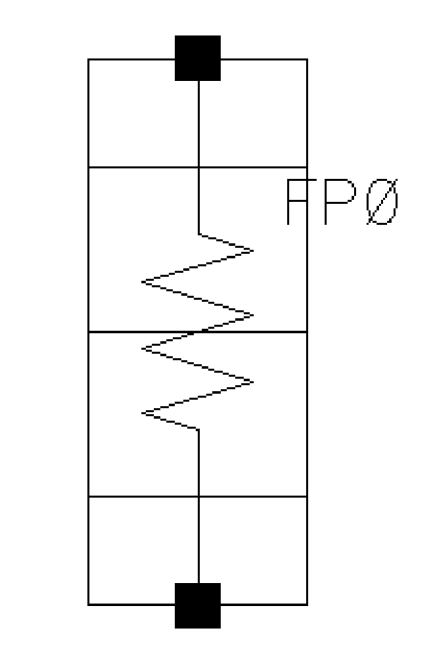
Fractional Impedance/Admittance Pole
The circuit is a one-port that exhibits poles and zeros that are real and spaced evenly in a logarithmic sense over the frequency range. The impedance exhibited by one port approximates a fractional pole slope between -1 and 0 in the frequency range. In other words, if the impedance is plotted on a log-log scale, it has a negative slope equal to the fraction specified. If the user requested half a pole, the slope will be -1/2, and so on. Since it is a lumped approximation, the slope is not exact but slowly oscillates about the specified value.
Command-line help
CDF Parameters
| CDF Parameter Label | CDF Parameter | spectre | auCdl | auLvs | hspiceD | UltraSim |
|---|---|---|---|---|---|---|
Syntax/Synopsis
Name ( 1 2 ) ModelName <parameter=value> ...
Name ( 1 2 ) fracpole <parameter=value> ...
model ModelName fracpole <parameter=value> ...
Additional Information
This device is supported within the altergroups.
Symbol: ideal_balun
Balun
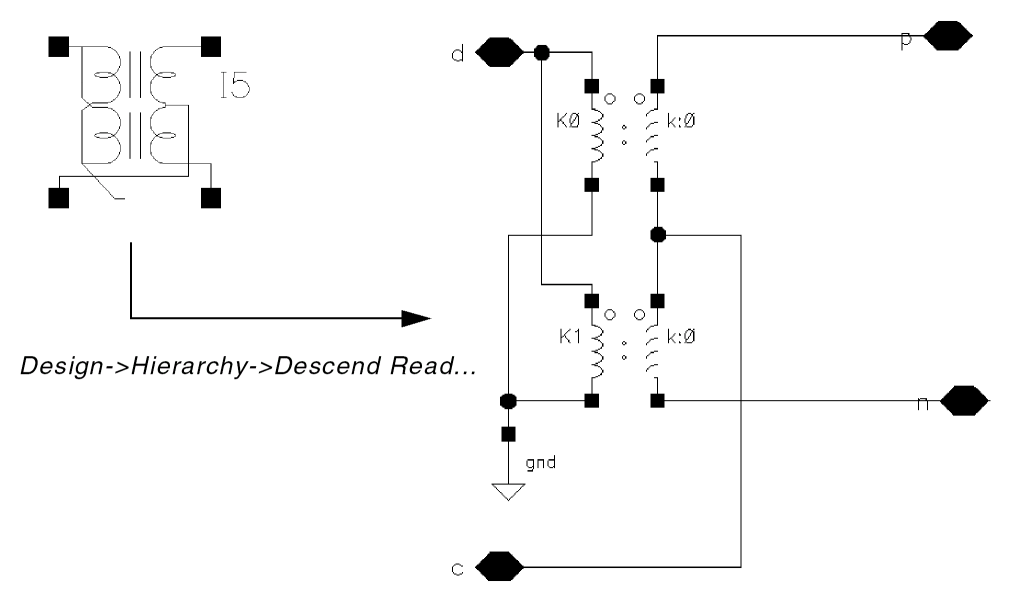
The balun is a bidirectional balanced-unbalanced convertor that can be used in circuits that require single or differential signal transformation. Although a passive network (including the transformer) is used to achieve balun, this implementation employs a three-port network. It requires three ports (or nodes) because the reference nodes are always at the global ground, single, blip, and bal_n.
The balun is used for converting ground-referred differential-mode (d) and common-mode (c) signals to balanced positive (p) and negative (n) signals.The balun is accurate at all frequencies including DC, because it uses ideal transformers.
subckt balun (d c p n)
    T1 (d 0 p c) transformer n1=2
    T2 (d 0 c n) transformer n1=2
ends balun
Notice that the balun is bidirectional, you can use, as inputs or outputs, either the unbalanced signals (d for differential mode and c for common-mode) or the balanced signals (p for positive and n for negative).
Component Parameters
ideal_balun has no component parameters.
Symbol: ind
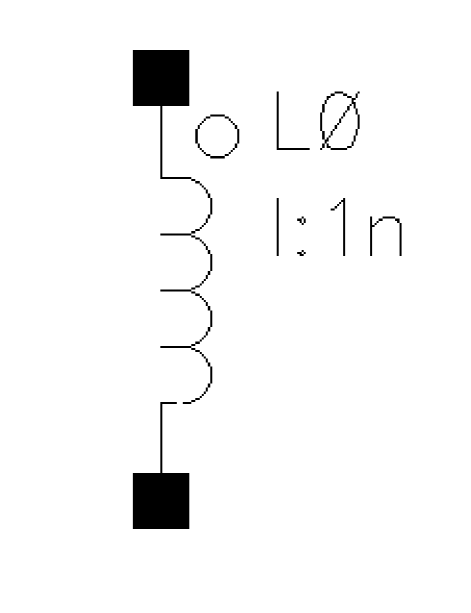
The inductance of this component can be a function of temperature or branch current. If you do not specify the inductance in the instance statement, it is taken from the model.
Command-line help
CDF Parameters
| CDF Parameter Label | CDF Parameter | spectre | auCdl | auLvs | hspiceD | UltraSim |
|---|---|---|---|---|---|---|
Symbol: indq
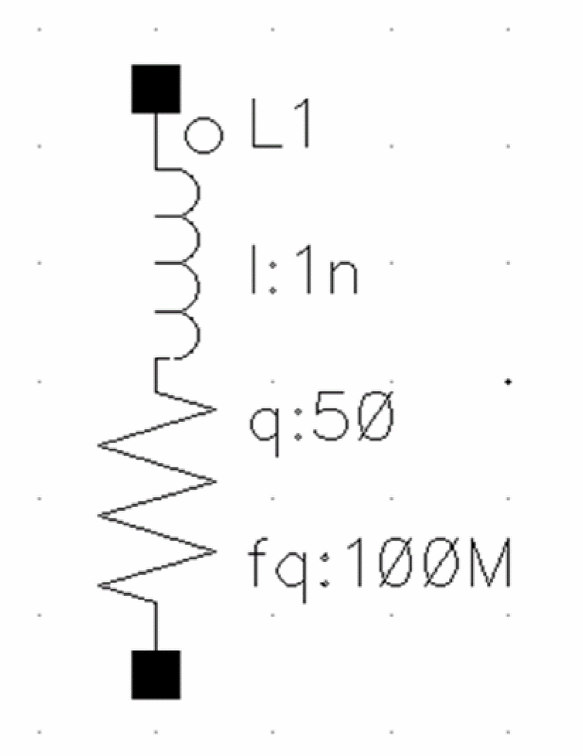
Two Terminal Series Inductor Resistor
The inductance of this component can be a function of temperature or branch current. If you do not specify the inductance in the instance statement, it is taken from the model statement.
The indq component also has the frequency-dependent Q-factor with four modes of frequency dependence. This component has the following optional parameters:
-
fq=1e8 Hz. This is the frequency at whichlandqare measured. -
mode=0. This is the integer parameter that selects the frequency dependence. -
alph=0. This is the scaling factor forQ. -
rdc=0.0. This is the DC resistance used inmode=2andmode=3.
Command-line help
CDF Parameters
| CDF Parameter Label | CDF Parameter | spectre | auCdl |
|---|---|---|---|
Example
L1 (net1 net2) inductor l=1n q=50 fq=100M mode=4 alph=0.55
LL0 vout net7 1n $[LP]
Additional Information
This device is supported within the altergroups.
During auCdl netlisting, the Multiplier, Quality Factor, and Frequency for L and Q CDF parameters are not netlisted. The indq component is netlisted similar to the ind component.
For more information, see
Symbol: mind
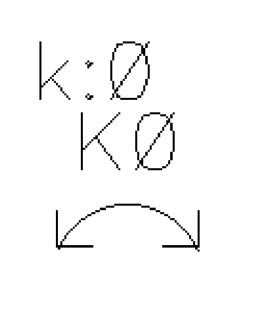
It couples two previously specified inductors. There is no limit to the number of inductors that you can couple or to the number of couplings to a particular inductor, but you must specify separate mutual inductor statements for each coupling. Using the ‘dot’ convention, place a ‘dot’ on the first terminal of each inductor.
The mutual inductor modifies the constitutive equations of two isolated inductors to:
v1 = L11*di1/dt + M*di2/dt
v2 = M*di1/dt + L22*di2/dt
where the mutual inductance, M, is computed from the coupling coefficient, k, using k = |M|/sqrt(L11*L22).
Command-line help
CDF Parameters
| CDF Parameter Label | CDF Parameter | spectre | auCdl | auLvs | hspiceD | UltraSim |
|---|---|---|---|---|---|---|
Syntax/Synopsis
Name mutual_inductor <parameter=value> ...
Example
Following is a sample instance statement with two inductors:
l1 (1 0) inductor
l2 (2 0) inductor
ml1 mutual_inductor coupling=1 ind1=l1 ind2=l2
Additional Information
This device is not supported within the altergroups.
Symbol: msline
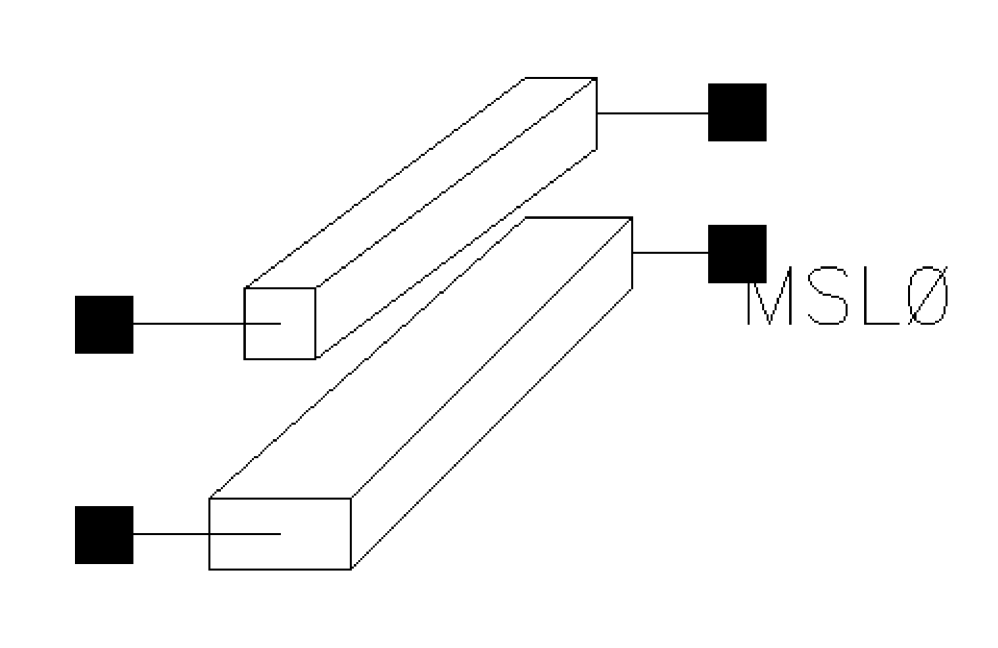
It is a microstrip line based on the equations of Hammerstad and Jensen. The model contains a thickness correction to the width and frequency dependent permittivity and characteristic impedance. The dispersion equations are those of Kirschning and Jansen.
Command-line help
CDF Parameters
| CDF Parameter Label | CDF Parameter | spectre | auCdl | auLvs | hspiceD | UltraSim |
|---|---|---|---|---|---|---|
Syntax/Synopsis
Name ( t1 b1 t2 b2 ) msline <parameter=value> ...
Example
tl1 (in 0 out 0) msline l=0.15 w=0.01 h=0.01
Additional Information
This device is supported within the altergroups.
Symbol: mtline
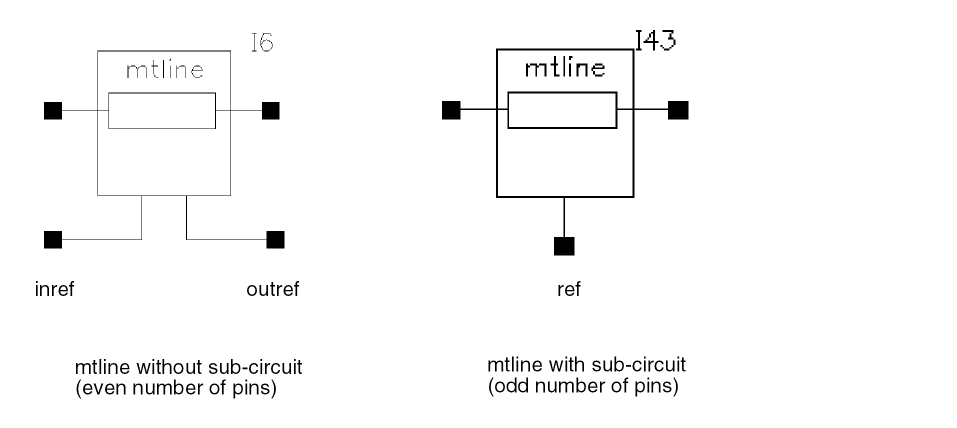
Multi-Conductor Transmission Line
It is characterized by constant RLCG matrices or frequency dependent RLCG data. An mtline can have as many conductors as defined in the Num of lines (excluding ref.) field. However, there must be at least two conductors, with one conductor used as a reference, to define terminal voltages. The reference conductor can be ground. The order of the conductors is the same as the order of data in the input.
All of the conductors are assumed to have the same length. The input to mtline are conductor length, per-unit-length resistance (R), inductance (L), capacitance (C), and conductance (G) matrices. As these matrices are symmetric, either a full matrix description or a lower half matrix description can be used.
You can use mtline in four different modes:
- RLGC - Lets you specify the per-unit-length constant RLGC matrices and frequency dependent RLGC data file
- FieldSolver - Lets you specify the 2-D field solver geometry and material property information
- S-parameter - Lets you specify the S-Parameter data
- Tline - Lets you specify the old single-conductor tline parameters (to ease migration)
Parameters for the mtline component
This section describes the following CDF parameters for the mtline component:
Num of lines (excluding ref.), lets you specify the number of lines excluding the reference lines. The reference conductor is used as a return path. There is no upper limit on number of conductors that mtline can have in Spectre. However, there must be at least two conductors with one conductor used as reference to define terminal voltages.The reference conductor can be ground. The order of the conductors is the same as the order of the data in the input.
Model name lets you specify the name of the model to be associated with the mtline component.
Physical length lets you specify the physical length of the line, required in order to perform the transmission line simulation. All the conductors in an mtline instance are assumed to have the same length, and to be uniform along the length. Default = 0.01m.
When using S-Parameter data, the physical length of the line must be specified.
In the Tline use model, physical length is used with Propagation velocity normalized to specify the electrical length of the line.
Multiplicity factor lets you specify the multiplicity factor of the mtline component. The valuemust be a nonzero real number. This number lets you specify a number of mtline components in parallel. Default=1.
Max signal frequency lets you specify the maximum signal frequency used to determine the relevant range of rational fitting used in the 2D field solver. Default = 25e09 Hz.
Spectre uses the rational fitting algorithm to build a stable model that approximates the desired transmission line characteristics. The Max signal frequency is used to determine the relevant range of rational fitting. The accuracy of the mtline model depends on how well the rational approximation is over frequency range from fmax to fmin. When constant RLGC matrices are provided, fmin is set to 1Hz and fmax defaults to 25GHz. A good estimate of the Max signal frequency is three times the inverse of rise time in the input signal. When a RLGC data file is provided, the lowest frequency point in the data file is used as fmin’ and the largest frequency point in the data file is used as fmax. You must provide sufficient data points to cover both low frequencies and high-frequencies to obtain an accurate, stable model.
Type of Input lets you select a type of input, and displays additional fields required for the specified type of input in the form. Possible values are: RLGC, FieldSolver, Tline, and S-Parameter.
If you select RLGC or S-Parameter as the type of input, you can select the RLGC data file as Design Var? check box or the S-Parameter file as Design Var? check box.These check boxes let you use a design variable to specify the RLGC data file or the S-Parameter file.
RLGC data file as Design var?, when selected, lets you use a design variable to specify the RLGC data file. This check box is shown only when you select the RLGC option for Type of |nput.
RLGC data file lets you specify the RLGC data file that contains the frequency dependent RLGC data. This field is shown only when the RLGC option for Type of |nput is selected and the use lmg subckt check box is not selected on the Edit Properties form.
The RLGC data file parameter can be used to store the 2-D field solver output for use in subsequent simulations. If the file parameter is given, mtline checks the existence of the file. If the file does not exist, the RLGC model is generated by the field solver and the output is stored in a file. If the file exists, mtline checks if the RLGC data stored in the file matches the mtline 2-D field solver input. If it does not match, a new set of RLGC data is generated and the file is overwritten. Otherwise, the data is reused. If the RLCG data file parameter is not given, the RLGC data is stored in the input.rlgc file in the simulation/circuitName/spectre/schematic/netlist directory.
use Img subckt, when selected, shows the LMG subcircuit file field and hides all RLCG-specific fields. This field is shown only when you select the RLGC option for Type of |nput.
LMG subcircuit file lets you specify the name of the LMG subcircuit file. This field is shown only when you select the use Img subckt check box.
Enter RLCG etc. matrices, when selected, displays the following additional fields. This check box is shown only when you select the RLGC option for Type of |nput. The following fields are vectors. For example, if you want to multiply your R matrix per unit length by a design variable myScale, you need to surround the expression with parentheses. For example, enter it as (myScale*50). If you do not add the parentheses, Spectre fails during simulation.
-
R matrix per unit length lets you specify the resistance matrix per unit length. Units:
Ohm/m. -
L matrix per unit length lets you specify the inductance matrix per unit length. Units:
H/m. -
G matrix per unit length lets you specify the conductor matrix per unit length. Units:
S/m. -
C matrix per unit length lets you specify the capacitance matrix per unit length. Units:
F/m. -
Skin effect res matrix per unit length lets you specify the skin effect resistance matrix per unit length. Units:
Ohm/m*sqrt(Hz) -
Dielectric loss cond matrix per unit length lets you specify the dielectric loss conductance matrix per unit length. Units:
S/m*Hz
mtlinesupports LC, RC, RGC, RLG, RLC, and RLGC transmission line systems. For example,- When only L and C matrices are provided, a lossless transmission line system is modeled.
- When only R and C matrices are provided, an RC transmission line system is modeled.
Since the per-unit-length RLGC matrices are generally symmetric, either a full matrix description or a lower half matrix description is accepted. You enter the matrix as a series of numbers, e. g.50 10 1 10 50 10 1 10 50(full matrix) or50 10 50 1 10 50(half matrix). Spectre determines whether the matrix is full or half matrix depending on the number of entries. For example, for a3x3matrix, if you enter six entries, Spectre knows that it is a half matrix. If you enter nine entries, Spectre knows that it is a full matrix. Spectre complains if the number of entries does not make either a full or a half matrix.
S-parameter file as Design Var?, when selected, lets you use a design variable to specify the S-Parameter file. This check box is shown only when you select the S-parameter option for Type of |nput.
S-parameter File lets you specify the data file that contains the frequency dependent RLGC data or S-Parameter data file. This field is shown only when you select the S-parameter option for Type of |nput.
You can also specify Y- or Z-parameters. Spectre parses the data file and determines whether the data is in S-, Y-, or Z-parameter format.
The supported S-Parameter data file formats include Touchstone, Spectre and CITIfile.
Spectre reads the comment line in the S-Parameter data file to determine whether the frequency data is in Hz, MHz, GHz, etc. It also determines the characteristic impedance and format of the data (real,imag), (mag,deg), (mag,rad), (db,deg), or (db,rad).
Spectre imports the S-Parameter data describing a transmission line system. mtline converts the frequency dependent S-Parameter to frequency dependent RLGC data and stores the results in the input.rlgc file,located in simulation/CircuitName/spectre/schematic/netlist directory, for reuse in subsequent simulations.
When the file parameter corresponds to S-Parameter data, mtline first checks the existence of the input.rlgc file to determine if the S-to-RLGC extraction has been performed in a previous simulation.
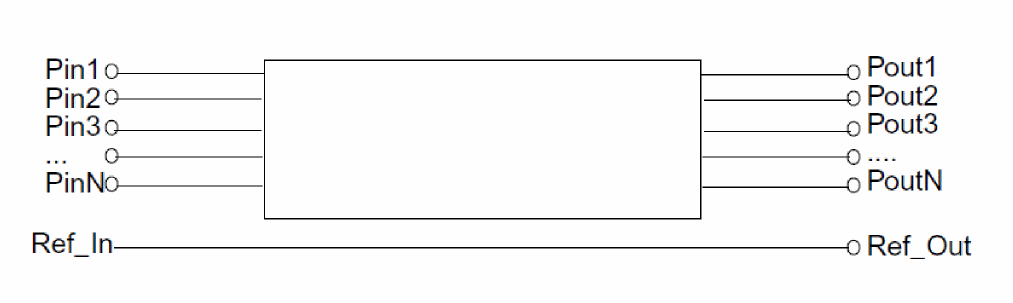
The ordering of the S-Parameter input file should be in the format of input ports followed by the output ports of the transmission line system, or Pin1, Pin2, Pin3, ..., Pout1, Pout2, Pout3, ...
The S-Parameter data file for use with mtline should have the S-Parameter data interpreted in the following order.
Frequency scale factor lets you specify the frequency scale factor for frequency-dependent RLGC data and S-Parameter data. This field is shown only when you select the RLGC or S-parameter option for Type of |nput. The default value is 1.
Generate noise? lets you control whether the mtline component must generate noise. Possible values are yes and no.
Transmission line type, lets you choose the transmission line type. Possible values are microstrip line (microstrip), stripline (stripline), coplanar waveguide (coplanar), and substrate lossy line(sublossline). Default = sublossline. If you need to include dielectric loss in your microstrip or stripline model, use the sublossline transmission line type.
Model type, lets you specify the model type. For each line configuration, you can choose one of three model types: lossless, narrowband, or wideband. Default = wideband.
In the lossless model, the internal inductance of the conductor is disregarded by setting the frequency value high; 30GHz for cases without substrate loss and 15 GHz for cases with substrate loss, and ignoring the value of Max signal frequency (fmax).
For the narrowband model, the RLGC data is calculated at the Max signal frequency (fmax, default is 25GHz) and assumed to be constant over the frequency of interest. The narrowband model is valid near fmax.
With the wideband model, true frequency dependent RLGC data is calculated over the frequency of interest (DC to fmax). For most applications, choose the wideband model as it provides the best model accuracy.
Number of dielectric layers lets you specify the number of dielectric layers. Dielectric layers are stacked above the ground plane (when numgnd=1), or between the ground planes (when numgnd=2). There can be up to 12 dielectric layers.This field is shown only when you select the FieldSolver option for Type of |nput and coplanar or sublossline for Transmission line type.
Number of Ground Planes lets you specify the number of ground planes, This field is shown only when you select the FieldSolver option for Type of |nput and coplanar or sublossline for Transmission line type.
Rel dielectric const of layers(er) lets you specify the relative dielectric constant of the dielectric layer. It is a vector type that handles different layer geometries and layer properties. When the number of elements in the vector is less than the number of layers, the value of the last element in the vector is applied to all of the remaining layers.This field is shown only when you select the FieldSolver option for Type of |nput.
Dielectric layer thickness (d) lets you specify the dielectric layer thickness. It is a vector type to handle different layer geometries and layer properties. When the number of elements in the vector is less than the number of layers, the value of the last element in the vector is applied to all of the remaining layers. Units = meters.This field is shown only when you select the FieldSolver option for Type of |nput.
Dielectric loss type lets you specify the dielectric loss type. The loss value is specified using the Dielectric layer loss parameter. Possible values are sigma and tangent. A particular dielectric layer can be lossy, and either the loss tangent parameter (tan = sigma/(w*ep0)) or the loss sigma parameter (sigma = tan*w*ep0) can be used. Default value: tangent.This field is shown only when you select the FieldSolver option for Type of |nput and coplanar or sublossline for Transmission line type.
Dielectric layer loss lets you specify the dielectric layer loss. The loss can be in terms of dielectric conductivity or tangent loss, determined by the Dielectric loss type parameter.This field is shown only when you select the FieldSolver option for Type of |nput and coplanar or sublossline for Transmission line type.
Signal line width lets you specify the signal line width, This field is shown only when you select the FieldSolver option for Type of |nput. When the number of elements in the vector is less than the number of layers, the value of the last element in the vector is applied to all of the remaining layers. Units: meters.
Signal line thickness lets you specify the signal line thickess. This field is shown only when you select the FieldSolver option for Type of |nput. When the number of elements in the vector is less than the number of layers, the value of the last element in the vector is applied to all of the remaining layers. Units: meters.
Signal line height (h) lets you specify the signal line height. This field is shown only when you select the FieldSolver option for Type of |nput. The distance between the signal line and ground plane at the bottom of the 2-D interconnect cross section. When the number of elements in the vector is less than the number of layers, the value of the last element in the vector is applied to all of the remaining layers. Units: meters.
Signal line spacing lets you specify the signal line spacing(the distance between the signal lines). This field is shown only when you select the FieldSolver option for Type of |nput. It can be negative in order to describe overlapping signal lines. When the number of elements in the vector is less than the number of layers, the value of the last element in the vector is applied to all the remaining layers. Units: meters.
Gnd Plane thickness lets you specify the ground plane thickness. This field is shown only when you select the FieldSolver option for Type of |nput. When the number of elements in the vector is less than the number of layers, the value of the last element in the vector is applied to all of the remaining layers. Units: meters.
Ground plane conductivity lets you specify the ground plane conductivity. This field is shown only when you select the FieldSolver option for Type of |nput. Units: S/m.
Signal line conductivity lets you specify the signal line conductivity. This field is shown only when you select the FieldSolver option for Type of |nput. Units: S/m.
Charecteristic impedance lets you specify the characteristic impedance of lossless line. This field is shown only when you select the Tline option for Type of |nput. Default: 50. Units: Ohms.
Delay Time lets you specify the time delay of a lossless line in seconds; a measure of the electrical length. This field is shown only when you select the Tline option for Type of |nput. Units: seconds.
Frequency lets you specify the reference frequency, which is used in conjunction to the normalized length to specify electrical length of line.This field is shown only when you select the Tline option for Type of |nput. Units: Hz.
Normalized length, lets you specify the normalized electrical length in wavelengths at the specified reference frequency of a lossless line.This field is shown only when you select the Tline option for Type of |nput. Default: 0.25.
Propagation velocity normalized lets you specify the propagation velocity of the line given as a multiple of c, the speed of light in free space (vel <= 1). This field is shown only when you select the Tline option for Type of |nput. vel=c/sqrt(år).
Corner frequency, lets you specify the corner frequency for skin effect. This is the frequency where skin depth equals the wall thickness of the conductor.This field is shown only when you select the Tline option for Type of |nput. Default: 0. Units: Hz.
DC series res/Length lets you specify the DC series resistance per unit length.This field is shown only when you select the Tline option for Type of |nput. Default: 0. Units: Ohm/m.
Loss resistance per unit length lets you specify the conductor (series) resistance per unit length at conductor loss frequency.This field is shown only when you select the Tline option for Type of |nput. Default: 0. Units: Ohm/m.
whereseriesris the Loss resistance per unit length,cis the speed of light.z0is Characteristic Impedance,fcis Conductor loss frequency,alphacis Conductor loss at fc , andqcis Conductor loss quality factor.
Conductor loss at fc lets you specify the conductor loss at the conductor loss frequency (low loss approximation). This field is shown only when you select the Tline option for Type of |nput. Default: 0. Units: dB/m.
Conductor loss quality factor lets you control the conductor loss quality factor at conductor loss frequency (low loss approximation). This field is shown only when you select the Tline option for Type of |nput. Default: infinity.
Dielectric loss frequency lets you specify the dielectric loss measurement frequency. It is used in conjunction with Dielectric loss quality factor. This field is shown only when you select the Tline option for Type of |nput. Units: Hz.
Loss conductance per unit length, lets you specify the dielectric (shunt) conductance per unit length at conductor loss measurement frequency. This field is shown only when you select the Tline option for Type of |nput.
Dielectric loss lets you specify the dielectric loss (low loss approximation). This field is shown only when you select the Tline option for Type of |nput.
Dielectric loss quality factor lets you specify the dielectric loss quality factor at dielectric loss measurement frequency (low loss approximation). This field is shown only when you select the Tline option for Type of |nput.
Conductor loss frequency lets you specify the conductor loss frequency. It is used in conjunction with Loss resistance per unit length, Conductor loss at fc, and Conductor loss quality factor. This field is shown only when you select the Tline option for Type of |nput.
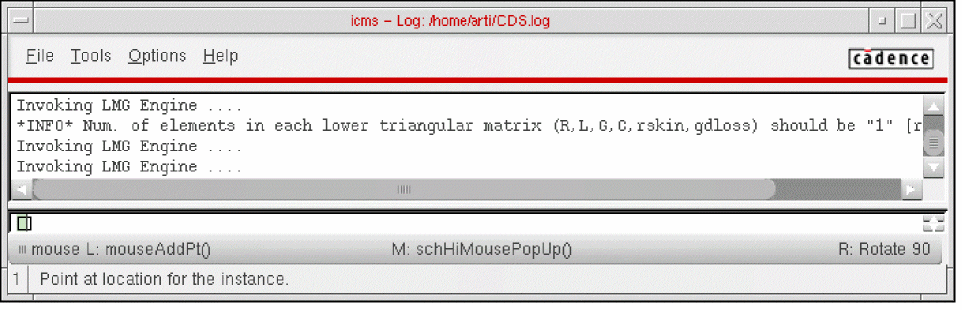
The number of elements that you need to specify for the R/L/G is determined by the number of lines that you specify. For example, if the number of lines (n) is 3, then you need to specify (n*2) 6 elements each for R, L, and G. This information is displayed in CIW as follows.
Command-line help
CDF Parameters
| CDF Parameter Label | CDF Parameter | spectre | auCdl | auLvs | hspiceD | UltraSim |
|---|---|---|---|---|---|---|
Example
For adding a mtline with a sub-circuit, specify the following parameters:
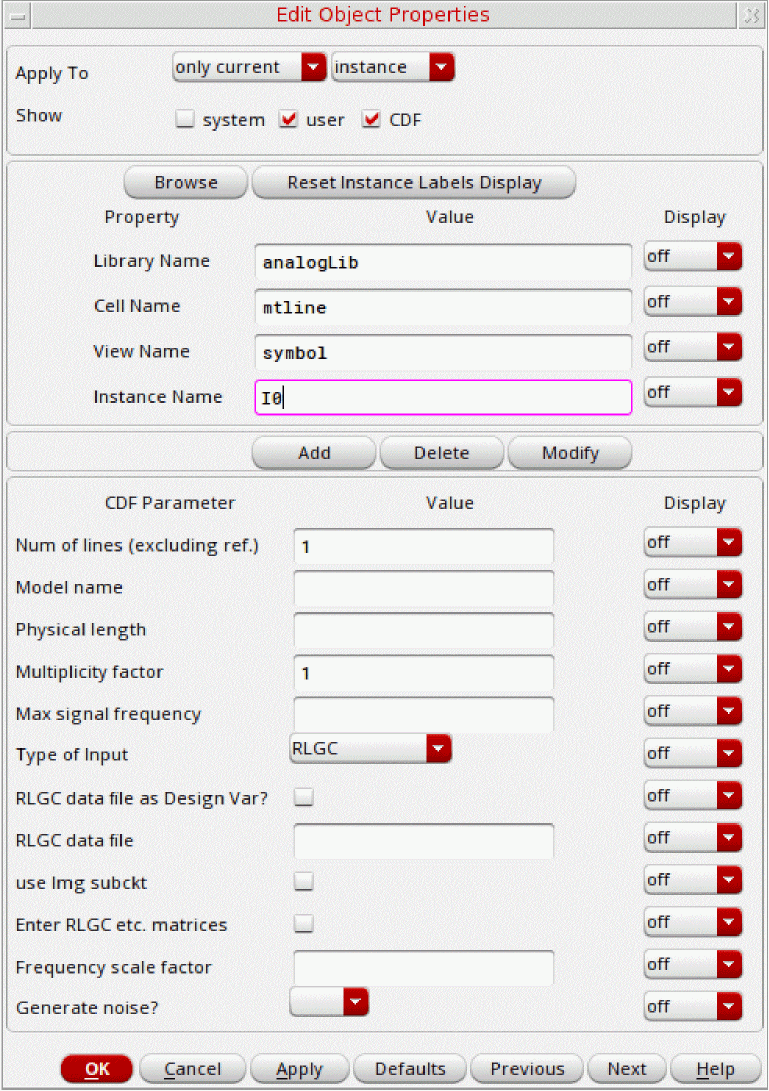
The netlist for an example of mtline with a sub-circuit:
I0 (net15 net16 net039 net040 net14) tline2
include "./w_subckt/tline2.scs"
The netlist for an example of mtline without a sub-circuit, with n=10, and entermatrices=nil:
I1 (net11 net12 net031 net032 net033 net034 net9 net10) mtline len=1.000m \
m=1 file="./wo_subckt/w_line.dat" freqscale=2 fmax=100
The netlist for the example of mtline without a sub-circuit, n=3, and entermatrices=t.
I2 (net7 net8 net023 net024 net025 net026 net5 net6) mtline len=5.000m m=1 \
r=[1K 1K 0 1K 0 1K] l=[418e-9 125e-9 418e-9 125e-9 125e-9 418e-9] \
g=[23e-6 34e-6 4e-6 3e-6 6e-6 1e-6] c=[94e-12 -22e-12 94e-12 \
-22e-12 -22e-12 94e-12] rskin=[3 4 1 1 1 1] gdloss=[1 2 3 1 1 1] \
file="./w_subckt/w_line.dat" freqscale=4 fmax=200
Additional Information
This device is not supported within the altergroups. The Edit Object Properties or CDF Parameters of the component mtline in analogLib are dynamic and subject to change based on the usage of IC Spectre or MMSIM Spectre installation.
Symbol: nport
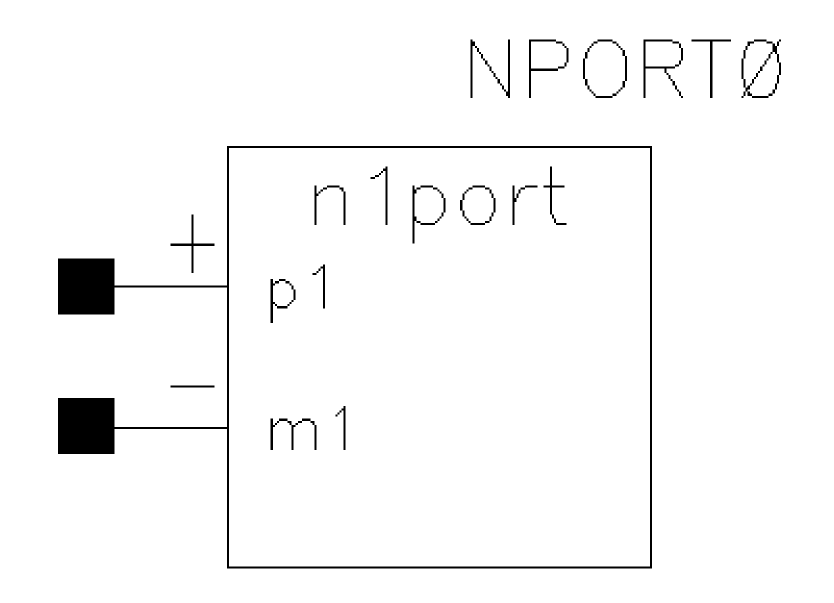
An N-port takes its characteristics from an S-Parameter data file. An N-port can have as many ports as there are in the N-port described in the S-Parameter data file. Each pair of terminals in the nport instance statement represents one port. Because there is no limit to the number of ports, there is no limit to the number of terminals. However, the terminals must be given in pairs and there must be at least one pair. The order of the pairs is the same as the order of the ports in the data file.
nport instead of the deprecated n1port, n2port, n3port, and n4port, as these devices are retained strictly for legacy purposes and for supporting third-party simulators, such as Hspice. 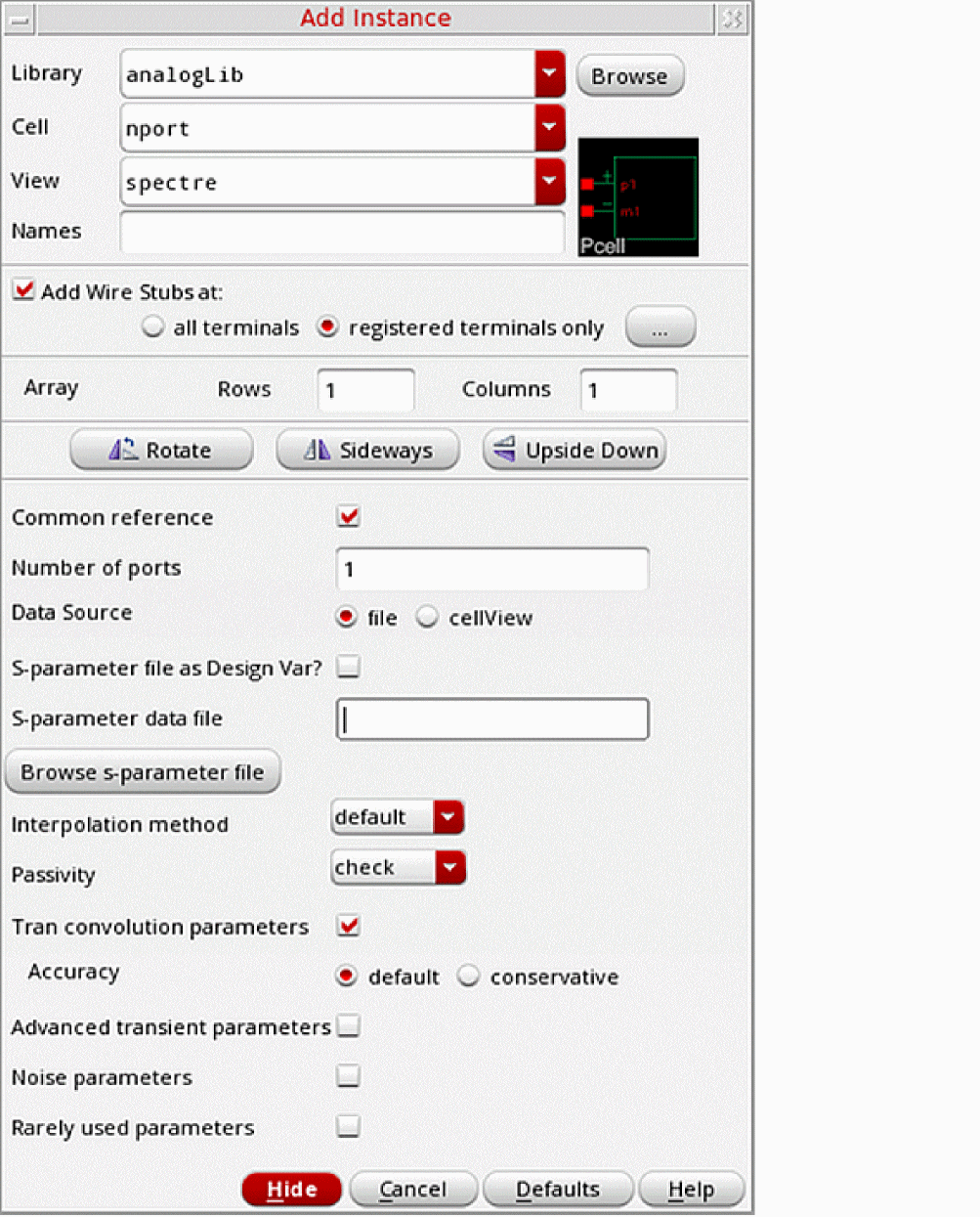
Parameters for the nport component
This section describes the following CDF parameters for the nport component:
Common reference, when deselected, shows the plus and minus pins for all the individual ports. If you select the check box, the symbol redraws with a single common ground reference pin at the bottom of the symbol. This eliminates the need to add ground connections to each port of the symbol.
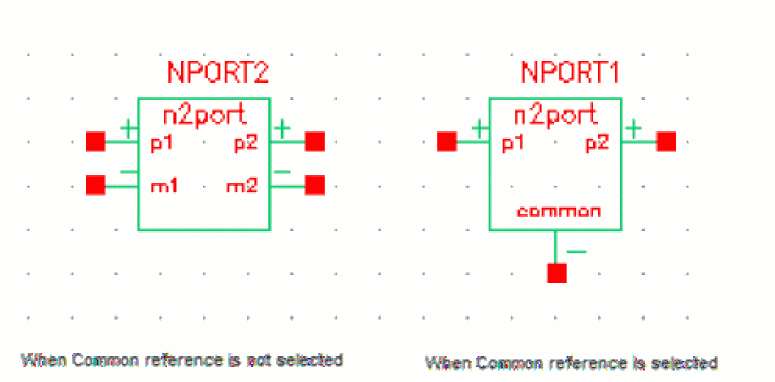
Number of ports must be set to the number of ports specified in the S-Parameter data file. This field controls the number of ports shown on the nport symbol.
Data Source lets you specify the source of the S-Parameter data file for the nport symbol. Possible options are file and cellView.
-
file lets you specify the S-Parameter file as a design variable or the name and path to the S-Parameter file. Selecting this option displays the S-parameter file as Design Var? check box and the S-parameter data file field.
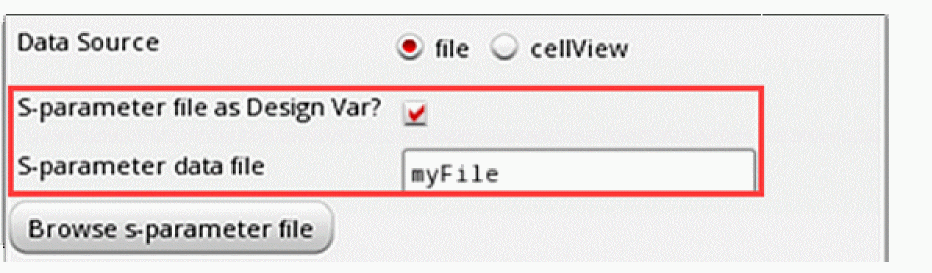
-
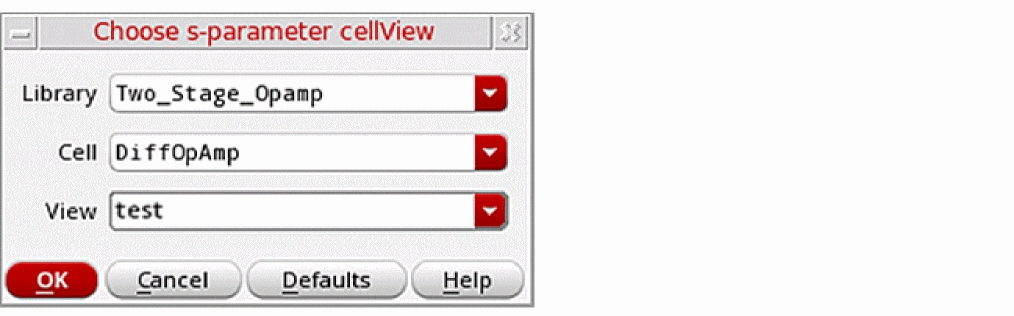
cellview lets you specify the library, cell, and view of the S-Parameter file. Selecting this option displays the S-parameter Library, S-parameter Cell, and S-parameter View fields and the Browse button. You can enter details in the fields or click Browse to select the S-Parameter cellview using the Choose s-parameter cellView form.
The
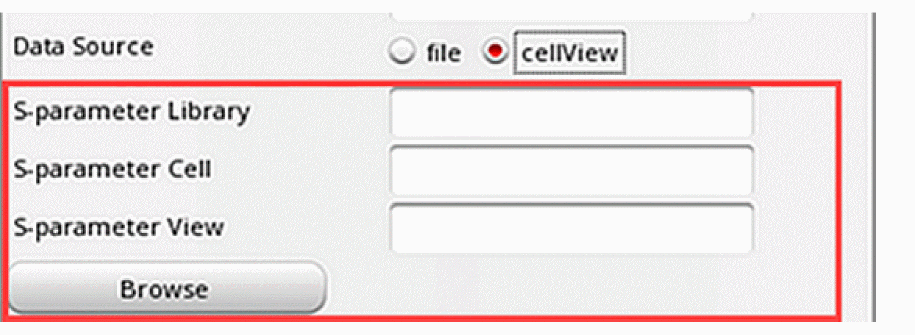
nportinstance is printed in the netlist with the S-Parameter text cellview path. For example:NPORT0 ( net1 net1) nport \ file="/scratch/ade_data/
<user>/EAV_RAK/libs/Two_Stage_Opamp/OpAmp_AC_top/text/text.txt"
S-parameter file as Design Var? allows you to specify an S-Parameter file as a design variable when you select the S-parameter file as Design Var? check box in the Add Instance or the Edit Object Properties form.
You must add this S-Parameter file as a design variable in an ADE Explorer cellview, which uses the same schematic as the nport. After running a simulation with the new design variable, you can view the netlist file, and further change the S-parameter data file for different corners. For more information, see Edit Object Properties – Instance and Block in the Virtuoso Schematic Editor User Guide.
S-parameter data file allows you to specify the name of the S-Parameter data file. This file contains parameters, frequencies, or model information that can be analyzed by the Spectre simulator. This field is shown only when you select the file option for Data Source.
Browse s-parameter file, when clicked, lets you browse to a location and specify the S-Parameter data file. This check box is shown only when you select the file option for Data Source and when you do not select the S-parameter file as Design Var? check box.
S-parameter Library allows you to specify the name of the library that contains the S-Parameter cellview. This field is shown only when you select the cellview option for Data Source.
S-parameter Cell allows you to specify the name of cell that contains the S-Parameter view. This field is shown only when you select the cellview option for Data Source.
S-parameter View allows you to specify the name of the S-Parameter view. This field is shown only when you select the cellview option for Data Source.
Browse, when clicked, displays the Choose S-Parameter cellView form. This form lets you browse to a location and specify the S-Parameter cellview. The Browse button is shown only when you select the cellview option for Data Source.
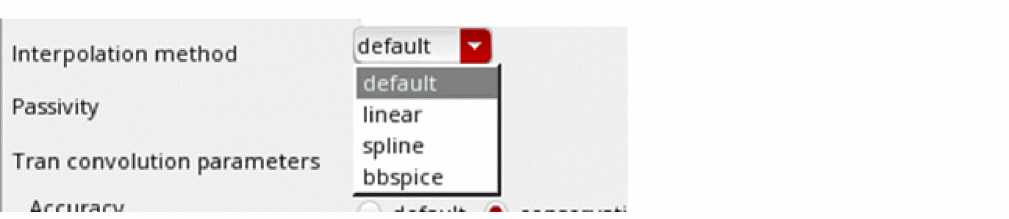
Interpolation method controls the interpolation method for S-Parameter data and is valid only for datafmt = spectre/touchstone/citi/bnp. The supported methods are default, linear, spline, and bbspice. In general, the recommended method is default.
Linear and spline control the sampling of the S-Parameter data for the convolution-based method. In both methods, the S-Parameter data is sampled using a linear frequency spacing from zero to three times the highest frequency in the S-Parameter data file in order to calculate the impulse response of the transfer function.
-
When you choose the default interpolation method, Spectre uses the default for
interpaccording to the global optionnport_default_interp=auto_switch.
Ifnport_default_interpis set toauto_switch,nportautomatically switches the interpolation method based on the analysis. It chooses bbspice for pss shooting Newton analysis, and linear for analyses, such asac,dc, andsp. Seespectre-hnportfor information on hownport_default_interpworks for your particular version of Spectre.
Allnportelements in the netlist that do not haveinterpset will haveinterpset to the value specified in the global optionnport_default_interp. If annportinstance has theinterpoption explicitly specified, the instance option takes priority over the global option. Possible values fornport_default_interparespline,linear,bbspice, andauto_switch. For more information, see Interpolation Method. - When linear is selected as the interpolation method, linear interpolation is used to get a data point needed in the sample that is not directly in the S-Parameter file.
- Spline uses a cubic spline algorithm. Cubic spline can occasionally introduce errors when there are rapid changes in the transfer functions defined in the S-Parameter file near the sample point.
- Bbspice is used to do the rational fit. Bbspice uses a rational model to represent the S-Parameter data.
-
When you choose the default interpolation method, Spectre uses the default for
Passivity checks and enforces the passivity of S-Parameters. Spectre always checks to determine if the S-Parameter data is passive. Due to poor measurement accuracy, the S-Parameter data may be non-passive. Non-passive S-Parameter data may lead to non-converging or even unstable time domain simulations. The Passivity option controls detection and enforcement of S-Parameter simulation model passivity.
-
For
interpoptions oflinearandspline, Passivity may be set to no, check or enforce.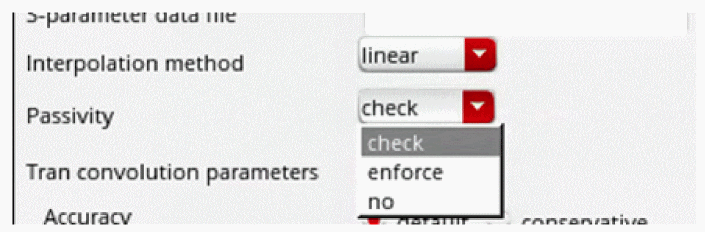
-
For
interp=bbspice, Passivity may be set to fit_weak_enforce or fit_enforce. The default value is fit_enforce.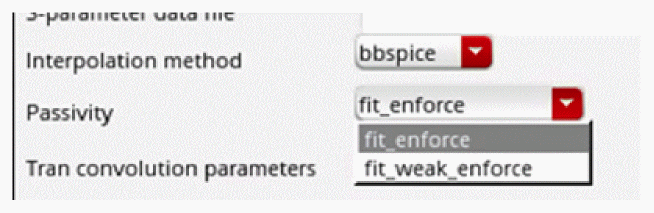
Tran convolution parameters controls the accuracy parameter for transient convolution. When you select this check box, the Accuracy option is displayed.
Advanced transient parameters controls the maximum sampling points, frequency and the impulse response truncation. Selecting the check box displays the corresponding options.
-
Max sampling points defines the maximum number of frequency points to be sampled in the adaptive algorithm. The default is
131072. In every case, encountered so far, the actual number of samples taken by the adaptive algorithm is much smaller than the default. In extremely unusual cases, it can be raised to262144. -
Max frequency of interest (
fmax) controls the highest frequency for the frequency domain sampling of the S-Parameter file. The default is three times the highest frequency in the S-Parameter file. This property should not be changed. -
Impulse response truncation is used to deliberately cut off the tail of the impulse response which might theoretically continue to infinite time. Leave this property at the default of
1e-4, which corresponds to a gain of -80 dB. -
Causality correction list contains four choices: no, fmax, auto, or fmax_active. fmax is the default and is highly recommended. Causality enforcement is required in order to have reasonable results from an
nportin either the DC or transient-based analyses. Causality correction is performed by setting the transfer function between the highest frequency in the S-Parameter file and three times this frequency so that the data becomes causal. The data within the frequencies specified in the S-Parameter file is unchanged. Settingcausalitytofmaxorautooverrides the setting of the High freq extrapolation property.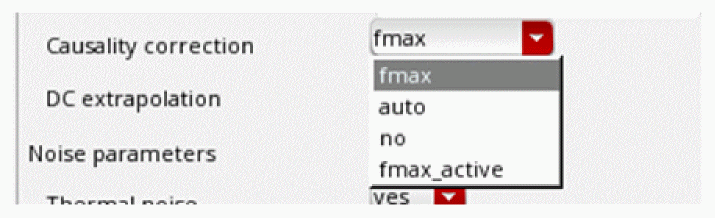
-
no does not add a causality check.
- fmax retains the data in the frequency range of the S-Parameter file, and then adds a transfer function above the frequency range in the S-Parameter file to force the system to be causal. This transfer function extends to the setting of Max frequency of interest, which defaults to three times the highest frequency in the S-Parameter file. If you suspect that the maximum frequency of interest needs to be changed, use causality Auto instead, if you are not an expert.
- auto applies the causality correction in a similar manner to choosing fmax. auto can also vary the maximum frequency of interest if it needs to get a causal time-domain model.
-
fmax_active enhances causality correction for active devices to improve the simulation accuracy. This option is only available for linear interpolation (
interp=linear). bbspice (interp=bbspice) should never be used when the S-Parameter file represents an active device because bbspice enforces passivity.
-
no does not add a causality check.
-
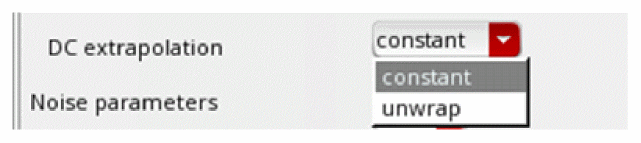
DC extrapolation can be set to constant or unwrap. The default is constant.
Noise parameters controls the nport noise parameters. Selecting the check box displays the corresponding options.
-
Thermal noise lets you specify if
nportshould generate noise. Possible values are no and yes. Thermal noise defaults to yes. Set the value to no if you want to disable noise production.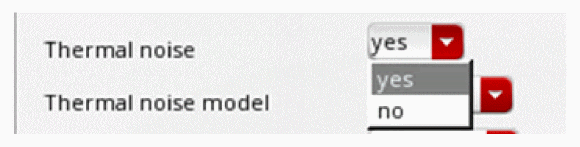
-
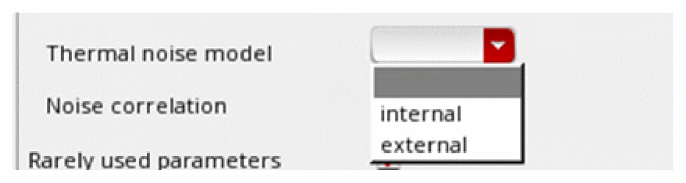
Thermal noise model defaults to external, which reads the noise parameters in the S-Parameter file if it is available, and if not, it uses an internal noise model. Internal forces the internal noise model.
-
Noise correlation set to real forces the
nportnoise correlation matrix to be real-valued. The parameter is used for backward compatibility only. Its value is determined automatically and its use is not recommended because it can lead to an incorrect answer. The simulator will generate a warning if the noise correlation matrix is complex while the value ofnoisecorris set to real. Possible values are real and complex.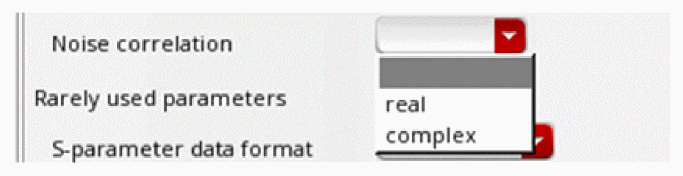
Rarely used parameters controls if you want to use the related parameters for nport. Selecting the check box displays the corresponding options.
-
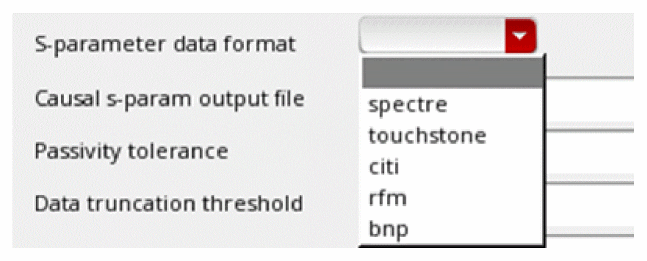
S-parameter data format controls the format of the S-Parameter data file. If this parameter is not specified, Spectre detects the format by itself. Possible values are spectre, touchstone, citi, rfm and bnp.
- Causal s-param output file contains a filename beginning with a slash (/). Specifying a filename in this field causes the S-Parameter data after causality correction to be placed in the specified file. This file will be created the first time the causal impulse response is calculated. This file can then be plotted directly in the waveform display tool. Most of the time, the causal impulse response calculated matches the original data provided in the S-Parameter file up to the maximum frequency provided in the S-Parameter file. To make the time-domain model causal, data is added based on the fmax option to make the model causal.
-
Passivity tolerance is only used when the Passivity property is set to check or enforce. Passivity tolerance does not need to be set. The default is
1e-6. This defines how close to unity gain should be modified by the passivity check and enforcement. Passivity will be enforced and/or reported when the gain is (1 - Passivity tolerance) or greater. -
Data truncation threshold defaults to
1e-3, which corresponds to-60dBgain. When the cross coupling terms become smaller than the Data truncation threshold, they are ignored. Cross coupling is the coupling from one port to another port. - Frequency sampling interval sets the delta frequency for the sampling from zero to the maximum frequency of interest. Leave this property at the default value. With adaptive sampling, this should never be necessary. If used, this delta should be a power of two divisor of the maximum frequency of interest.
-
Multiplier specifies how many
nportdevices to put in parallel. This is rarely used. -
Scale factor scales the frequency of the S-Parameter file. For example, many S-Parameter files have the frequency in GHz. In this case, set the Scale factor to
1e9. -
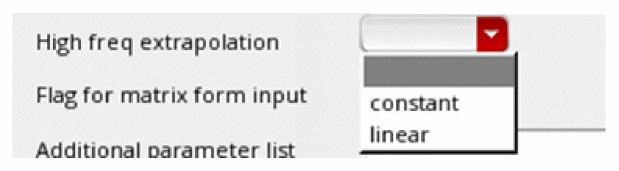
High freq extrapolation is ignored when causality correction is applied. The High freq extrapolation field can be set to constant or linear.
-
Flag for matrix form input should not be set. In the past, each time the simulation ran, the impulse response was calculated for every port of every instance of the
nportevery time the simulation was started. In some cases, especially with a large number of ports, this could take considerable time. This flag was provided so the step of calculating the impulse response could be skipped. Since the impulse response is cached and available for re-use at any time, this property should never be needed.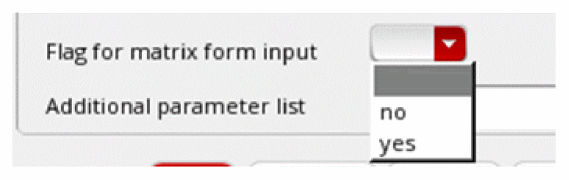
-
Prioritize Accuracy Range is used to specify a frequency band of interest to prioritize the accuracy of bbspice fitting at this band. The parameter takes a vector where the first element is the start frequency point and the second element is the end frequency point.The frequency band is printed in the netlist as
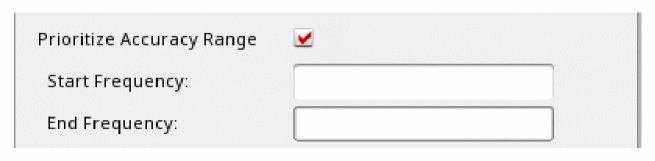
bbsfreqband=[...]. For example:NPORT1 (net3 net4) nport bbsfreqband=[2G 3G]
Here, the start frequency is2Gand the end freqency is3G. -
Additional parameter list is typically used to unlock new features. When this feature is used, a warning message is issued. This warning can be ignored.It is strongly recommended that you only set the following properties on the Edit Object Properties or Add instance form for
nport:- The Number of ports in the S-Parameter file
- The S-Parameter data file name.
- The Common reference terminal.
-
Interpolation methods - default, linear, spline or bbspice. The default interpolation method is typically recommended.
- Tran convolution parameters
- Advanced transient parameters
- Noise parameters
- Rarely used parameters
Command-line help
CDF Parameters
| CDF Parameter Label | CDF Parameter | spectre | auCdl | auLvs | hspiceD | UltraSim |
|---|---|---|---|---|---|---|
Syntax/Synopsis
model ndata nport file="sparam.data" scale=1
Example
x1 (a1 0 b1 0 b3 0) ndata file="sparam 2.data"
Additional Information
This device is not supported within the altergroups.
Symbol: phyres
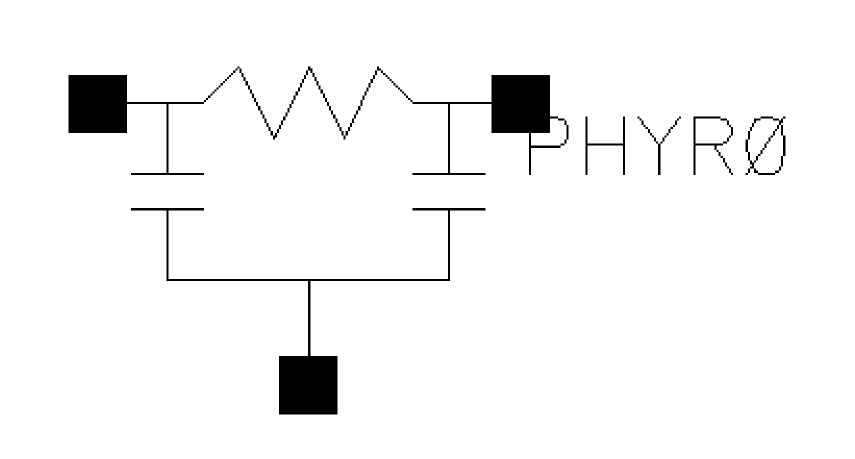
It consists of a two terminal resistor (tied between ‘t1’ and ‘t2’) and two diodes (tied between ‘t1’-‘t0’ and ‘t2’-‘t0’). The diodes are junction diodes. Under normal operation, the two diodes are reverse biased, but the parameter ‘subtype’ can reverse the direction of the diodes. If you do not specify ‘t0’, ground is assumed. The instance parameters always override model parameters. If you do not specify the instance resistance value, it is calculated from the model parameters.
Command-line help
CDF Parameters
| CDF Parameter Label | CDF Parameter | spectre | auCdl | auLvs | hspiceD | UltraSim |
|---|---|---|---|---|---|---|
Syntax/Synopsis
Name ( 1 2 [0] ) ModelName <parameter=value> ...
Following is the model synopsis:
model ModelName phy_res <parameter=value> ...
Example
Following is the sample instance statement:
res1 (net9 vcc) resphy l=1e-3 w=2e-6
Following is the sample model statement:
model resphy phy_res rsh=85 tc1=1.53e-3 tc2=4.67e-7 etch=0 cj=1.33e-3
cjsw=3.15e-10 tc1c=9.26e-4
Additional Information
This device is supported within the altergroups.
Symbol: rcwireload
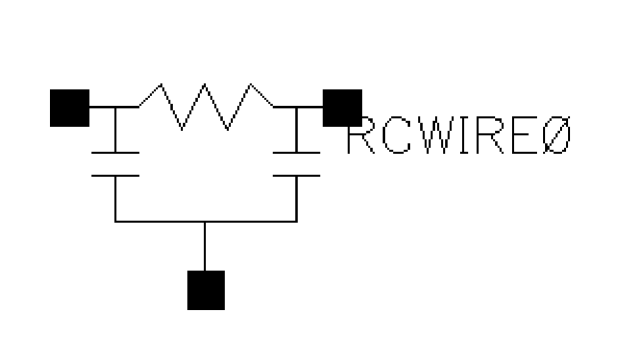
A wire model of a two terminal resistor with an optional third terminal at the instance level. If the third terminal is not specified then the two-terminal resistance model is used with the third terminal as ground.
In RC wire load model, R represents the interconnect metal or poly resistance and C represents substrate capacitance from node to ground.
You can specify the capacitance explicitly or allow it to be computed from the physical length and width of the resistor. The model parameter cratio can be used to allocate the parasitic capacitance of the wire element between the model’s input capacitor and the output capacitor. The value of each capacitor, as a function of temperature, is represented as linear temperature coefficient of capacitor (tc1c) and quadratic temperature coefficient of capacitor (tc2c).
For details refer to spectre help.
Component Parameters
| CDF Parameter Label | CDF Parameter | spectre | auCdl | auLvs | hspiceD | UltraSim |
|---|---|---|---|---|---|---|
Symbol: res
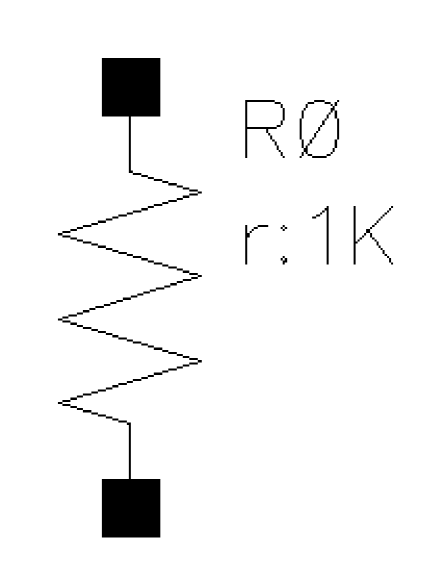
You can give the resistance explicitly or allow it to be computed from the physical length and width of the resistor. In either case, the resistance can be a function of temperature or applied voltage.
If R(inst) is not given, R(inst) = R(model), if R(model) is given, then R(inst) = Rsh * (L - 2 * etchl) / (W - 2 * etch).
If the polynomial coefficients vector (‘coeffs=[c1 c2 ...]’) is specified, the resistor is nonlinear. When ‘nonlinform’ is set to ‘g’, the resistance is:
R(V) = dV / dI
= R(inst) / (1 + c1 * V + c2 * V^2 + ...).
Command-line help
Component Parameters
| CDF Parameter Label | CDF Parameter | spectre | auCdl | auLvs | hspiceD | UltraSim |
|---|---|---|---|---|---|---|
Syntax/Synopsis
Name ( 1 2 ) ModelName <parameter=value> ...
Name ( 1 2 ) resistor <parameter=value> ...
Following is the model synopsis:
model ModelName resistor <parameter=value> ...
Example
Following is a sample instance statement without model:
r1 (1 2) resistor r=1.2K m=2
Following is a sample instance statement with model:
r1 (1 2) resmod l=8u w=1u
Following is a sample model statement:
model resmod resistor rsh=150 l=2u w=2u etch=0.05u tc1=0.1 tnom=27 kf=1
Additional Information
This device is supported within the altergroups.
Symbol: spxtswitch
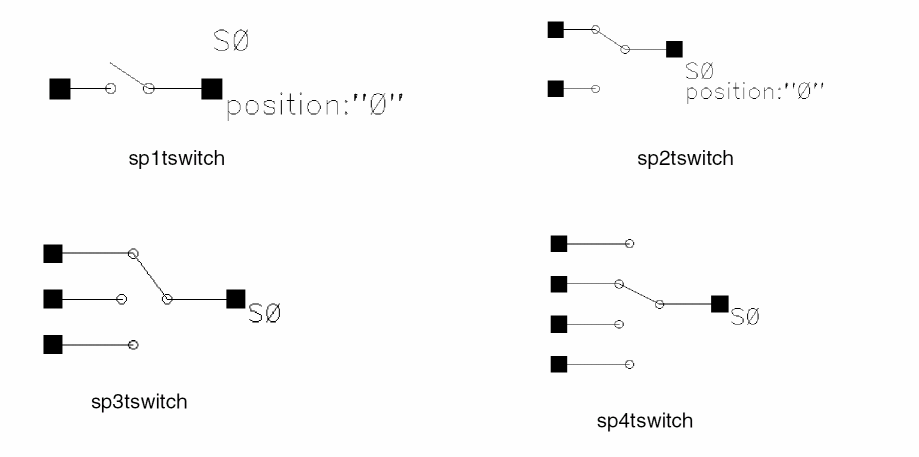
sp1tswitch - Ideal Switch With 1 Position
sp2tswitch - Ideal Switch With 2 Positions
sp3tswitch - Ideal Switch With 3 Positions
sp4tswitch - Ideal Switch With 4 Positions
Ideal switch is a single-pole multiple-throw switch with infinite ‘off’ resistance and zero ‘on’ resistance. The switch is provided to allow you to reconfigure your circuit between analyses. You can only change the switch state between analyses (using the alter statement), not during an analysis.
Command-line help
CDF Parameters
| CDF Parameter Label | CDF Parameter | spectre | auCdl | auLvs | hspiceD | UltraSim |
|---|---|---|---|---|---|---|
Syntax/Synopsis
Name ( t0 t1 ... ) switch <parameter=value> ...
Example
sw1 (t1 t2 t3) switch dc_position=0 ac_position=1 tran_position=2
Additional Information
This device is not supported within the altergroups.
Symbol: switch
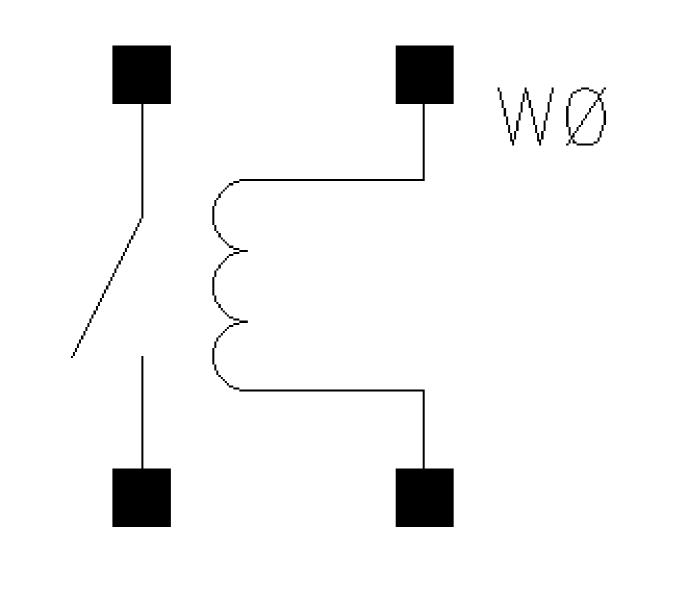
The four-terminal relay is a voltage controlled relay tied between terminals ‘t1’ and ‘t2’. The voltage between terminals ‘ps’ and ‘ns’ controls the relay resistance. The relay resistance varies nonlinearly between ‘ropen’ and ‘rclosed’, the open relay resistance and closed relay resistance, respectively. These resistance values correspond to control voltages of ‘vt1’ and ‘vt2’ respectively. The four parameters, ‘vt1’, ‘vt2’, ‘ropen’, and ‘rclosed’, can be instance or model parameters.
Command-line help
CDF Parameters
| CDF Parameter Label | CDF Parameter | spectre | auCdl | auLvs | hspiceD | UltraSim |
|---|---|---|---|---|---|---|
Syntax/Synopsis
Name ( 1 2 ps ns ) ModelName <parameter=value> ...
Name ( 1 2 ps ns ) relay <parameter=value> ...
Following is the model synopsis:
model ModelName relay <parameter=value> ...
Example
Following is a sample instance statement:
rel1 (1 2 ps ns) my_relay ropen=1G rclosed=2
Following is a sample model statement:
model my_relay relay vt1=2.5 vt2=5 ropen=100M rclosed=0.1
Additional Information
This device is not supported within the altergroups.
Symbol: tline
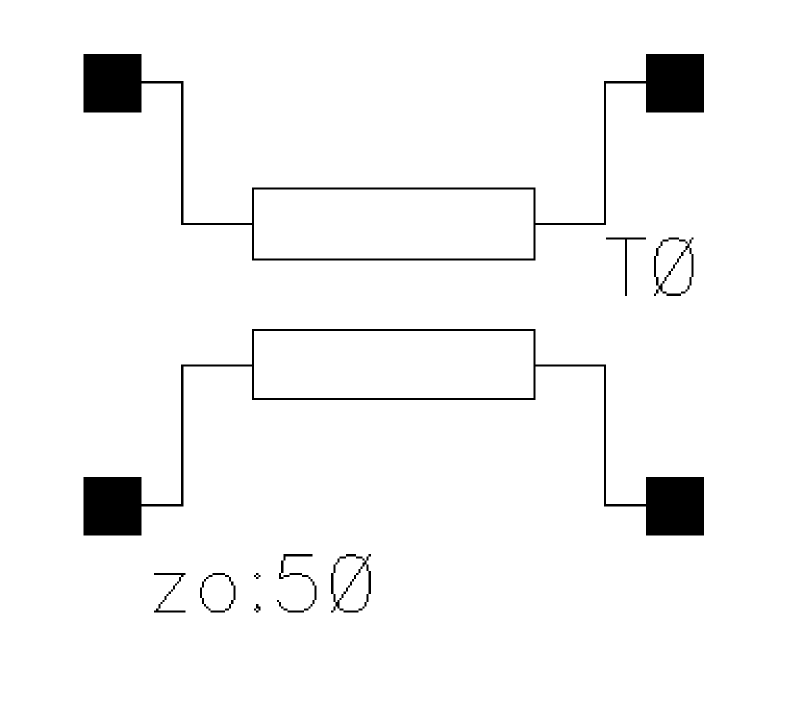
Transmission Line (Lossy or Lossless)
The transmission line model includes dielectric and conductor loss effects. The conductor loss includes skin effect assuming finite or infinite conductor thickness.
Only the odd mode is modeled, so only the voltage difference across each port is important. The absolute voltage of each terminal is not significant. Also, the current into one node of a port equals the current leaving the other node of the port.
Command-line help
CDF Parameters
| CDF Parameter Label | CDF Parameter | spectre | auCdl | auLvs | hspiceD | UltraSim |
|---|---|---|---|---|---|---|
Syntax/Synopsis
Name ( t1 b1 t2 b2 ) ModelName <parameter=value> ...
Name ( t1 b1 t2 b2 ) tline <parameter=value> ...
Following is the model synopsis:
model ModelName tline <parameter=value> ...
Example
Following is a sample instance statement:
t1 (1 0 2 0) lmodel z0=100
Following is a sample model statement:
model lmodel tline f=10M z0=50 alphac=8501 fc=10M dcr=88
Additional Information
This device is supported within the altergroups.
Symbol: winding
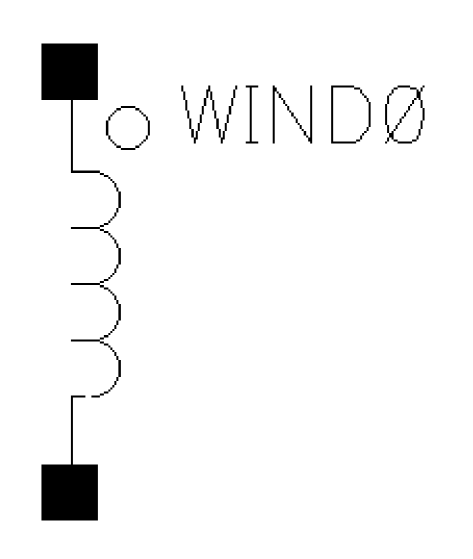
A winding is used in conjunction with magnetic cores to model coils and transformers with hysteresis. Each winding must be associated with a single core, though a core may have any number of windings.
Command-line help
Component Parameters
| CDF Parameter Label | CDF Parameter | spectre | auCdl | auLvs | hspiceD | UltraSim |
|---|---|---|---|---|---|---|
Symbol: xfmr
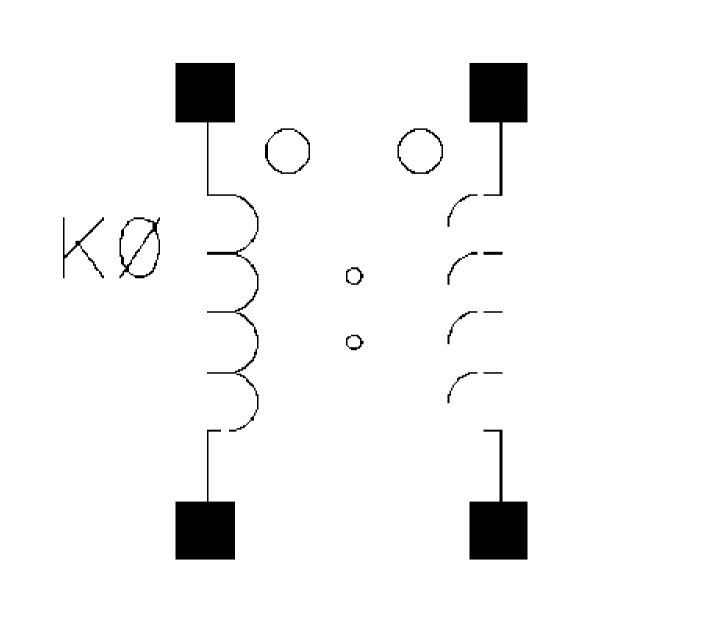
Linear Two Winding Ideal Transformer
Winding 1 connects terminals ‘t1’ and ‘b1’, and winding 2 connects ‘t2’ and ‘b2’. The number of turns on windings 1 and 2 are given by ‘n1’ and ‘n2’ respectively, where ‘n2’ must not be zero. The absolute number of turns of each winding is not important, only the ratio of ‘n1’ to ‘n2’. Current through winding 1 is computed.
An ideal transformer is modeled, so it acts as a transformer at DC. In particular, it implements
v1/v2 = n1/n2
i1/i2 = -n2/n1
Command-line help
CDF Parameters
| CDF Parameter Label | CDF Parameter | spectre | auCdl | auLvs | hspiceD | UltraSim |
|---|---|---|---|---|---|---|
Syntax/Synopsis
Name ( t1 b1 t2 b2 ) transformer <parameter=value> ...
Example
tr1 (1 0 2 0) transformer n1=3 n2=3 m=2
Additional Information
This device is not supported within the altergroups.
Return to top