
minExtensionOnLongSide
orderedSpacings( ( minExtensionOnLongSidetx_layer1 tx_layer2['widthRanges (g_ranges) ['otherWidthRanges (g_otherWidthRanges)]]f_extension )
) ;orderedSpacings
(Virtuoso Advanced Node for Layout Standard) Specifies the minimum extension of a shape on layer1 past the long edges of a shape on layer2.
Optionally, the constraint can be applied to shapes with certain widths. cat
Values
Parameters
|
The constraint applies only if the width of the layer1 shape falls in one of these ranges.
Type: Floating-point values specifying a |
|
|
The constraint applies only if the width of the layer2 shape falls in one of these ranges.
Type: Floating-point values specifying a |
|
Examples
- Example 1: minExtensionOnLongSide
- Example 2: minExtensionOnLongSide with widthRanges and otherWidthRanges
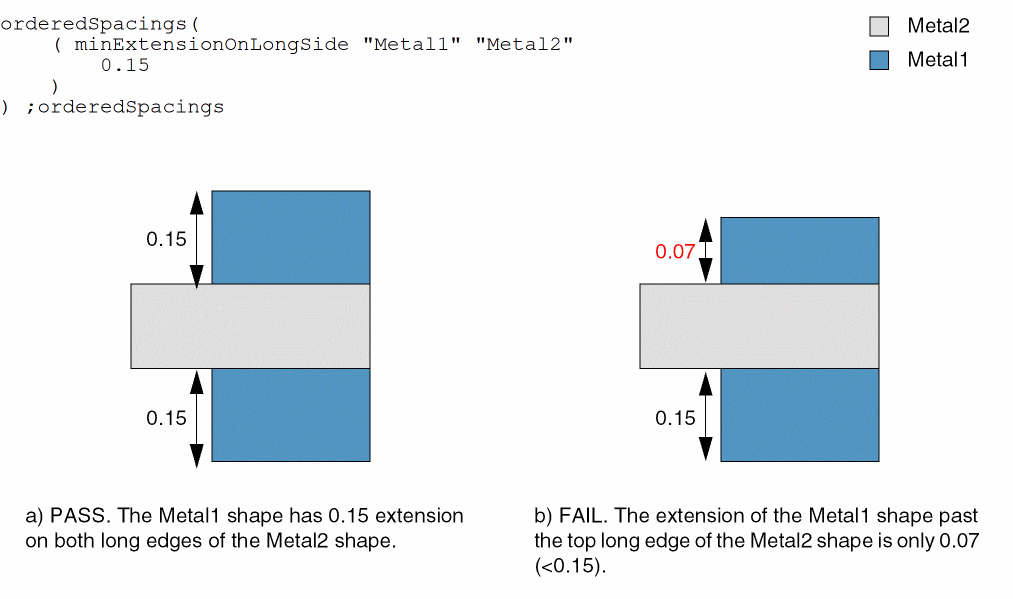
Example 1: minExtensionOnLongSide
A Metal1 shape must have an extension greater than or equal to 0.15 on the long edges of a Metal2 shape.
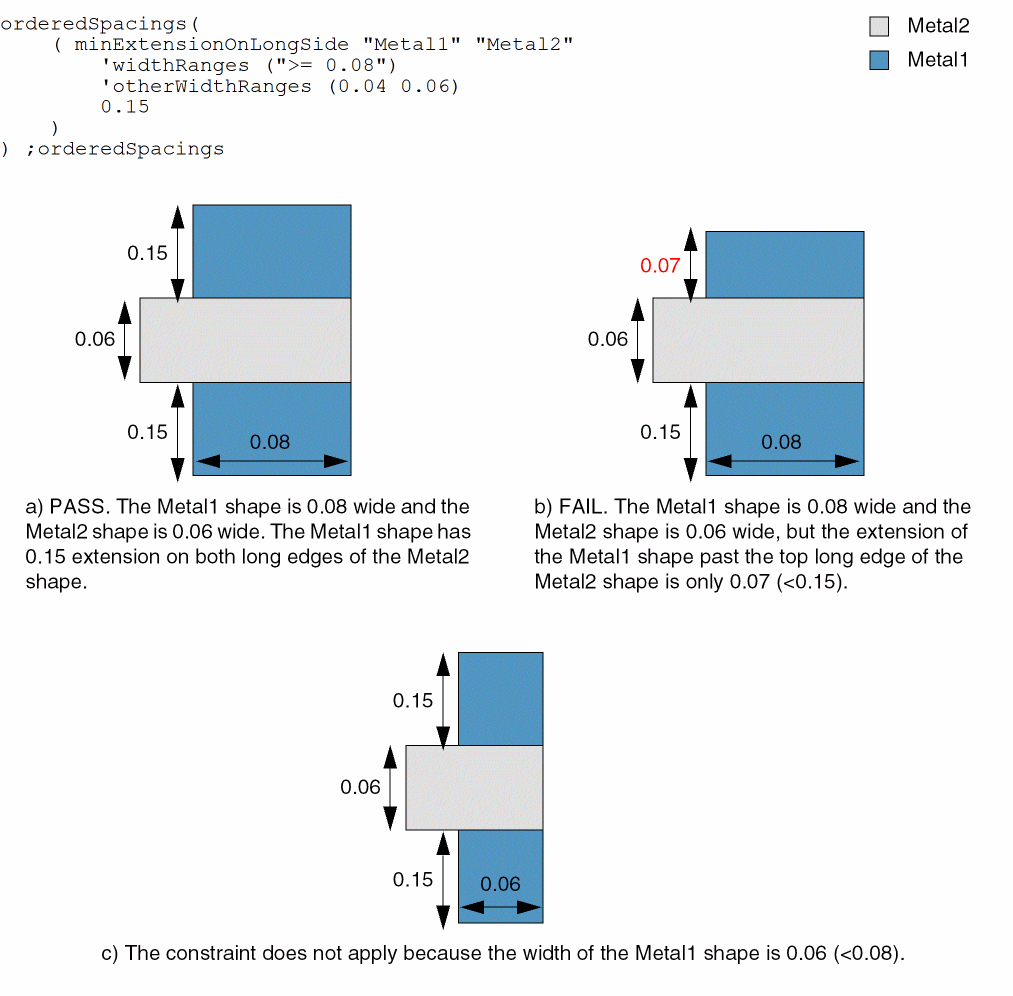
Example 2: minExtensionOnLongSide with widthRanges and otherWidthRanges
A Metal1 shape must have an extension greater than or equal to 0.15 on the long edges of a Metal2 shape if all of the following conditions are met:
- Width of the Metal1 shape is greater than or equal to 0.08.
-
Width of the Metal2 shape is either 0.04 or 0.06.
Return to top