
boundaryEOLBlockage
spacings( ( boundaryEOLBlockagetx_Layer'offsetg_offset{'horizontal | 'vertical | 'any} ['prlg_parallelRunLength'withing_within'distanceg_distance]g_size)
) ;spacings
(Virtuoso Advanced Node for Layout Only) Specifies the size and direction of end-of-line blockages from design boundary edges.
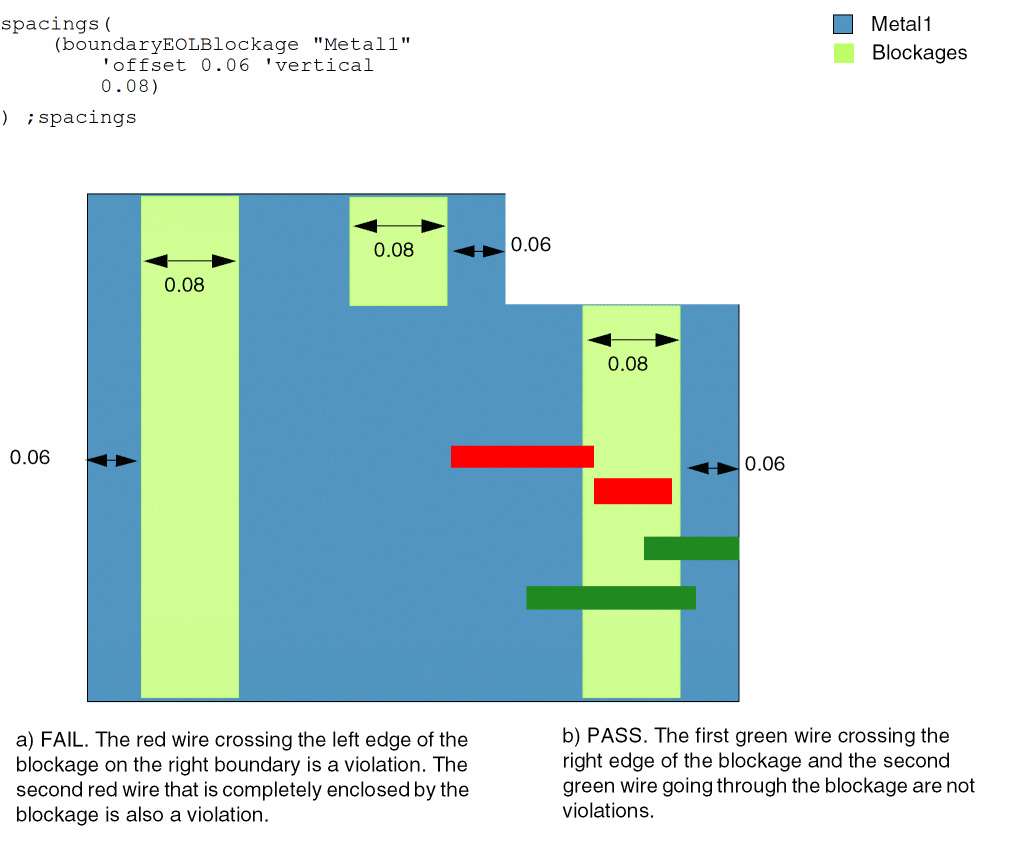
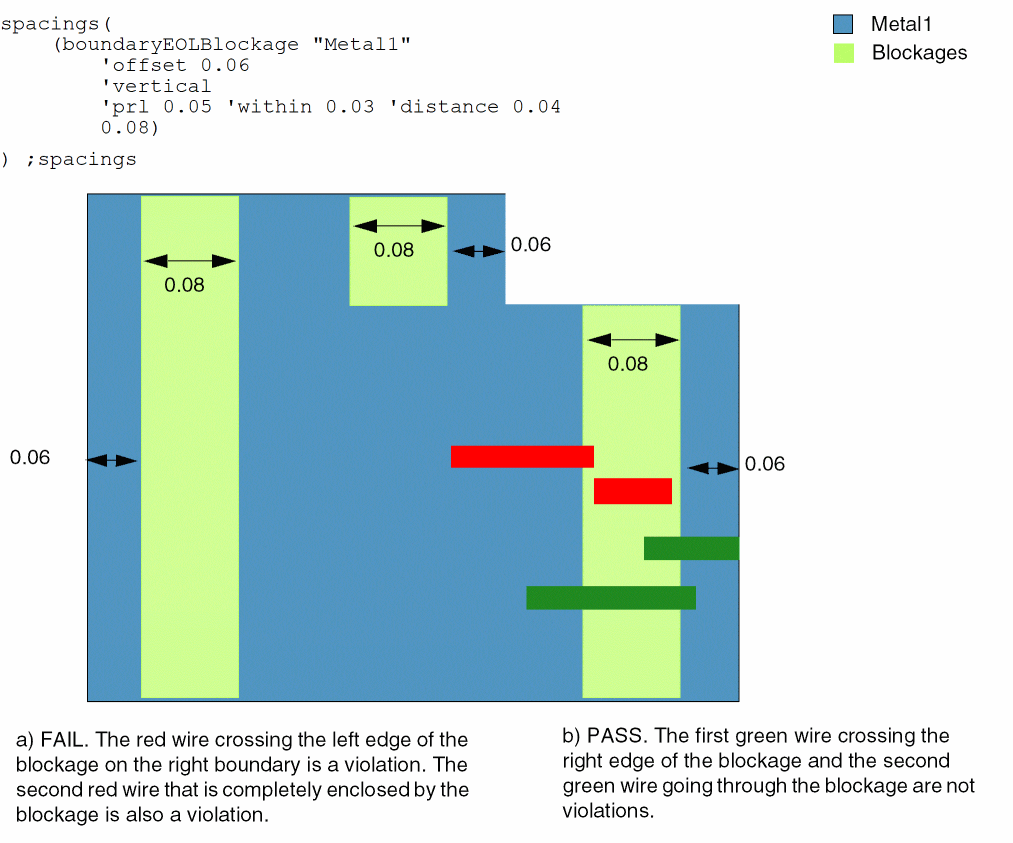
Wires starting in the design interior and ending with an end-of-line edge in the blockage violate the constraint. On the other hand, wires with no end-of-line edge in the blockage or those that start in the periphery but end in the blockage do not violate the constraint.
Values
|
The layer on which the constraint is applied. Type: String (layer and purpose names) or Integer (layer number) |
|
Parameters
Examples
Example 1: boundaryEOLBlockage with direction
For the Metal1 layer, the size of end-of-line blockages formed in the horizontal direction from the design boundary edges is 0.08.
Example2: boundaryEOLBlockage with prl
For the Metal1 layer, the size of end-of-line blockages formed in the horizontal direction from the design boundary edges is 0.08. The search window is formed by extending the parallel run length by 0.05 on both sides and by 0.03 in the orthogonal direction, unless neighbor wires on both sides of the ends-of-lines are within 0.04.
Return to top