
Editing a Modgen in the Automated Device Placement and Routing Flow
To edit a Modgen from the Auto P&R assistant, after generating the constraints:
- Expand the required category in the Groups and Constraints pane on the Constraints tab of the Auto P&R assistant.
- Right-click the required Modgen.
-
Choose Edit Group. The Array Assistant is displayed.
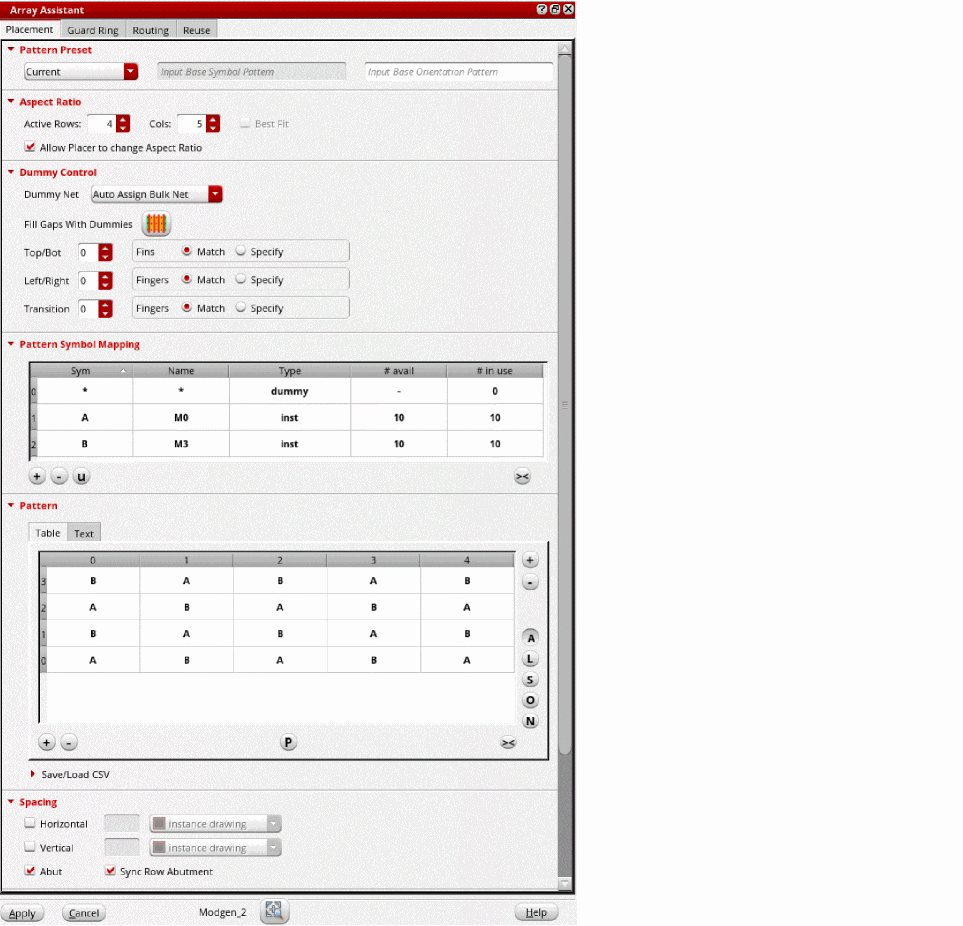
The Array Assistant is a unified interface that lets you to quickly create and edit Modgens. The form integrates the key options from the Modgen Placement toolbar and Modgen Routing toolbars.
To delete a Modgen, right-click the Modgen and select Delete Constraint from the shortcut menu.
Related Topics
Constraints in the Automated Device Placement and Routing Flow
Generating Constraints and Constraint Groups
Editing a Modgen in the Automated Device Placement and Routing Flow
Return to top