
You can install the latest product documents for a release from this page. To use this feature, ensure that:
- You are connected to the Internet and Online Documentation mode is enabled.
- You are signed in to Doc Assistant.
- You have write permissions to the default document directory located at "
<installation_dir>/doc". - The current online and default offline releases are the same. To synchronize the releases, open the Libraries tab of the Doc Assistant dashboard and locate the Default Doc library. Click Make Current to set it as the current library.
For more information about signing in, refer Signing In to Doc Assistant.
By default, the Product Name column lists all products for which documents are configured to be displayed on your machine. See My Products for information about customizing this list. The Update Status column shows the download status.
To download and install updated documents:
- Select a release from the Product Name column
- Click Download and Install Update.
The updated documents will be downloaded and automatically installed.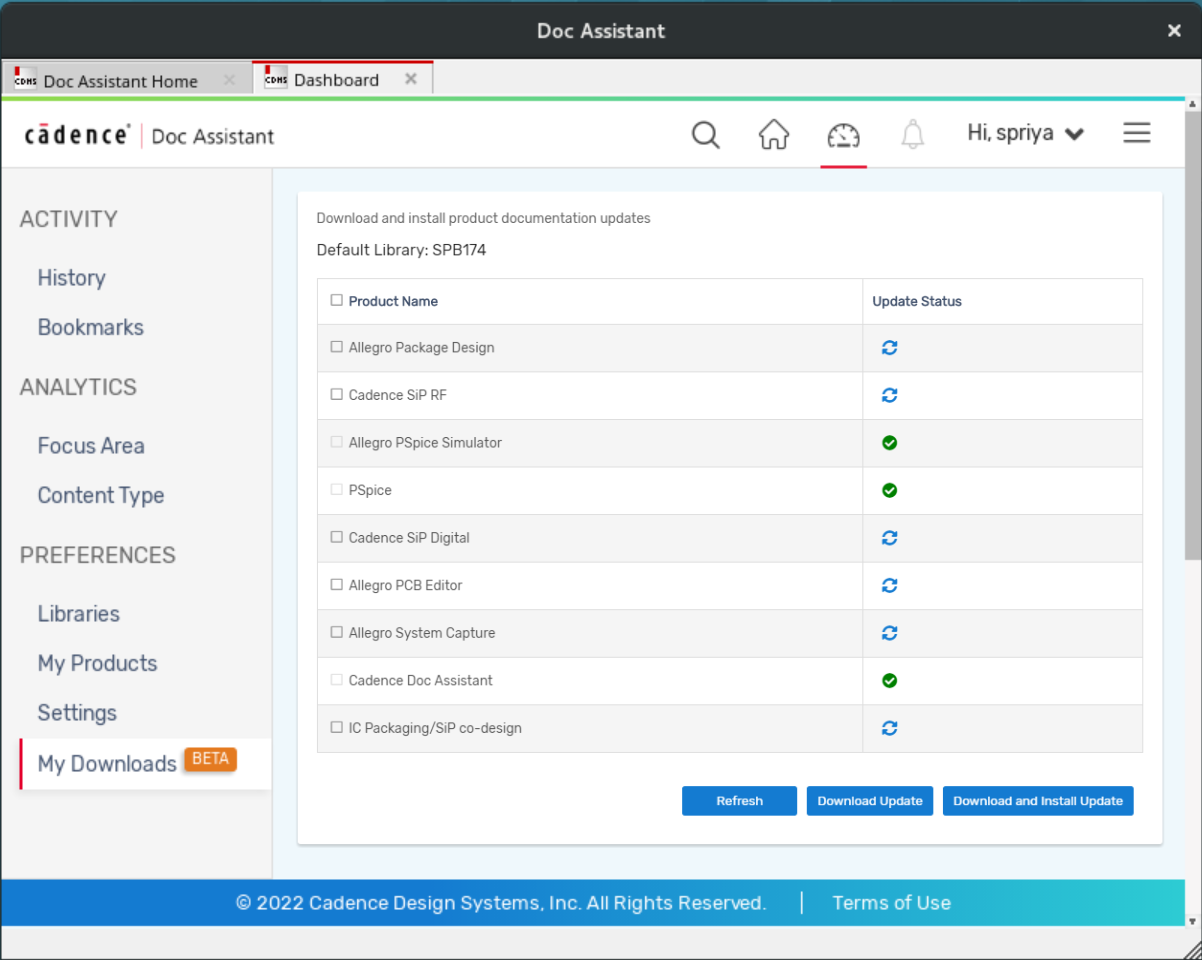
To download the updated documents and install them later:
- Select a release from the Product Name column.
- Click Download Update.
After the download is complete, a notification is displayed in the Notifications list. - Click the notification to install the downloaded documents.