
Consolidated Alerts
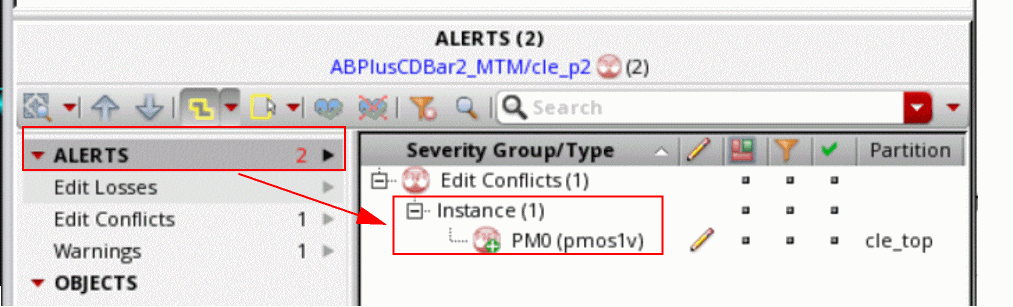
Alerts in Concurrent Layout are consolidated by default. This means that if an object has multiple edit conflicts, only the most severe conflict will be shown in the ALERTS section of the Summary pane in the Concurrent Layout assistant. The + icon is added to represent multiple alerts.
Consider an example where you move an instance PM0 in the design partition cle_p2 outside of the design partition area. This will introduce an outside area warning. Return to the top design and move the instance PM0 in the top design and save the top design. This will introduce an edit conflict against the design partition cle_p2. Now, when you edit in the design partition cle_p2, you will see two alerts, both associated with PM0, consolidated into one entry in the ALERTS section.
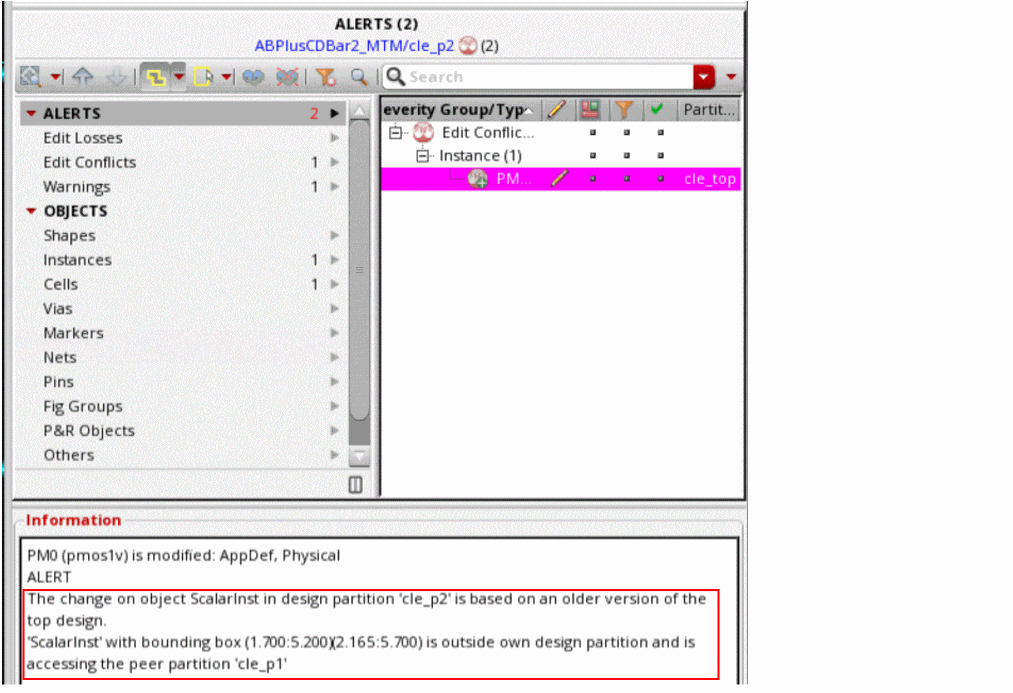
You can select each alert node to view details related to all alerts associated with the same object in the Information pane.
Related Topics
Return to top