
View Design Partition Form
Checks the area or layer-based design partition definitions. It helps in identifying attached areas or layers and to check information related to them in the Property Editor.
|
The following information regarding the existing area-based design partitions is visible in the form: |
|
|
Specifies the owner of the design partition. This information is not mandatory. |
|
|
Specifies the number of areas attached to the design partition. |
|
|
Specifies the number of objects attached to the design partition. The count also includes invisible objects.
This column is available only when an object-based partition exists or if cleEnableAdvPartitionType
t. |
|
|
Specifies the number of nets attached to the design partition.
This column is available only when a net-based partition exists or if cleEnableAdvPartitionType
t. |
|
|
Specifies the current status of the design partition. Valid values are Created, Editing, Submitted, and Merged. |
|
|
Specifies the design partition view name of the design partition. |
|
|
Select a design partition, and then click Select for Areas, Objects, or Nets to view the related information in the Property Editor. 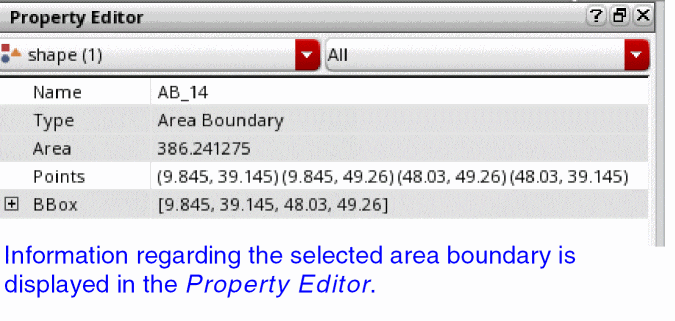 Selecting a design partition highlights the attached areas and the bounding box of the attached objects. You can probe the attached nets in the Navigator. When you click Select for Nets, the Select Net form is also displayed. This form lets you select the net for which you want to view the information. |
|
|
Lets you check for area overlaps in partitions and creates markers for any overlaps found. |
|
|
The following options are available when Partition Type is Layer. |
|
|
Specifies the layer range included in the design partition, and the total number of layers included. If all layers in the range are not included, the number of layers that are actually included is shown, followed by a slash and the number of total layers in the range. |
|
|
Specifies the current status of the design partition. Valid values are Created, Editing, Submitted, and Merged. |
|
|
Specifies the design partition view name of the design partition. |
|
|
Displays the top and bottom layer name included in the selected design partition. Clicking the Layers Preview button in the Layers field displays the Partition Layers form. |
|
Related Topics
Defining an Area-Based Design Partition
Defining a Layer-Based Design Partition
Return to top