
Modes in Concurrent Hierarchical Editing
Concurrent hierarchical editing has two modes, Regular and Incremental. Concurrent Layout automatically detects the case and enables one of the following modes for hierarchical editing.
-
Regular mode
The main cellview is edited, and only one designer can edit at a time. This implies that concurrent editing of a hierarchical subcell is not possible in this mode. Additionally, it is not possible to undo any changes after they are saved. Hierarchical editing is done in regular mode when one of the following is true:- The design partition is open in read-only mode
- The subcell is being concurrently edited for another task.
- The iEIP button on the assistant is disabled.
-
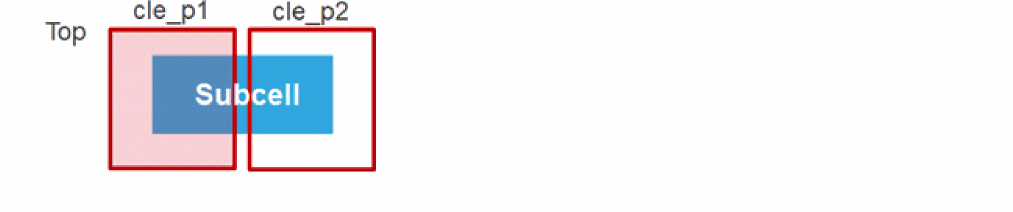
The hierarchical subcell has one or more occurrences and they are all in a single design partition.

-
The hierarchical subcell has one or more occurrences and they are in two or more design partitions.

- Incremental mode The original hierarchical subcell is not modified. Hierarchical design partition views are created when you descend into the design. In layer-based design partitions, the edit scope of the hierarchical subcell is limited to the layers available in the top design partition. In area-based design partitions, area boundaries from the parent top design partition are pushed down to retain the edit scope in the concurrently edited hierarchical subcell. This mode is enabled when the following conditions are true:
To avoid performance-related issues, checking is performed only to the current display level or to the third level in the hierarchy.
Related Topics
Verifying Incremental EIP Updates
Merging Incremental EIP Updates
Return to top