|
Dracula command
|
Diva Verification command
|
|
LAYER Processing – Logical
|
|
OR layerA layerB layerC
|
layerC = geomOr( layerA layerB )
|
|
AND layerA layerB layerC
|
layerC = geomAnd( layerA layerB )
|
|
NOT layerA layerB layerC
|
layerC = geomAndNot( layerA layerB )
|
|
XOR layerA layerB layerC
|
layerC = geomXor( layerA layerB )
|
|
FLATTEN layerA layerB
|
layerB = geomCat( layerA )
|
|
HIERARCHEN layerA layerB
|
No corresponding Diva verification command.
|
|
SELECT layerA INSIDE layerB layerC
|
layerC = geomInside( layerA layerB )
|
|
SELECT layerA OUTSIDE layerB layerC
|
layerC = geomOutside( layerA layerB )
|
|
SELECT layerA CUT layerB layerC
|
layerC = geomStraddle( layerA layerB )
|
|
SELECT layerA ENCLOSE layerB layerC
|
layerC = geomEnclose( layerA layerB )
|
|
SELECT layerA VERTEX[n1:n2] layerB
|
layerB = geomGetVertex( layerA n1<= keep
<=n2 )
|
|
SELECT layerA LABEL labelname layerB
|
layerB = geomGetNet( layerA "labelname" )
|
|
SELECT layerA HOLE layerB layerC
|
layerC = geomEnclose( geomInside
( geomHoles (layerA) layerB ) layerB )
|
|
SELECT layerA TOUCH[n1:n2]layerB layerC
|
layerC = geomButting( layerA layerB n1
<= keep <= n2 )
|
|
SIZE layerA by n layerB
|
layerB = geomSize( layerA n )
|
|
OUTPUT ERR 10
|
saveDerived( ERR10 )
|
|
|
Note: The Diva verification drc command automatically stores the result in the database, so it is not necessary to use the Diva verification saveDerived command.
|
|
RELOCATE
|
No corresponding Diva verification command.
|
|
CUT
|
No corresponding Diva verification command.
|
|
Layer Connectivity
|
CONNECT
*input-layer
L1 = 1
L2 = 2 text = 20 attach L4
L3 = 3 ctext = 21
connect-layer = L1 L2 L3
*end
*operation
connect L2 L1 by via
connect L3 L2 by contact
connect L3 L1 by contact
*end
|
geomConnect(
via( via L2 L1 )
via( contact L3 L2 L1 )
label( “text” L4 )
label( “ctext” L1 L2 L3 ) )
|
|
Note: You need to change the label names inside the label clause to the names you use in the Diva verification database.
|
|
STAMP layerA by layerB
|
layerA = geomStamp( layerA layerB )
|
|
LINK
|
No corresponding Diva verification command.
|
|
RCONNECT
|
RCONNECT is used to form parasitic resistance.
|
|
|
|
|
Design Rule Checks
|
|
WIDTH layerA op n1 n2 layerB
|
layerB = drc( layerA n1 <= width
<= n2 )
|
|
ENC layerA layerB op n1 n2 layerC
|
layerC = drc( layerB layerA n1 <= enc
<= n2 )
|
|
|
The Dracula ENC layerA layerB checks for layerB enclosing layerA. In Diva verification, the order is reversed, and layerB is specified as the first layer.
|
|
EXT layerA layerB op n1 n2 layerC
|
layerC = drc( layerA layerB n1 <= sep
<= n2 )
|
|
INT layerA layerB op layerC
|
layerC = drc( layerA layerB n1 <= ovlp
<= n2 )
|
|
LENGTH layerA op n1 layerC
|
Temp-File1 = geomGetLength( Temp-file2
length op n1 )
|
|
|
LENGTH can only be used in a spacing conjunction rule and does not need the edge modifier. See the example.
|
|
enc L3 L1 Lt .001 &
length L3 Le .002 &
enc L3 L2 Lt .003 out err 11
|
TEMP_?1 = drc( L1 L3 enc < .001 edge )
?L3 = geomAnd( TEMP_?1 L3 )
?L1 = geomAnd( TEMP_?1 L1 )
TEMP_?1 = geomGetLength(?L3 length
<=.002)
?L3 = geomAnd( TEMP_?1 ?L3 )
drc( L2 ?L3 enc < .003 )
|
|
|
In the previous example, the temporary layer ?L1 is not used later, so the Diva verification compiler optimizes it when you run the job.
|
|
AREA layerA RANGE n1 n2 layerB
|
layerB = drc( layerA n1 <= area <= n2 )
|
|
OVERLAP layerA layerB
|
layerB = geomAnd( layerA )
|
|
PLENGTH layerA RANGE n1 n2 layerB
|
layerB = geomGetLength( layerA n1 <=
length <= n2 contiguous )
|
|
Dracula DRC Options
|
|
When a Dracula DRC command has one or more options, DraculaToDiva translates the option(s) to an Diva verification drc command with modifiers. Where needed, additional commands are added by DraculaToDiva for specific options.
|
|
[C]
|
Uses Diva verification parallel modifier.
|
|
[C’]
|
Uses Diva verification notParallel modifier.
|
|
[E]
|
Combines the commands.
|
|
ENC[E]layerA layerB op n1 n2 layerC
|
layerC=drc( layerB layerA n1 <=op <=n2 )
saveDerived( geomOutside(layerA layerB ) )
|
|
EXT[E]layerA layerB op n1 n2 layerC
|
layerC=drc( layerA layerB n1 <=sep <=n2 )
saveDerived( geomInside(layerA layerB ) )
|
|
[EO]
|
Combines the commands.
|
|
EXT[EO]layerA layerB op n1 n2 layerC
|
layerC=drc( layerA layerB n1 <=sep <=n2 )
saveDerived( geomOverlap(layerA layerB ) )
|
|
[G] or [O]
|
Combines the commands.
|
|
EXT[G]layerA layerB op n1 n2 layerC
|
layerC = drc( layerA layerB n1<=sep <=n2 ) saveDerived( geomStraddle (layerA layerB )
|
|
[H]
|
Combines the commands.
|
|
EXT[H] layerA op n1 n2 layerC
|
layerC=drc( layerA n1 <=sep <=n2 )
drc( layerA n1 <=notch <=n2 )
|
|
[N]
|
Uses Diva verification diffNet modifier.
|
|
[N’]
|
Uses Diva verification sameNet modifier.
|
|
[P]
|
Uses Diva verification opposite modifier.
|
|
[P’]
|
Uses Diva verification app<0 modifier.
|
|
[R] [R’]
|
Default Diva verification operation generates shapes. Default Dracula operation generates edges. When you do not specify the [R] or [R’] option in a Dracula command file, DraculaToDiva automatically adds an edge modifier. When you specify an [R] modifier in the Dracula command file, also specify the Diva verification opposite modifier.
|
|
SELLE or SELLT
|
Uses Diva verification fig modifier.
|
|
[T]
|
Default Diva verification operation has touching on. Whenever there is no [T] specified in the Dracula DRC, and there is no lower bound, DraculaToDiva adds a lower bound of 0 without the equal sign.
|
|
EXT layerA layerB LT 0.5 layerC
|
layerC = drc( layerA layerB 0 <sep <0.5 )
|
|
EXT[T]layerA layerB LT 0.5 layerC
|
layerC = drc( layerA layerB sep < 0.5 )
|
|
[U]
|
Ignored.
|
|
[U’]
|
Ignored.
|
|
[V]
|
Ignored.
|
|
Layout Extraction
|
|
ELEMENT MOS[type] layerA layerB layerC layerD
|
extractDevice( layerA layerB("G") layerC ("S" "D") layerD("B") model )
|
|
|
For example, the model can be “pfet” or “nfet,” depending on whether the MOS is p-type or n-type.
|
|
ELEMENT RES[type] layerA layerB
|
extractDevice( layerA layerB("PLUS"
"MINUS") "resistor" )
|
|
ELEMENT CAP[type] layerA layerB layerC
|
extractDevice( layerA layerB("PLUS") layerC("MINUS") "capacitor" )
|
|
ELEMENT DIO[type] layerA layerB layerC
|
extractDevice( layerA layerB(“PLUS”) layerC("MINUS") "diode" )
|
|
ELEMENT BJT[type] layerA layerB layerC layerD
|
extractDevice( layerA layerB("collector") layerC("base") layerD("emitter") "bjt" )
|
|
ELEMENT PAD layerA layerB
|
Not implemented.
|
|
ELEMENT BOX layerA layerB layerC
layerD layerE
|
extractDevice( layerA layerB("pos1") layerC("pos2") layerD("pos3") layerE("pos4") "BOX" )
|
|
|
BOX is the user-defined device name.
|
|
PARAMETER CAP
|
|
ELEMENT CAP[type] layerA layerB layerC
PARAMETER CAP[type] n1 n2
|
area = measureParameter( area (layerA) n1 )
saveParameter( area “ca” )
peri = measureParameter( perimeter saveParameter(peri “cp”)(layerA) n2 )
|
|
PARAMETER RES
|
|
ELEMENT RES[type] layerA layerB
PARAMETER RES[type] n1
|
area = measureParameter( area (layerA) ) width = measureParameter( length
( layerA butting layerB) 0.5 ) resist = calculateParameter(area /
( width * width)* n1 )
saveParameter(resist “r”)
|
|
PARASITIC CAP
|
See ATTRIBUTE CAP.
|
|
ATTRIBUTE CAP
|
|
PARASITIC CAP[type] layerA layerB
layerC
|
area = measureParasitic( area
( layerA over layerC )two_net )
|
|
ATTRIBUTE CAP[type] n1 n2
|
peri = measureParasitic( perimeter
( layerA over layerC ) two_net )
|
|
|
capacitor = calculateParasitic( (area*n1)+
(peri*n2) )
saveParasitic( capacitor “PLUS” “MINUS”
“c” “capacitor” )
|
|
fringe-cap example:
|
|
PARASITIC CAP[type] layerA layerA layerA
ATTRIBUTE CAP[type] n1 n2
|
fringecap = measureFringe( layerA
calculate((l*n2)/s)
sep <= n1 parallel opposite)
|
|
PARASITIC RES
|
See ATTRIBUTE RES.
|
|
ATTRIBUTE RES
|
|
PARASITIC RES[type] layerA layerB
ATTRIBUTE RES[type] n1
|
area = measureParasitic( area( layerA )
two_net )
width = measureParasitic( length ( layerA
butting layerB ) 0.5 two_net )
resist = calculateParasitic( area/(width *
width ) * n1)
saveParasitic( resist “PLUS” “MINUS” “r”
“resist” )
|
|
PARASITIC DIO
|
In PARASITIC DIO, layerD and layerE are optional; if they do not appear, you do not need to calculate a2, p2, a3, and p3.
|
|
PARASITIC DIO[type] layerA layerB layerC layerD layerE
|
a1 = measureParasitic( area (layerA over layerB not_over layerD not_over layerE) two_net )
|
|
If P-N diode, then layerA over layerC
If N-P diode, then layerA over layerB
|
p1 = measureParasitic( perimeter (layerA over layerB outside layerD outside
layerE) two_net )
a2 = measureParasitic( area (layerA over layerD not_over layerE) two_net )
|
|
|
p2 = calculateParasitic( measureParasitic ( perimeter (layerA over layerD outside layerE) two_net) + measureParasitic( perimeter (layerA butting layerD
outside layerE) two_net) )
|
|
|
a3 = measureParasitic( area (layerA over layerE) two_net )
|
|
|
p3 = calculateParasitic( measureParasitic
(perimeter (layerA over layerE)
two_net) + measureParasitic( length
(layerA butting layerE) two_net) )
|
|
saveParasitic( (a1 p1) “PLUS” “MINUS” (“a1” “p1”) “diode” )
saveParasitic( (a2 p2) “PLUS” “MINUS” (“a2” “p2”) “diode” )
saveParasitic( (a3 p3) “PLUS” “MINUS” (“a3” “p3”) “diode” )
|
|
DEVTAG
|
DEVTAG is used to attach a device number to a certain layer, enabling you to extract the parameter from that layer via LEXTRACT. In Diva verification, the approach is reversed. You first calculate the parameters of a specific layer, which is not a recognition layer, and then you associate that layer to the recognition layer. See the example under LEXTRACT.
|
|
LEXTRACT
|
|
ELEMENT BJT[type] layerA layerA
layerB layerC
DEVTAG BJT[type] layerC layerD
DEVTAG[l] layerD layerE layerF
.......
LEXTRACT parset layerF by BJT[type]
outfile &
|
extractDevice( layerA layerA(“collector” ) layerB(“base”) layerC(“emitter”) “bjt” )
area = measureParasitic( area (layerE over layerC) figure )
|
|
LEXTRACT parset layerA by BJT[type]
|
attachParasitic( area “prop_1” layerA layerC )
peri = measureParasitic( perimeter(layerE over layerC) figure )
attachParasitic( peri “prop_2” layerA
layerC )
area = measureParameter( area (layerA)) saveParameter(area “a”)
peri = measureParameter( perimeter
(layerA) )
saveParameter(peri “l”)
|
|
EQUATION
|
EQUATION is used for flexible parameter extraction with the LEXTRACT command. You calculate the primitive parameters for each different type of device and then use calculateParameter for the EQUATION.
|
|
ELEMENT BJT[type] layerC layerA
layerB layerC
|
area = measureParameter( area (layerC) ) saveParameter(area “a”)
peri = measureParameter( perimeter
(layerC) )
|
|
LEXTRACT parset layerC by BJT[type]
outfile &
|
saveParameter(peri “l”)
c1 = calculateParameter(1.2 * area +
1.3 * peri)
|
|
EQUATION c1 = 1.2 * area + 1.3 * peri
|
saveParameter(c1 “c1”)
|
|
LPESELECT
|
Ignored.
|
|
LPECHK
|
LPECHK compares the layout and schematics and cannot be translated.
|
|
NDCOUNT
|
If layerC is the source-drain layer, DraculaToDiva assigns “S” and “D” as the layer’s terminal types.
|
|
|
In this example, an MOS element is defined as
ELEMENT MOS[P]layerA layerB layerC
|
|
NDCOUNT MOS[P] layerC GT 2
|
checkDeviceNetCount( "pfet" ("S" "D")
keep > 2)
|
|
ECONNECT
|
If layerA is the source-drain layer, DraculaToDiva assigns “S” and “D” as its terminal types. The conjunction rule cannot be translated. If using DISC, DraculaToDiva uses checkNotConnected.
|
|
ECONNECT MOS[P] layerA CONN VDD
|
checkConnected( "pfet" ("S" "D") ("VDD") )
|
|
LCONNECT
|
The connect-layers in a geomCat are a list of all the connect layers that are defined by the connect-layer command in the input-layer block of a Dracula rules file. The geomGetNet command is placed in the drcExtractRules section of the corresponding Diva verification rules file.
|
|
LCONNECT layerA CONN VDD
|
geomGetNet( geomCat( connect-layers)
"VDD" )
|
|
LCONNECT layerB DISC VDD
|
temp = geomGetNet( geomCat(connect-
layers) “VDD” ) geomAndNot( layerB temp )
|
|
ELCOUNT
|
If layerA is the source-drain layer, DraculaToDiva assigns “S” and “D” as its terminal types. The conjunction rule cannot be translated.
|
|
ELCOUNT MOS[P] layerA GT 1
|
checkFanOut( "pfet" ("S" "D") keep > 1 )
|
|
PATHCHK
|
If you use nonstandard labels for power or ground in your Dracula erc rules file, you need to modify the labels in the translated Diva verification file by using setPower or setGround.
|
|
PATHCHK LEVEL 1 OUTPUT ERR 10
|
setPower( “VDD” “VCC” “PWR” )
setGround( “VSS” “GND” )
checkPullUp( )
checkPullDown( )
|
|
PROBE
|
The translated rule appears in the drcExtractRules part. The conjunction rule cannot be translated.
|
|
PROBE VDD OUTPUT VDDNET 10
|
tempt = geomGetNet( geomCat(connect-
layers) “VDD” )
saveDerived( tempt(“y0” “drawing”) ext_view) )
|
|
MULTILAB
|
Diva verification automatically executes MULTILAB.
|
|
SAMELAB
|
Diva verification automatically executes SAMELAB.
|
|
Layout Vs. Schematic
|
|
LVSCHK
|
No corresponding Diva verification command. Whenever LVSCHK or LPECHK appear in the rules file, DraculaToDiva inserts an lvsRules block and a comment asking you to run the LVS interactively, using Diva verification LVS.
|
|
LVSPLOT
|
No corresponding Diva verification command.
|


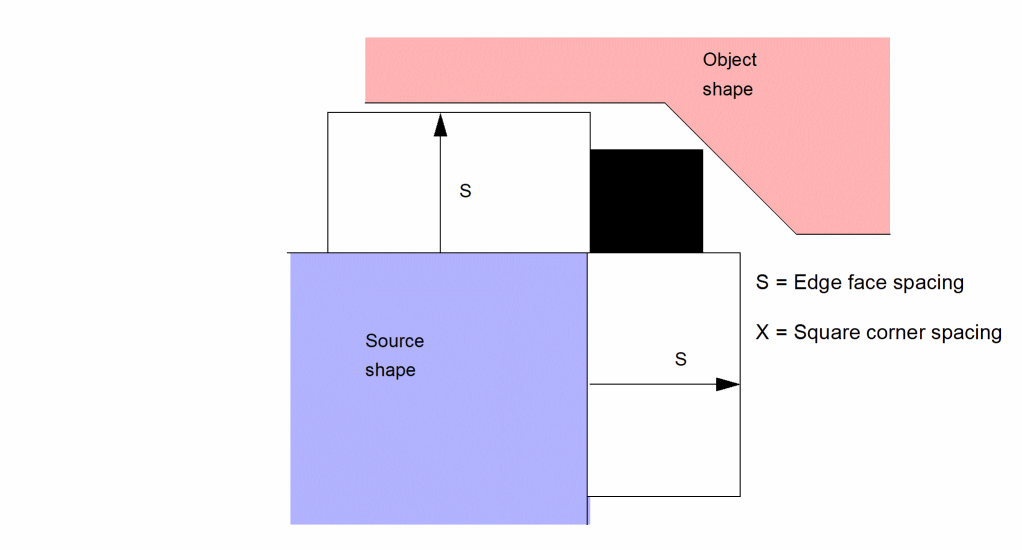
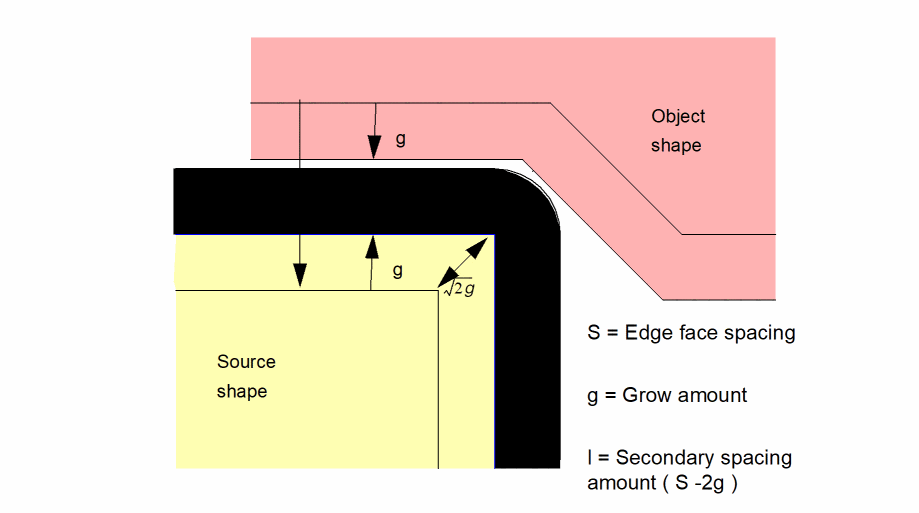

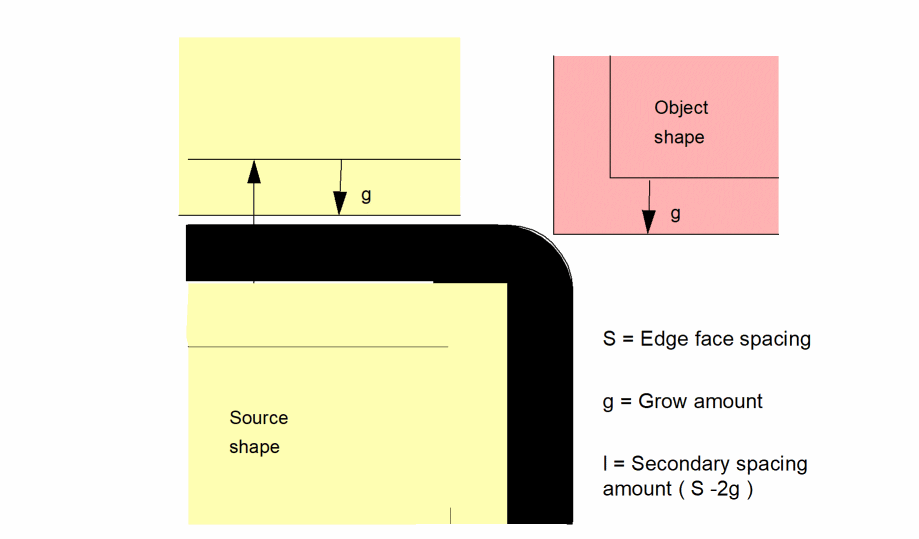
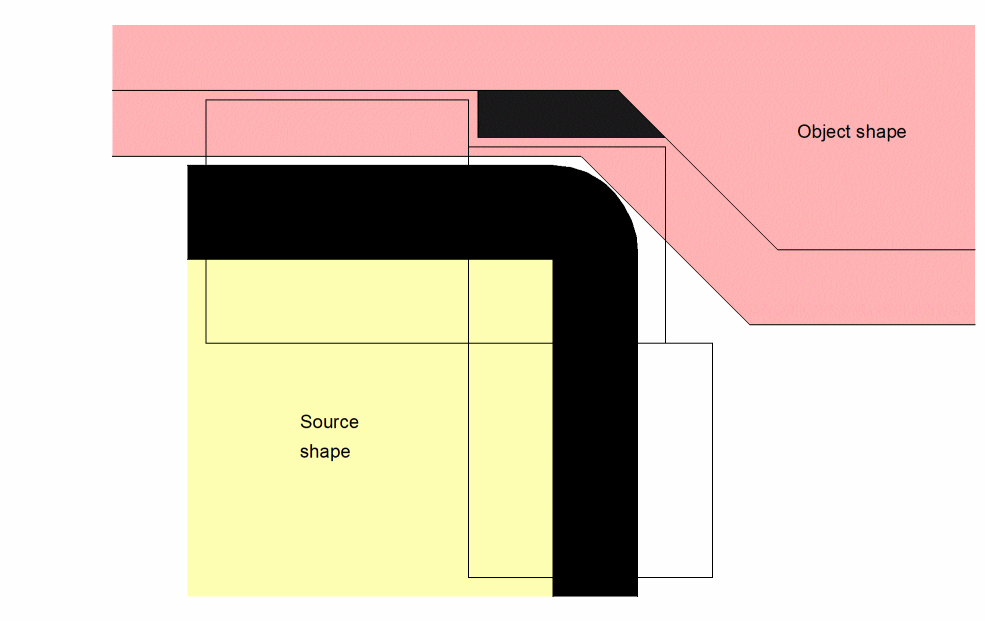
 (the corner check dimension) is less than S. This would violate the basic spacing requirement that nothing comes closer than S at any point.