
Validating a Flip-Chip Die in a Package Layout
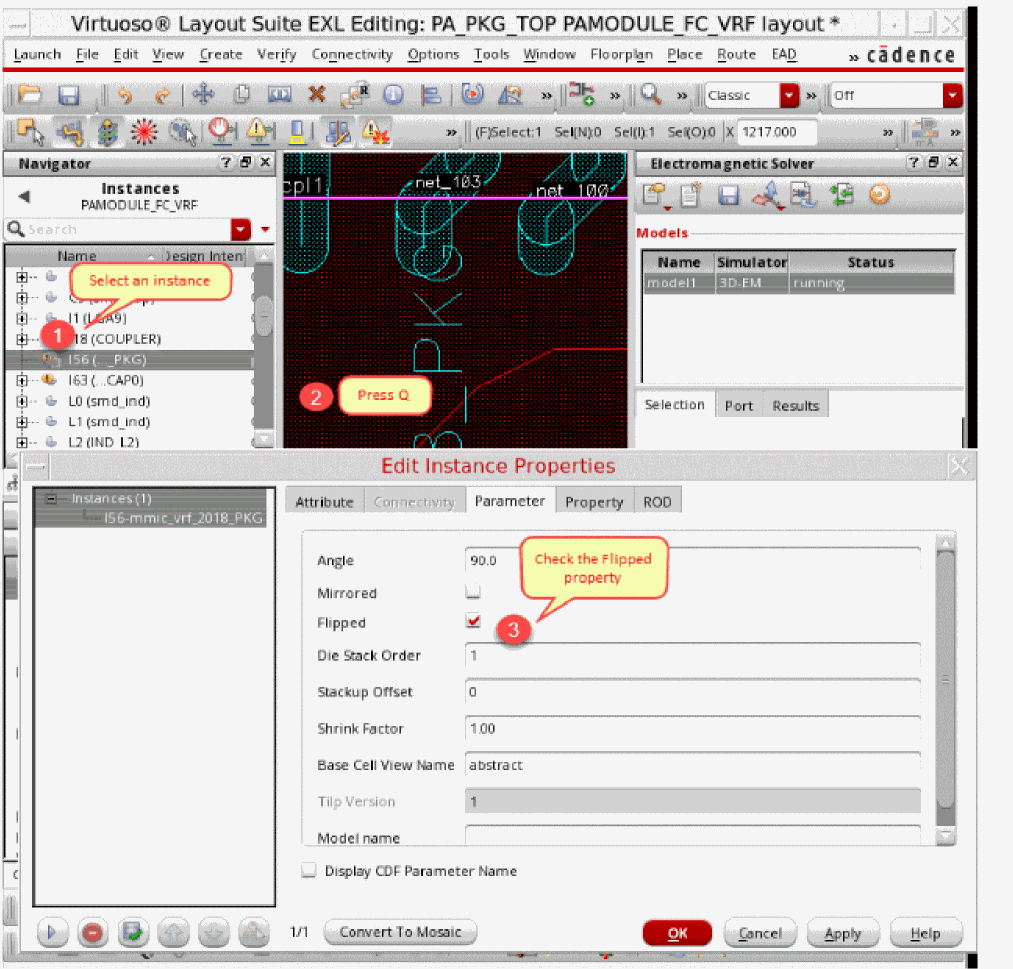
If you have a flip-chip die in the package design, ensure that it is identified correctly. For this, review the properties of the instance on the Edit Instance Parameters form and ensure that the Flipped parameter is selected.
- Select the instance of a flip-chip die in the layout.
-
Press the
Qkey to open the Edit Instance Properties form. -
Ensure that the Flipped check box is selected in the Edit Instance Properties form.
Related Topics
Selecting Objects from an IC Layout
Return to top