
3
I/O Planning and Placement
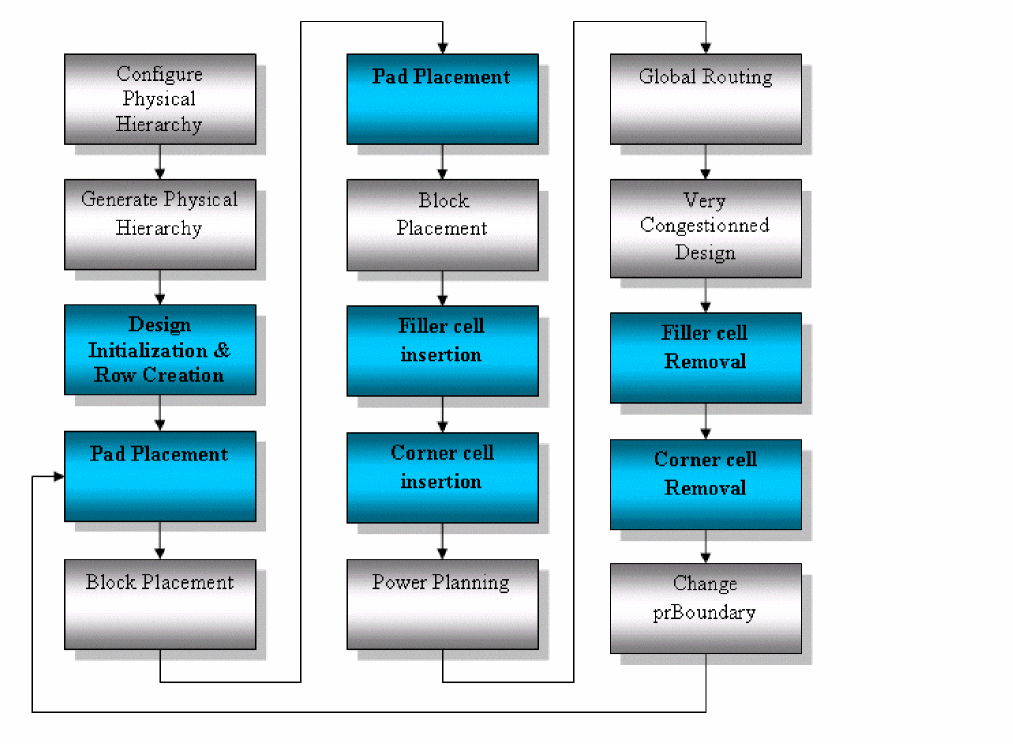
The Floorplan – I/O Placer menu consists of a set of commands by which user can optimize IO positions. It is a row-based placement methodology. The first step in IO planning and placement is to create IO rows. Once the IO rows are created, then place PADs inside the IO rows. Next insert filler cells in the gaps between the pads and the rows. Finally, place corner cells on the four corners of the design.
The following commands have been provided for IO placement engine in the Virtuoso Studio:
The following diagram describes the flow of IO placement engine.
Related Topics
Return to top