
Editing a Category Using Library Manager
To change the contents of a category:
- Select the Category you want to change.
-
Choose Edit – Categories – Modify.
If your library is under design management, the Auto Check Out form appears. You can click OK to check out the category.
The Edit Category form appears.The contents of the category you specified appear in the In Category list box.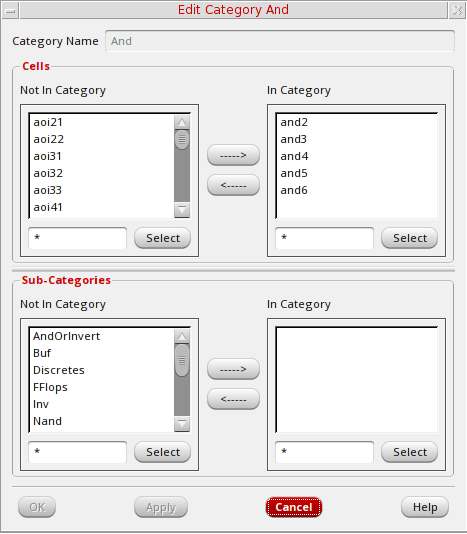
-
In the Cells group box, do at least one of the following:
- In the Not In Category list box, select additional cells you want to include in this category and click the right arrow to move them to the In Category list box.
- In the In Category list box, select cells you want to remove from this category and click the left arrow to move them to the Not In Category list box.
If an error message stating that the software cannot open or cannot write to the category appears, make sure you have write permission for the category files. -
Click OK.
If your library is under design management, the Auto Check In form appears. You can click OK to check in the category.
The Library Manager saves the modifications you made to the category.
Related Topics
Return to top