
Modgen Dummies
Dummy devices are created to counter electrical effects that are observed at small geometries. You can create dummies around devices in Modgens.
A device instance is considered a dummy if one or more of the following conditions are met:
-
The instance has one of the following properties set to
t: -
The instance is not bound to the schematic. This behavior is controlled by a the
modgenCreateUnboundAsDummiesenvironment variable. The default value ist. In this state, the instance is considered a dummy. When set tonil, the instance is not considered a dummy. -
The instance gate net is the same as that assigned to the environment variable
modgenDummyNet.
The Add Dummy  button on the Modgen Placement toolbar provides the following options to add dummies at different locations:
-
Add Dummy Left: Adds dummy devices to the left of the selected Modgen instances
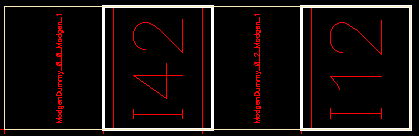
-
Add Dummy Right: Adds dummy devices to the right of the selected Modgen instances
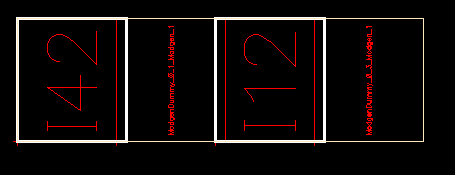
-
Add Dummy Top: Adds dummy devices above the selected Modgen instances
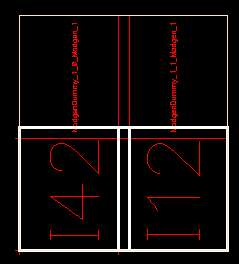
-
Add Dummy Bottom: Adds dummy devices below the selected Modgen instances
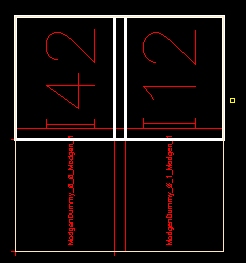
-
Surround Dummies: A ring of dummies is added around the selected Modgen instances.
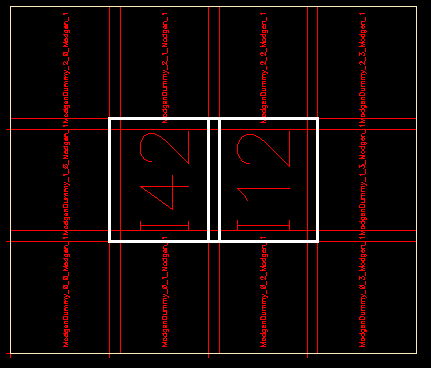
You can use the Modgen Editor to add and delete dummies and dummy device rows and columns, add dummy devices to the array, and backannotate dummy devices.
Related Topics
Adding and Deleting Dummies in the Modgen Editor
Adding Dummy Device Rows or Columns
Neighbor Dummy Type for Modgens
Return to top