
A
Support for HED
Hierarchy Editor (HED) lets you view many levels of a single design using table/tree views. It also helps you create and update configurations to traverse the design hierarchy; change global library, view, and stop lists; change cell and instance bindings and so on. This appendix chapter details the ways in which OSS supports HED.
For more information on these new features, see the Cadence Hierarchy Editor User Guide.
OSS had been supporting standard features of HED, such as cell/instance bindings and Bind to Open.
From 5.2.51, OSS also supports the following features of HED.
- Nested/Sub-Configurations – A nested configuration, also known as a sub-configuration is a configuration that is defined within another configuration. A sub-config can be nested at any level in a parent configuration.
-
Occurrence Binding – Occurrence bindings are configuration rules that are defined at the occurrence level. An occurrence is an object that is defined by the full path from the top-level design to that object. In the hierarchy editor, setting any of the following attributes identifies the object as an occurrence:
- Occurrence binding, that is, library, cell, and view binding
- Occurrence stop point. See the subsection Occurrence Level under Stop Points.
- Occurrence-Level Bind-to-Open. You can specify that an occurrence is unbound, that is, it is not bound to a specific library, cell or view, by setting a bind-to-open attribute on it. The bindings for the occurrence can be set later by other tools that use the configuration.
-
Stop Points – A stop point on a design unit prevents the design unit from being expanded when the hierarchy is expanded. It can be applied at three levels:
-
Cell level – A stop point on a cell prevents the cell from being expanded when the hierarchy is expanded.
-
Instance (within a cell) level – You can specify a stop point on a single instance within a cell to prevent the instance from being expanded when the hierarchy is expanded.
- Occurrence level – An occurrence stop point is a stop point on a specific path and applies only to one instance in the design. If an object has already been defined as an occurrence, when you add a stop point you are automatically adding it to the occurrence and not to the instance.
Cell and instance level stop points may be specified using thenlActionproperty on a cell and instance respectively. There is no other method to specify an occurrence stop point. -
Cell level – A stop point on a cell prevents the cell from being expanded when the hierarchy is expanded.
OSS supports these features when the SKILL flag simSupportNewConfig is set for netlisters.
APIs Modified to Support these Features
The following APIs have been modified to support these new HED features.
-
hnlMapCellModuleName -
hnlWriteBlockControlFile -
hnlMakeNetlistFileName -
hnlMapCellName -
hnlGetGlobalModelMappedName -
hnlCellInAllCells -
hnlMapModelName
Bind to Open
OSS also supports Hierarchical Database “bind to open” (or in other words “bind to a NULL design unit” ).
The binding specified through HED (Hierarchical Editor) can bind an instance to a NULL design unit or to a library/cell/view. The instances that are bound to a NULL design unit are termed as “bind to open”.
The following describes the changes in the respective packages to handle this feature.
- HNL: The Hierarchical Netlister (HNL) will not contain instance declaration for those instances which are bind to a NULL design unit, since OSS will ignore all such instances.
- FNL: The Flat Netlister (FNL) will not contain instance declaration for those instances which are bind to a NULL design unit, since OSS will ignore all such instances.
- MAP: The mapping functions for such instances will now generate errors since the instances which were bound to a NULL design unit were ignored by OSS.
- GENLD2: For the Genld APIs, there will be no change. Error message will be given for such instances.
Handling of views without DFII-DB data by OSS
Consider an example in which cell TOP has 2 instances, I1 and I2 of BOT cell. Both these reside in library LIB. The cell BOT has instances of stopping cells.
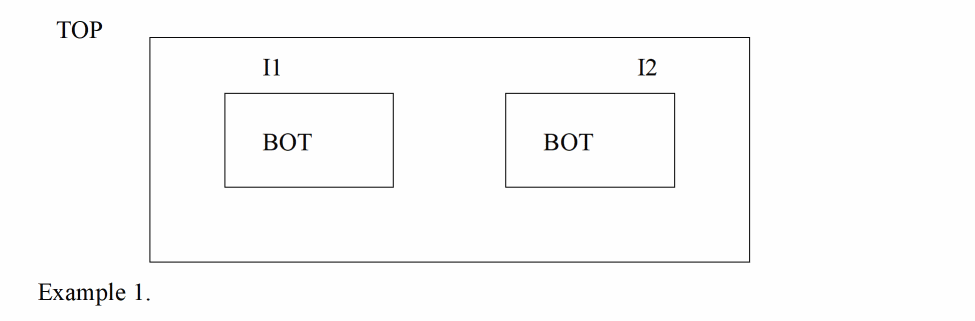
-
The available view for TOP is
schematic. -
The available views for BOT are
text, schematic and symbol.
Consider the scenarios in which text view could be created.
Scenario 1: By Virtuoso import tools, it will have all files (pc.db, master.tag, BOT.v and BOT.oa), but master.tag file will have entry for BOT.v rather than BOT.oa. So, this OA data is sometimes called shadow OA.
Scenario 2A: By non-Virtuoso import tools (e.g: ncvlog -use5x), though the 5.X directory structure will be created (lib/cell/view) and supporting files in view (pc.db, *.v etc.), but OA data (*.oa) required by OSS (DFII-DB) will not be created.
Scenario 2B: By non-Virtuoso import tools, but the design is opened and saved. This will create OA data and also overwrite ‘pc.db’ file.
OA has a characteristic of explicitly binding instances to a LIB:CELL, which is an OSS characteristic too, only view can be switched either through config or without config.
The binding of instances to views can done in one the following ways:
Case A: Without using config i.e. simply specify simViewList("text" "schematic" "symbol").
Case B: Use Hierarchy Editor to create a config for TOP and bind I1 to ‘text’ view and I2 to schematic (explicit binding).
Case C: Use Hierarchy Editor to create a config for TOP, and do not bind I1 to any view. Instead, associate it with global view list (implicit binding) and I2 to schematic (explicit binding).
Return to top