
Running Pegasus Interactive SignOff Fill with Blockages
In the Pegasus Interactive SignOff Fill flow, you can create blockages to avoid dummy fills generation under blockages.
The fill rule deck must support blockage layers and there must be proper mapping between the rule deck layer numbers and the blockage layer/purpose in Virtuoso.
Perform the following steps to create dummy fills under blockages:
- Open the Pegasus Interactive Run Options form and go to the SignOff Fill tab.
- Select the appropriate run options and click OK.
-
Select the blockage layer on Virtuoso Layer Palette, and create a blockage by drawing a rectangle on the layer that is part of your SignOff Fill run.
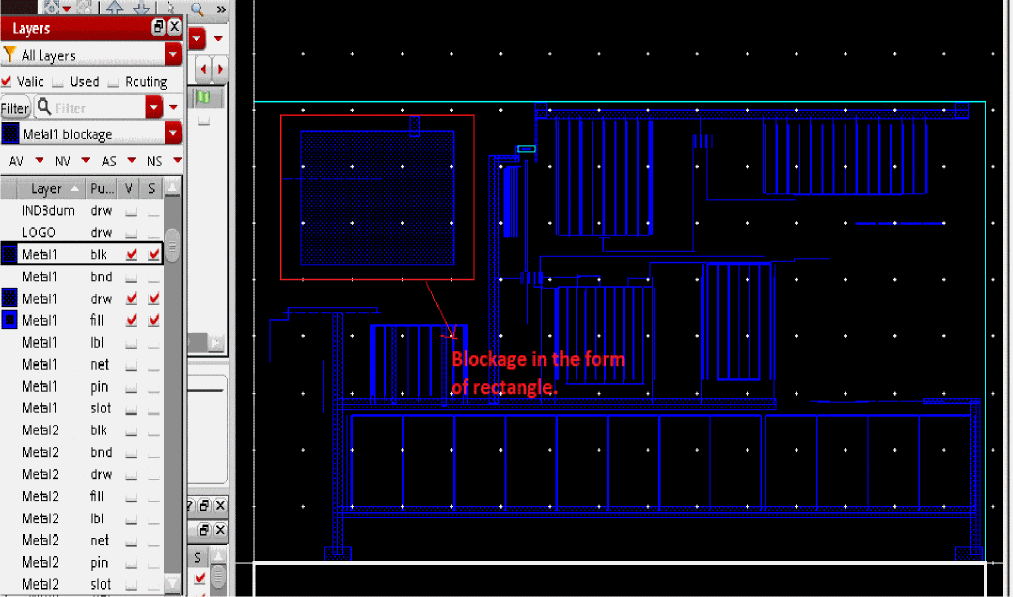
-
Run Pegasus Interactive SignOff Fill. Dummy fills are generated except for the area where blockage was created.
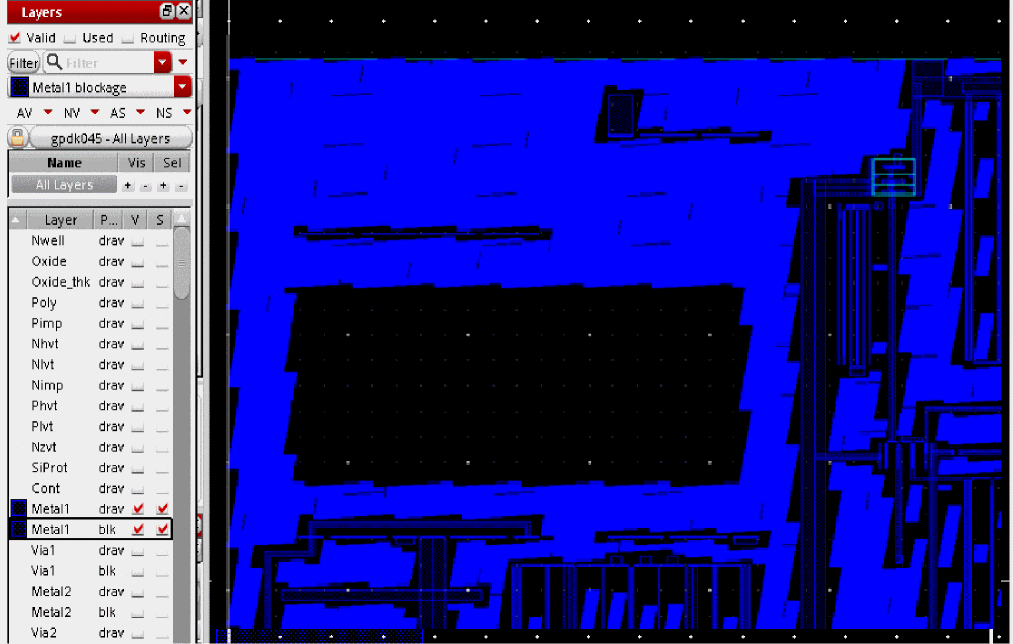
Return to top