
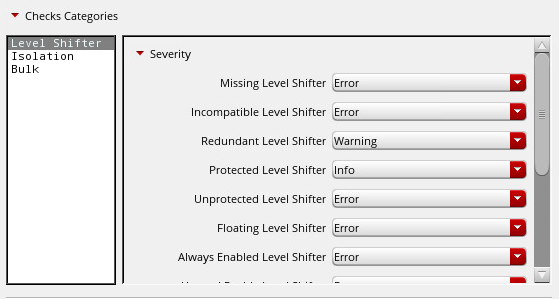
The severity of violation messages can be customized and reported for in-design checks under the following categories:
- Info
- Warning
- Error
- Ignore
For a specific check, the severity should be set as Info, Warning, or Error to report the violation. You can select the severity of the violation message by clicking Checks Categories and then specifying the severity for a specific check.
Related topics
- How to filter violations?
- How does the tolerance value work?
- How to ignore a specific check?
- How to define multiple supply states?
- How to report violations in all modes?
- How are the multiple voltages handled in the Power Manager setup?
- Do I also need to update the Supply Net tab when using supply states?
- How do I limit the reporting of violations which are similar in nature?
- How in-design checks report violation for top-level boundary ports?
- Do I need to specify the supply sets and power domains in the design while running in-design checks?