
B
Frequently Asked Questions
This appendix provides answers to the following frequently asked questions on TechDB Checker:
- How can I find information about the missing and found constraints for a Cadence tool?
- Can I view a layer-based list of missing and found constraints for Cadence tools?
- What is the difference between the summary report and the detailed report?
- Where can I get details about errors, warnings, and notices on technology database sections?
- What are mutually exclusive and duplicate constraints?
- How can I identify mutually exclusive and duplicate constraints?
How can I find information about the missing and found constraints for a Cadence tool?
To view information about the constraints missing for a tool, run TechDB Checker on the technology database, and then on the Tools tab, double-click the required record. This displays the Tool: ToolName form in which you can view the different categories of missing constraints, warnings, and related layer information for the tool. To view information about the constraints that were found for the tool, click the Show Constraints Found button.
For more details, see “Viewing Tools Compliance Results”.
Can I view a layer-based list of missing and found constraints for Cadence tools?
Yes, you can use the Layer: LayerName form to view a layer-based list of missing and found constraints for various tools.
To view this information, run TechDB Checker on the technology database, and then on the Functions tab, double-click the required record. This displays the Layer: LayerName form in which you can view the different categories of missing constraints and the related tool information for the layer.
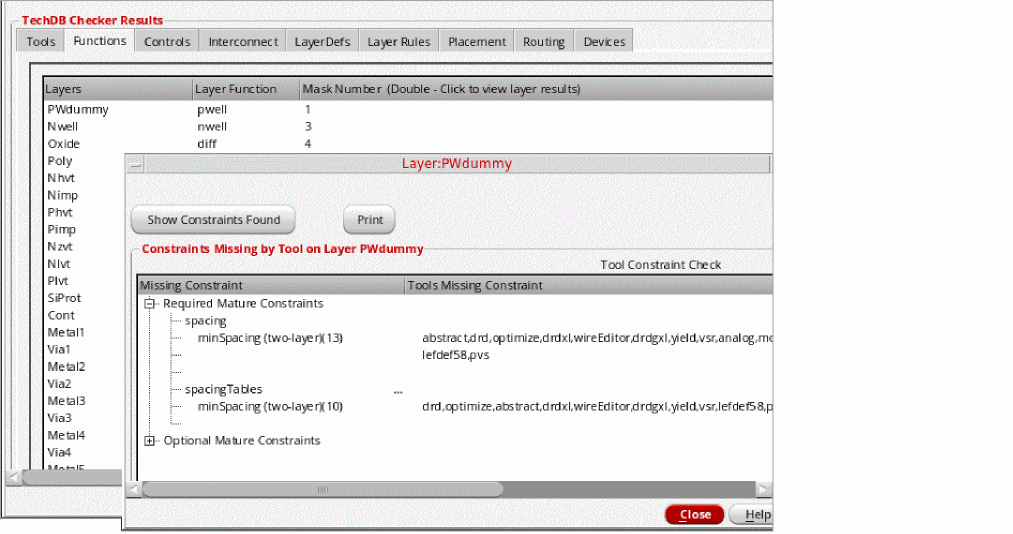
To view information about the constraints found for the layer, click the Show Constraints Found button in the Layer: LayerName form.
For more details, see “Viewing Functions Compliance Results”.
What is the difference between the summary report and the detailed report?
The summary report includes high-level information on tool enablement in a technology database, whereas the detailed report includes comprehensive and detailed information on tool enablement.
|
Summary of errors, warnings, and notices on technology database section |
|
|
Detailed errors, warnings, and notices on technology database sections |
|
For more details and examples, see “Viewing the Summary Report” and “Viewing the Detailed Report”.
Where can I get details about errors, warnings, and notices on technology database sections?
You can access the detailed report to get information on errors, warnings, and notices on the following sections of the technology database:
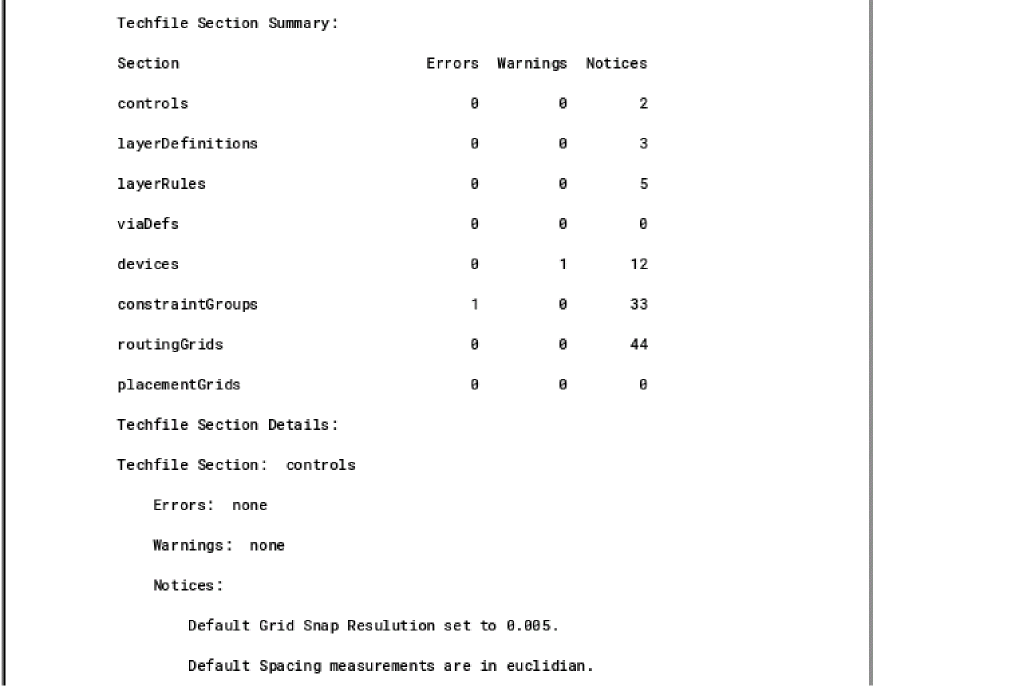
As illustrated in the following figure, the detailed report provides a summary of total errors, warnings, and notices, and their descriptive text messages. For more details, see “Viewing the Detailed Report”.
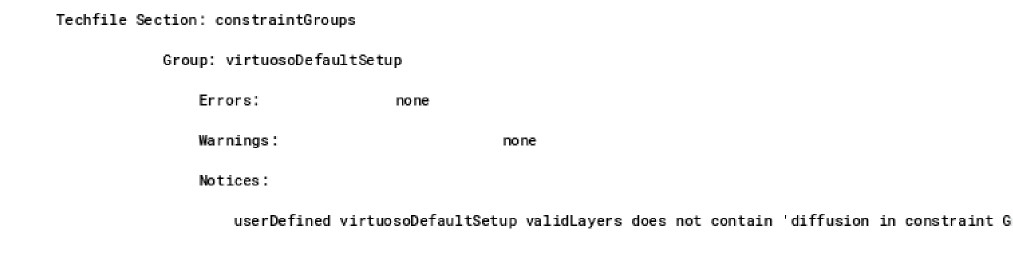
For hierarchical member constraint groups, TechDB Checker displays details using appropriate entries and indentation, as illustrated in the following figure.
What are mutually exclusive and duplicate constraints?
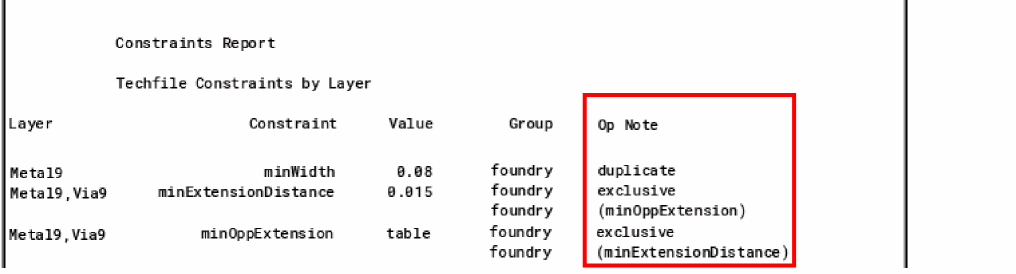
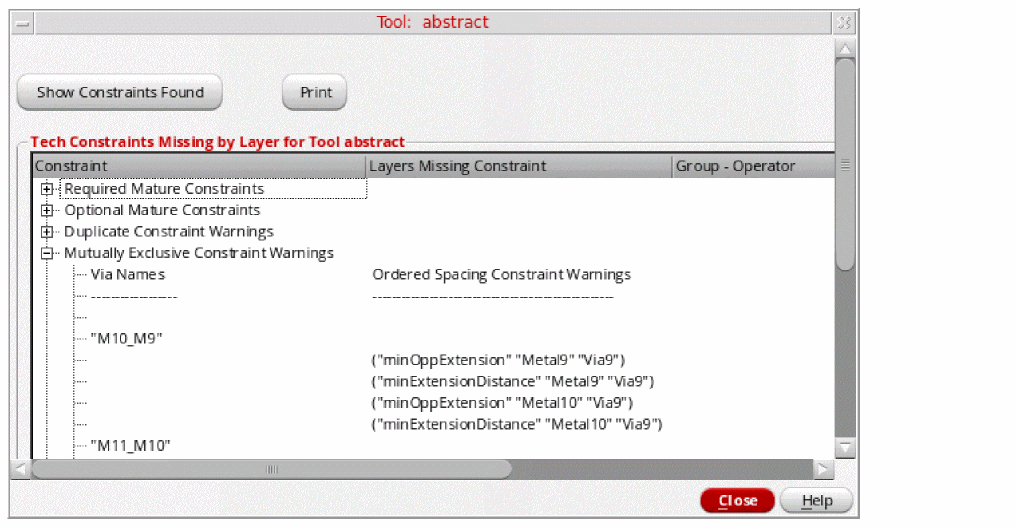
Mutually exclusive constraints have different constraint names, with potentially identical operation with same layers. Duplicate constraints have the same layer name and constraint name.
In the following image, minOppExtension and minExtensionDistance are defined for Metal9 and Via9. This indicates a potential conflict.

In the example, it is possible that the deprecation of certain constraints may be the reason for the conflict. The technology database may have two forms of a single constraint for backwards compatibility.
How can I identify mutually exclusive and duplicate constraints?
You can identify mutually exclusive and duplicate constraints by using the following features:
Detailed Report
The following figure shows a detailed report. The mutually exclusive and duplicate constrains can be identified by the entry in the Op Note column.
For more details, see “Viewing the Detailed Report”.
Tools Form
To view mutually exclusive and duplicate constraints for a tool, run TechDB Checker for a technology database. Then, on the Tools tab, double-click the required record. You can see the details listed in the form that opens.
Return to top