
5
SignOff Fill: Snapshot
This chapter introduces you to the concept of SignOff fill and how to setup the form to run signoff fill. For the basics of Snapshot creation, see All about Design Rules: Snapshot.
The content of this chapter is organized as follows:
- Virtuoso IPVS SignOff Fill Overview
- Technology Setup
- Virtuoso IPVS SignOff Fill Overview
- Creating PVS Fill Snapshot
Virtuoso IPVS SignOff Fill Overview
Virtuoso IPVS SignOff Fill allows you to generate dummy fills using foundry fill decks and automatically map generated dummy fills into Virtuoso OA database.
Traditional Fill Flow
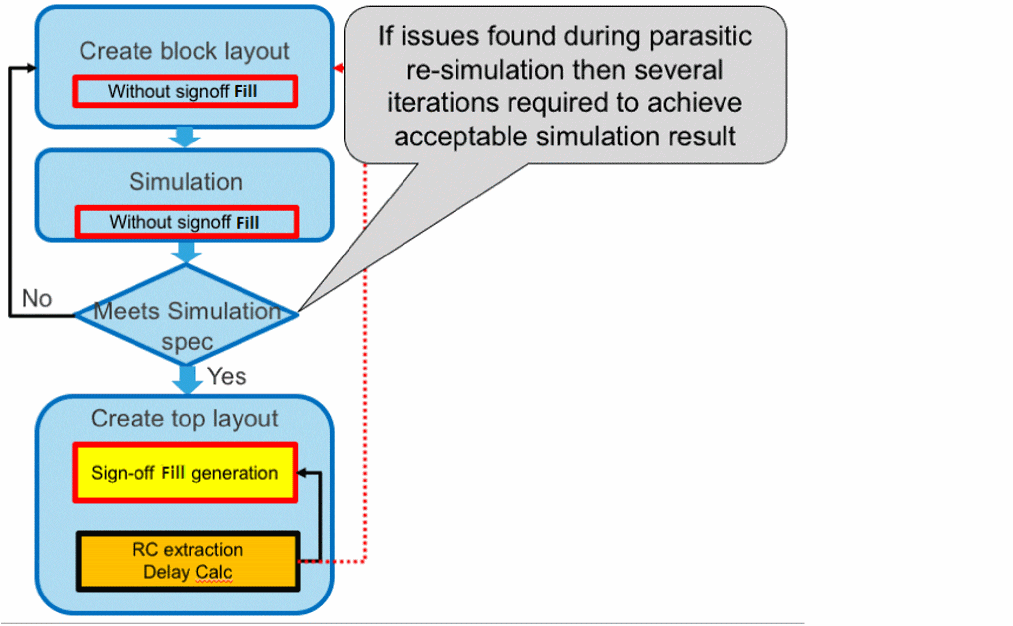
Virtuoso IPVS SignOff Fill Use Model
To reduce the number of iterations during cell/block development you can use Virtuoso SignOff Fill feature to generate dummy fills inside block and therefore estimate timing impact of dummy fills at early development.
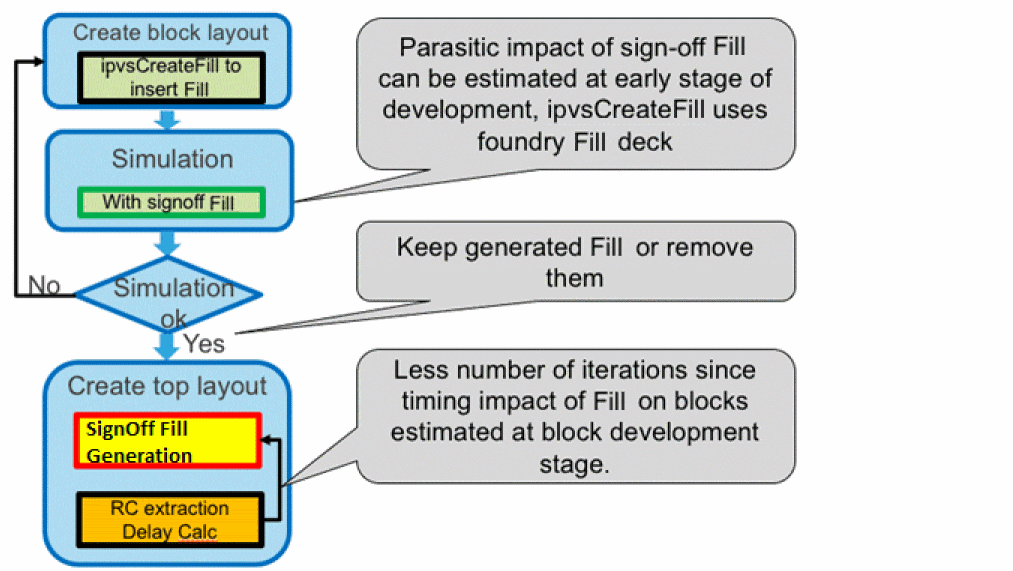
Virtuoso IPVS SignOff Fill features
- Support of qualified foundry fill deck.
- Generated fills immediately included into the block lib/cell/view. No need to manually merge generated fills with design.
- Tight integration into Virtuoso IPVS flow.
- Fill in area support.
- Incremental fill: fill design, modify design, re-fill in modified area.
- Blockages support:
Technology Setup
To backport generated dummy fills into OA technology layermap file must define mapping between fill layer and layer-purpose pair:
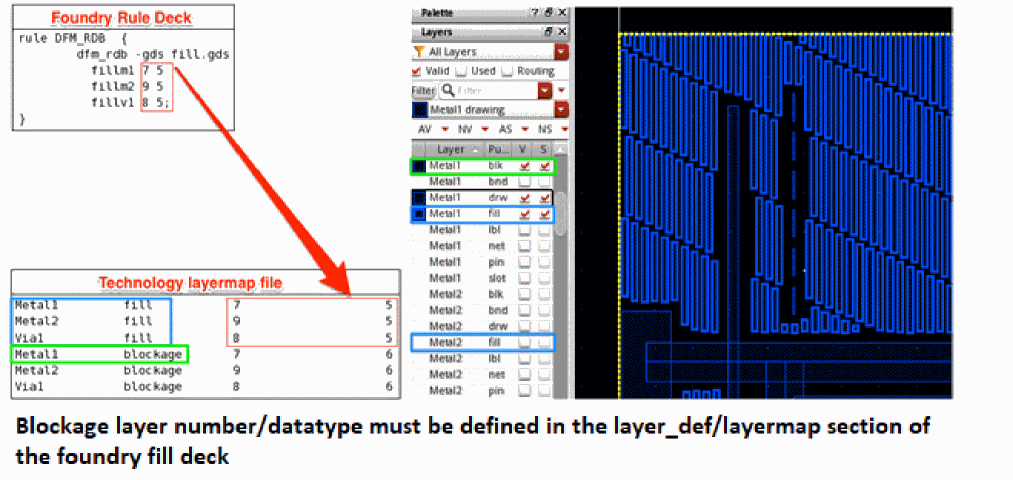
There must be proper mapping between generated dummy fills in foundry rule deck and Virtuoso technology library. If there is no proper mapping then generated dummy fills will not be shown in the Virtuoso.
Creating PVS Fill Snapshot
Virtuoso IPVS SignOff Fill feature is snapshot based, same as VIPVS Verify Design. For detailed description of fields in the Virtuoso IPVS Snapshot Creator form, see All about Design Rules: Snapshot.
Perform following steps to create PVS fill snapshot:
- Click VIPVS Run Options icon on the VIPVS toolbar. The Virtuoso Run Options form opens.
-
Select the SignOff Fill tab.
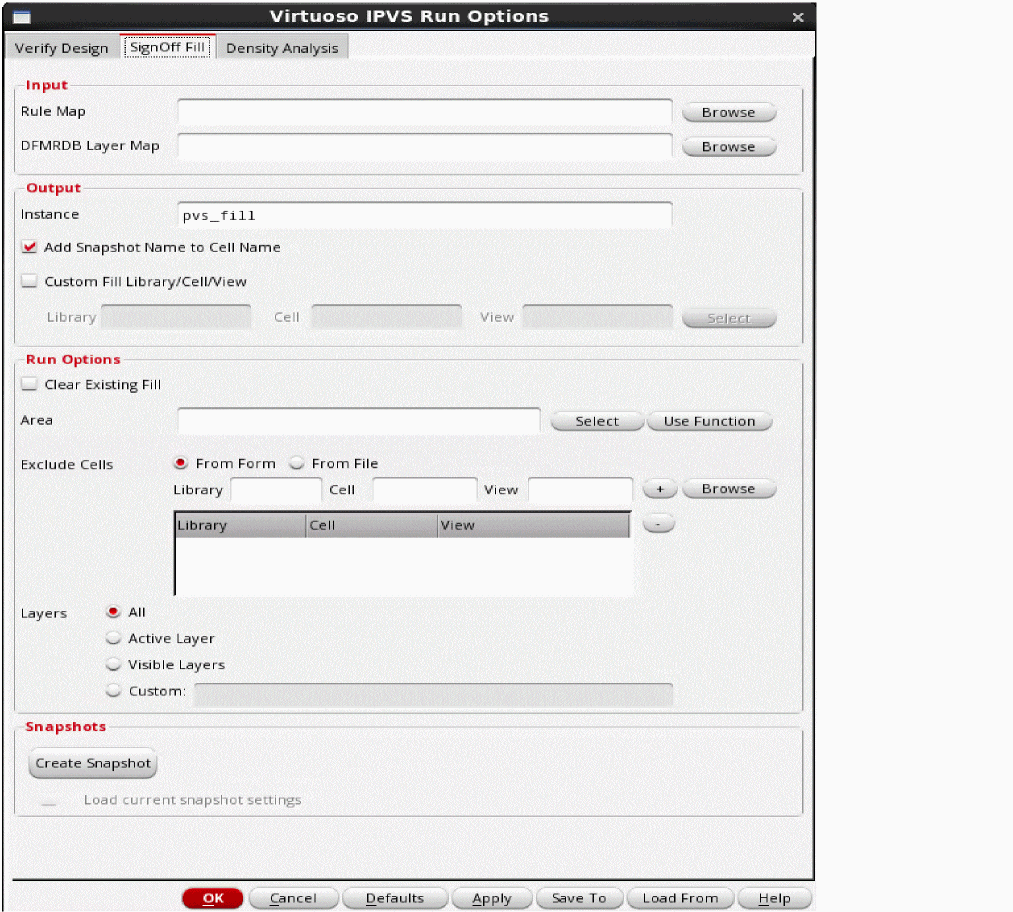
-
Click Create Snapshot. The Virtuoso IPVS Snapshot Creator form opens.
For detailed description of Virtuoso IPVS Snapshot Creator form fields, see Virtuoso IPVS Snapshot Creator Form.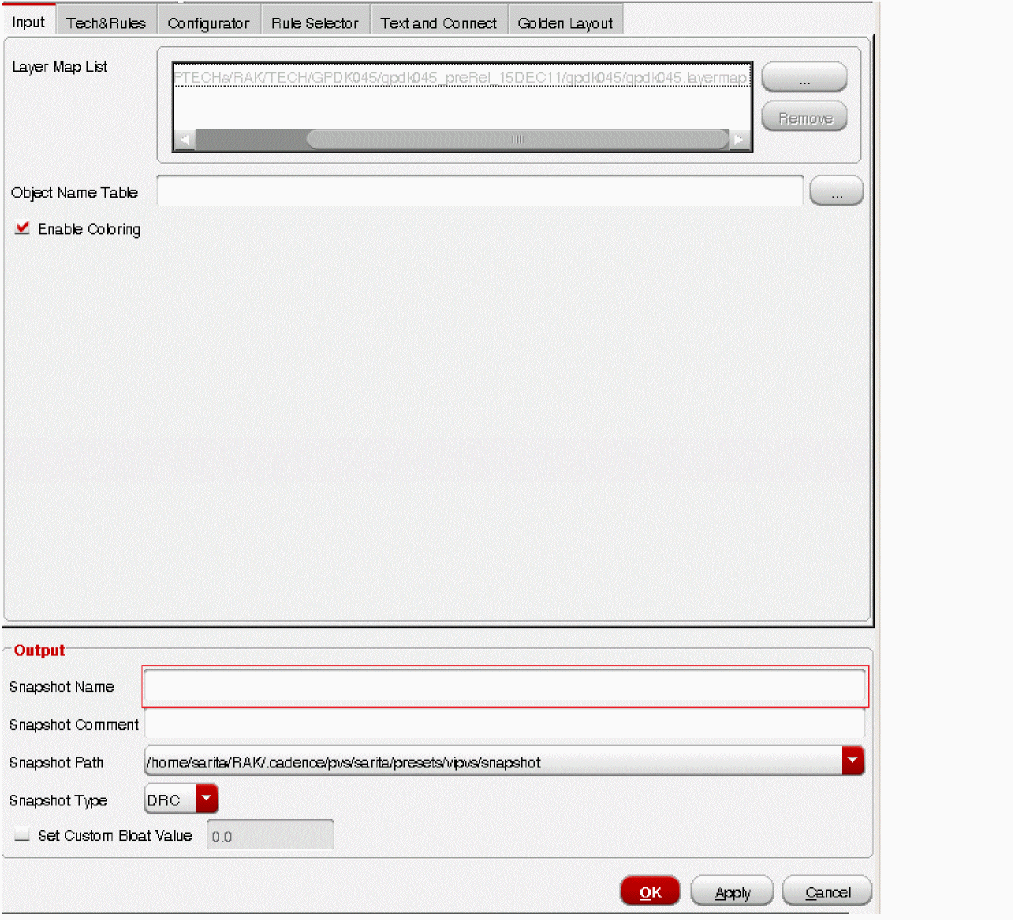
- Enter required details in the form. The mandatory fields are rule file, layermap file and snapshot name.
-
In the Output section, enter the snapshot name and set Snapshot Type as Fill.
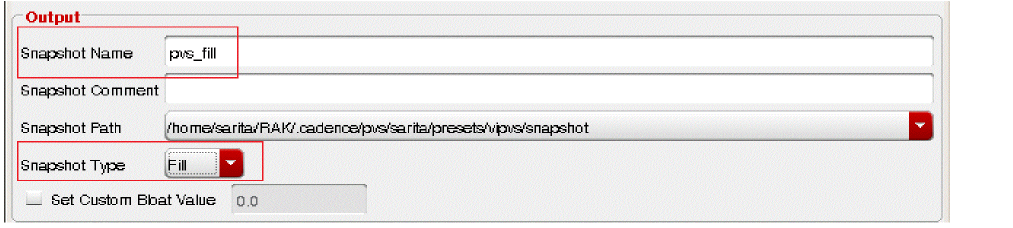
-
Click OK to generate snapshot and close the form. Then close Virtuoso IPVS Run Options form. VIPVS toolbar shows pvs_fill snapshot.
The Run VIPVS SignOff Fill icon on the left of snapshot name reflects that selected snapshot is type of Fill.
Return to top