
Support for Orthogonal WSP Grid
While creating a pin, the orthogonal width spacing pattern (WSP) grid constraint defined in the technology file automatically adjusts the pin with a variable extension value so that the start and end points of a pin are on the grid.
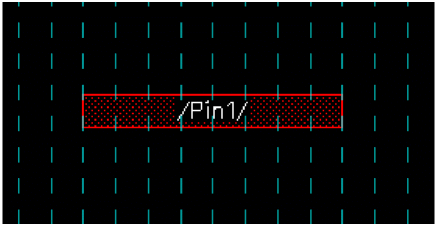
The constraint group is specified in the technology file as follows:
constraintGroups(
;( group [override] [definition] [operator] )
;( ----- ---------- ------------ ---------- )
( "orthogonalWSPGridCG" nil nil 'and
spacings(
( orthogonalWSPGrid "Metal1" "M2WSP" )
( orthogonalWSPGrid "Metal2" "M5WSP" )
( orthogonalWSPGrid "Metal3" "M4WSP" )
) ;spacings
) ;orthogonalWSPGridCG
) ;constraintGroups
If the orthogonal WSP grid constraints are part of a specific constraint group, you can select the constraint group from the Default Wire Constraint Group field in the Wire Editing section of the Layout Editor Options form.
Related Topics
Return to top