
Setting Pin Label Text Style Options
To specify pin name characteristics:
-
In the layout window, choose Create – Pin.
The Create Pin form appears. - Select the Create Label check box.
-
Click the Options button.
The Set Pin Label Text Style form appears. -
Select the font height and style.
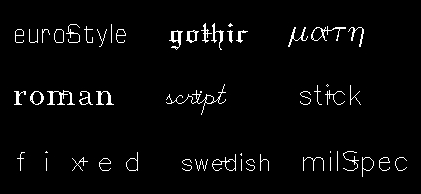
- Select the text options.
- Select a valid layer name.
-
Select a valid layer purpose.
You must select a valid combination of layer name and purpose. In case, it is not a valid combination, an error message is displayed in the CIW while creating the text display. -
Select the justification for the pin name origin.
The origin appears as a small square on the name when placed or selected. -
Select the orientation of the pin name.
Once the pin is placed, an outline of the pin name appears.

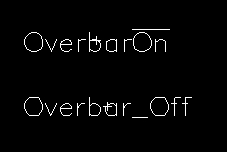
Related Topics
Support for Orthogonal WSP Grid
Return to top