
Editing a Cell in Place
You can edit the master cell of an instance while viewing the instance in the current cellview. This is called editing in place (EIP).
The behavior of the Edit In Place command differs based on the selection mode. Consider the following design, where cellview cv1 contains the instance ILevel1. Using the spacebar, you can toggle between the overlapping objects under the pointer.
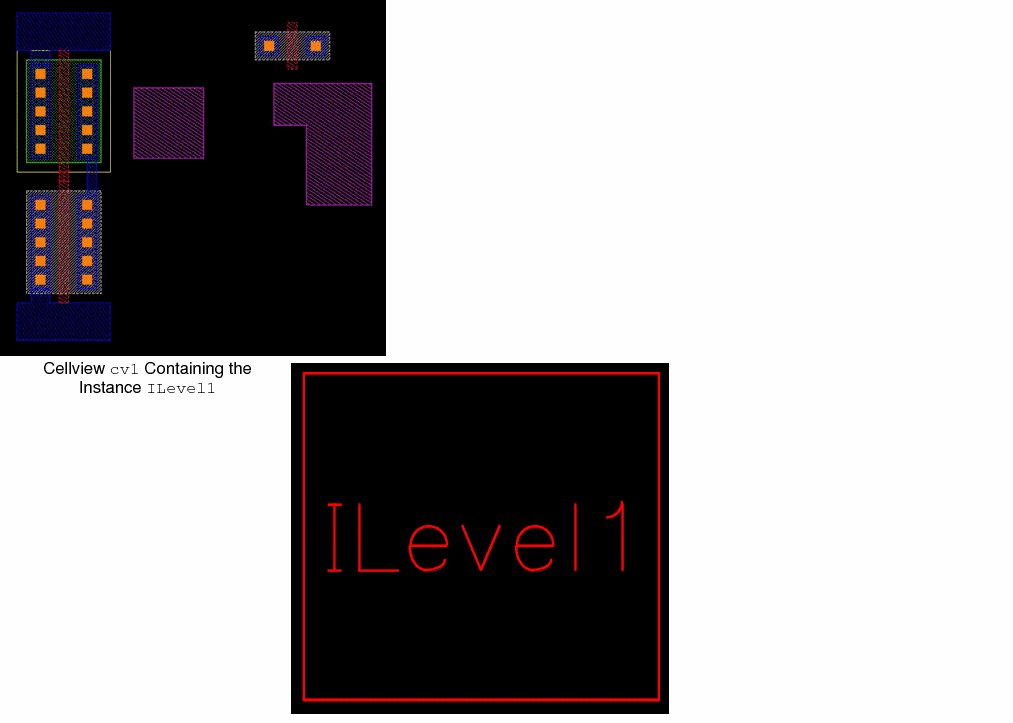
To edit in place in pre-selection mode:
-
In the cellview, select the instance. For example, in cellview
cv1, select the instanceILevel1. -
Choose Edit - Hierarchy - Edit In Place or right-click the selected instance
ILevel1and select Edit In Place from the shortcut menu.
The master cellview ofILevel1displays for editing in place. Because you can edit only top-level instances, the selection mode lets you EIP only one level in the hierarchy. - To edit in place other levels of the hierarchy, select the instance again and run the Edit In Place command each time to further descend into the hierarchy.
- To ascend the hierarchy, choose Edit – Hierarchy – Return To Level or Return.
When you create a group and you select the Edit In Place command, you can use the Remove from Group option from the shortcut menu to remove a shape from the group.
When editing in place into an instance array, you can use the Select Array Member form to enter the row and column information for the array member you want to edit.
Related Topics
Edit In Place in Post-Selection Mode
Return to top