
Status Toolbar Information Formatting
You can also customize the way information is displayed on the status toolbar by using tooltips, styles, and conditional styles. When using the environment variable, the format of the string is a series of selectors. Use the following format for defining each selector in the series.
(selector tooltip style_format)
Where, selector refers to the selector that you want to display on the toolbar, tooltip refers to the tooltip for the selector, and style_format refers to the formatting style you want to apply.
Tooltips
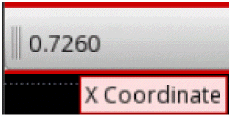
Tooltips help you provide the description of items on the status toolbar. For example, if you want to show the X coordinate on the toolbar, then:
-
(X)or(X t), that is no second string ort, means that the tooltip is same as the first string; that isX. -
(X "X Coordinate")means that the tooltip for X isX Coordinate.
Style
When you specify a selector in parenthesis, it is replaced by its value on the status toolbar. For example, the following figure shows a sample value for the argument "(X) (Y)", depending on the mouse pointer coordinates.

You can display additional text and formatting for a selector on the toolbar. For example, you can choose to display the information in bold and in a different font color. For the X selector, the following sample argument displays the fixed text X and the coordinate in bold format.

For the Select selector, the following sample argument displays the number of selections in red and bold format.
"(Select t \"<span style=\\\"color:red;font-weight:bold\\\">Select: %s</span>\")"

Conditional Styles
You can also use an expression format that allows conditional formatting of information based on values.
"(selector t (V operator compare_value format))"
- selector refers to the selector you want to display on the toolbar.
-
Vrefers to any character that you may choose to add for readability. - operator refers to any of the following operators:
- compare_value refers to the value based on which conditional formatting is to be applied.
- format refers to the conditional formatting you want to apply to the information.
For example, the following argument displays the selection count in bold and red when the count is greater than zero.
"(Select t (V==\"0\" \"Select: %s\")
(V!=\"0\" \"<span style=\\\"color:red;font-weight:bold\\\">
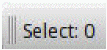
The following figures show how the information appears on the toolbar when the selection count is zero or greater than zero.

Related Topics
Return to top