
Making Boolean Edits by Layer
You can perform Boolean logical operations on objects on a single layer or two layers. You edit copies of the objects, so the originals are unchanged.
- On the layout canvas, select the objects you want to edit.
-
Choose Tools – Layer Generation.
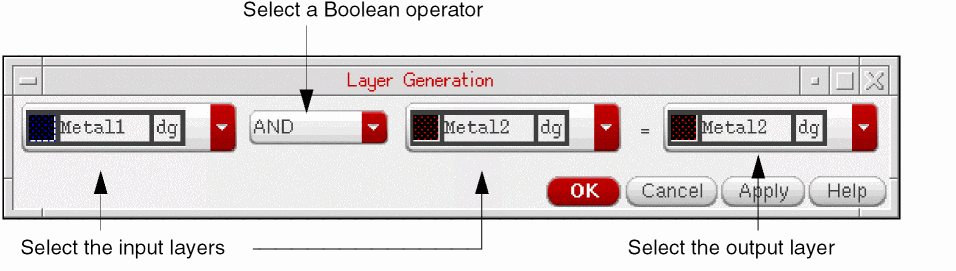
The Layer Generation form opens. -
Select the layers that you want to edit, the Boolean operator you want to use, and the output layer.
-
Click OK.
The following figure shows the original objects and the results of different Boolean operations.

Related Topics
Making Changes to Objects on Layers
Return to top