
Snap Pattern Display Controls in the Palette Assistant
You can control the visibility of snap patterns, both the local and global grids, through the Grids panel of the Palette assistant.
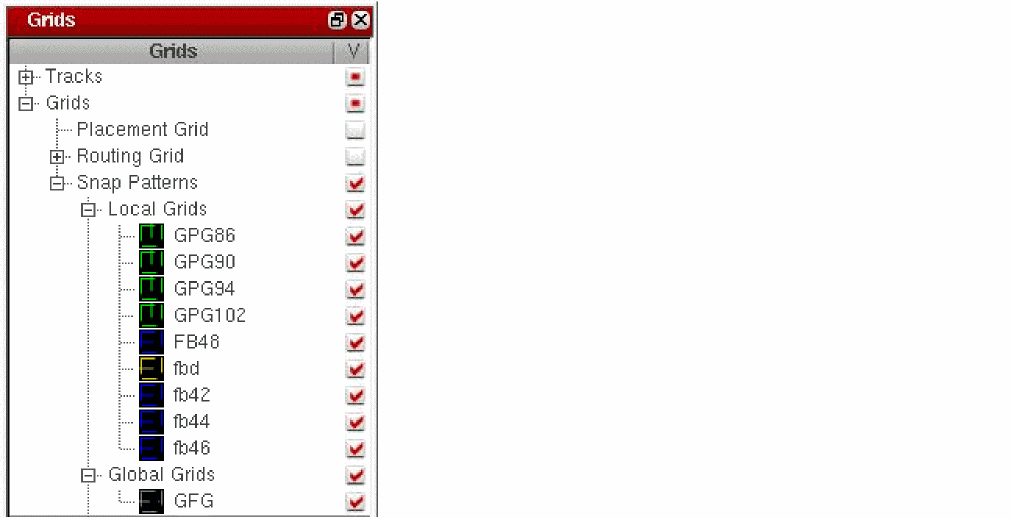
The grid drawing style is controlled through the Snap Pattern Display option in the Display Options form.
The selections that you make in the Layers, Objects, and Grids panels of the Palette assistant control the visibility of the shape boundary and grid on the canvas. When the grid visibility is on, the shape boundary and grid are displayed irrespective of the LPP and shape visibility settings.
The following table lists the options selected in the Palette assistant panels and the results displayed on the canvas.
| LPP Visibility in the Layers Panel | Shape Visibility in the Object Panel | Grid Visibility in the Grids Panel | Result Displayed on the Canvas |
|---|---|---|---|
Starting with ICADV12.1 ISR10, the layerset file references snap pattern entries by the snap pattern definition name. In ICADV12.1 ISR9 and earlier releases, snap pattern entries were referenced by the layer-purpose pair (LPP) name, instead of the snap pattern definition name. As a result, older layerset files that contain LPPs corresponding to these grids are not read correctly in ICADV12.1 ISR10 and later releases.
Related Topics
Controlling the Display of Snap Patterns
Return to top