
Object Changes Shape When Resizing
The Size command and the Grow By option for the Layer Generation command each let you resize an object by stretching its corners. Sometimes, enlarging or reducing the object causes it to change shape.
For example, if you use Size to enlarge the following polygon by 1 unit, each vertex stretches in both the X and Y direction by 1 unit, and the notch in the polygon disappears. The resulting shape is stored as a rectangle, rather than a polygon.
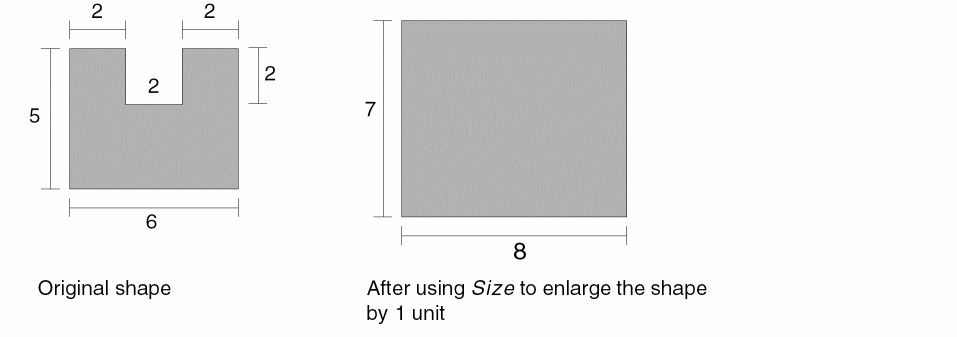
To cancel the changes you made by resizing a shape, immediately choose Edit – Undo.
Related Topics
Troubleshoot Entered-Points Issues
Troubleshoot Basic Editing Issues in Layout XL
Return to top