
Object Moves Instead of Stretching
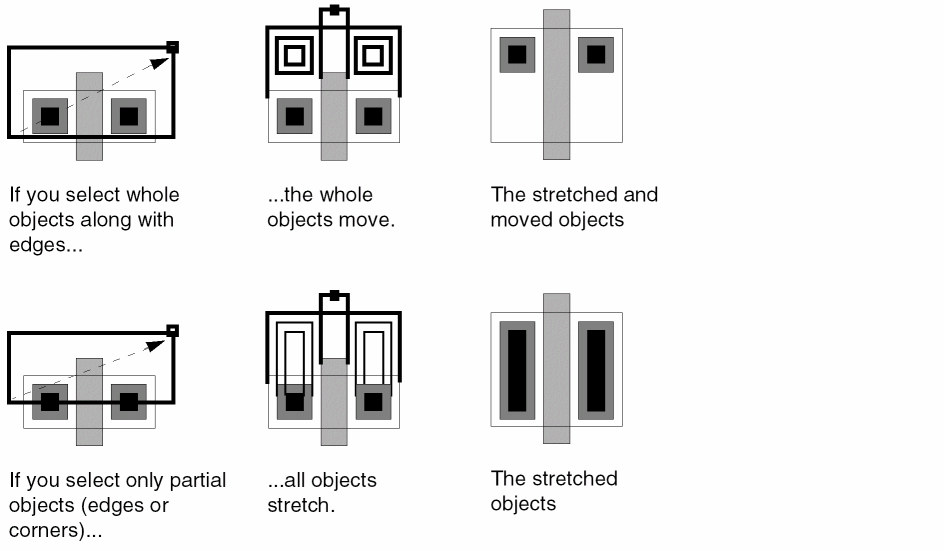
If an object moves when you expected it to stretch, you probably selected the whole object rather than its edge or corner. To stretch an object, you must select only the edge or corner that you want to stretch.
If you want to select edges or corners (vertices), you must first set partial selection on. Partial selection lets you select edges or corners with the selection box.
To toggle partial selection on or off, press F4.
When partial selection is on, the Status Banner or the Status Toolbar show P in front of the number of selected objects; for example: (P) Select: 1
Related Topics
Troubleshoot Entered-Points Issues
Troubleshoot Basic Editing Issues in Layout XL
Return to top