
How Chopping Affects Multipart Paths
When you use the Chop command on a multipart path, the result depends on what parts of the multipart path are choppable. You specify whether a part is choppable when you create the multipart path.
- If you specify the master path as choppable, all of its subparts must be choppable too. When you specify the master path as not choppable, you can specify each of its subparts as choppable or not.
- If the master path is choppable, you can chop the whole multipart path into two or more separate multipart paths by chopping all the way through the master path at 90 degrees.
- If the master path is choppable and you chop at an angle other than 90 degrees and/or chop only part of the way through the master path, the chop changes all objects in the multipart path into ordinary paths, polygons, and rectangles. If this is not what you wanted, you can undo the chop using the Edit – Undo command.
- If the master path is not choppable, you can chop all subparts that are specified as choppable by chopping all the way through the master path at 90 degrees. All choppable subparts are chopped where you chop over the master path.
- When a chop affects sets of subrectangles that are choppable, the system regenerates subrectangles along orthogonal segments only.
- If the master path is not choppable, the system does not allow you to chop at an angle other than 90 degrees or to chop only part of the way through the multipart path.
After you chop a multipart path, you can select and stretch the chopped ends of subpaths. Although you cannot directly select, stretch, or chop a set of subrectangles, all choppable sets of subrectangles are also chopped when you chop a subpath.
When you chop a multipart path into one or more separate multipart paths, the system assigns the name of the original multipart path to the first new multipart path. The system assigns unique names to the other new multipart paths, starting with path0, path1, and so on.
If you want to chop and rotate a multipart path, rotate the multipart path first, then chop it. Avoid rotating a chopped multipart path as the chop holes might not rotate correctly.
Chopping Multipart Paths with Aligned Objects
When you chop through the choppable master path of a multipart path, alignments to other objects are lost.
The following example shows what happens to an aligned object after cutting away a section of a choppable master path.
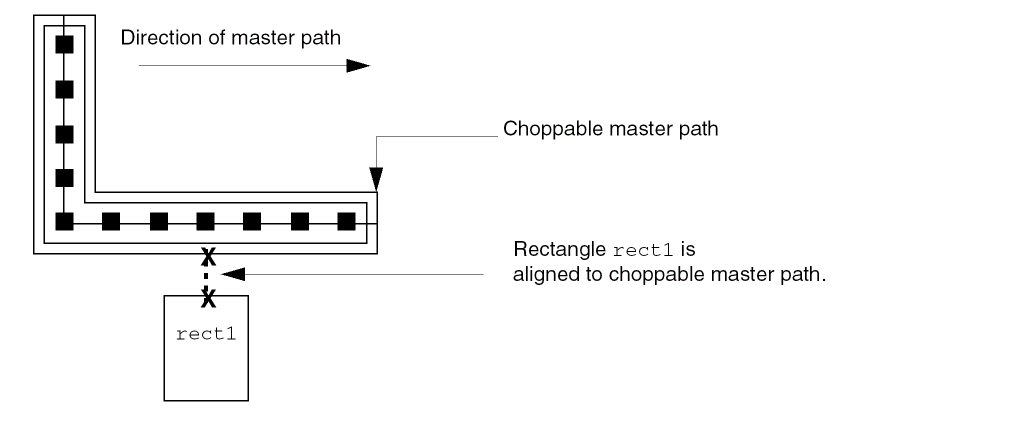
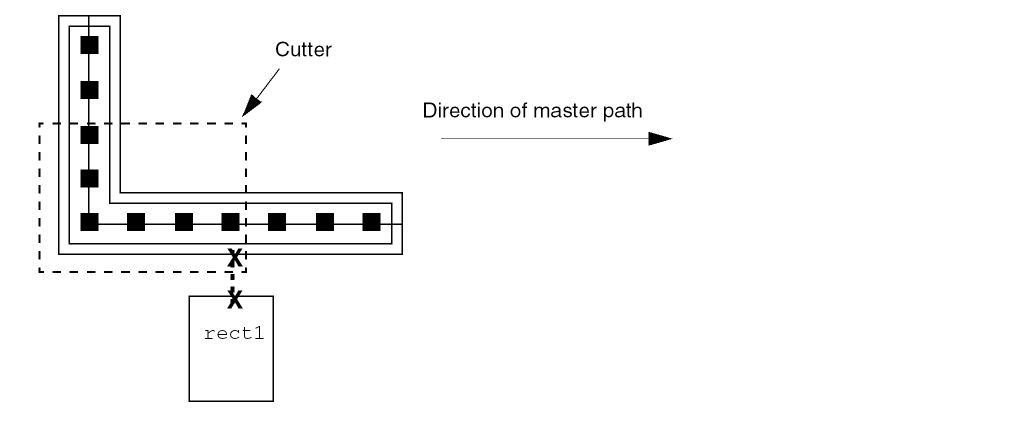
You can use the cutter to chop out part of the master path as shown in the following figure.
The result is two new, shorter multipart paths, neither of which are aligned to rect1.
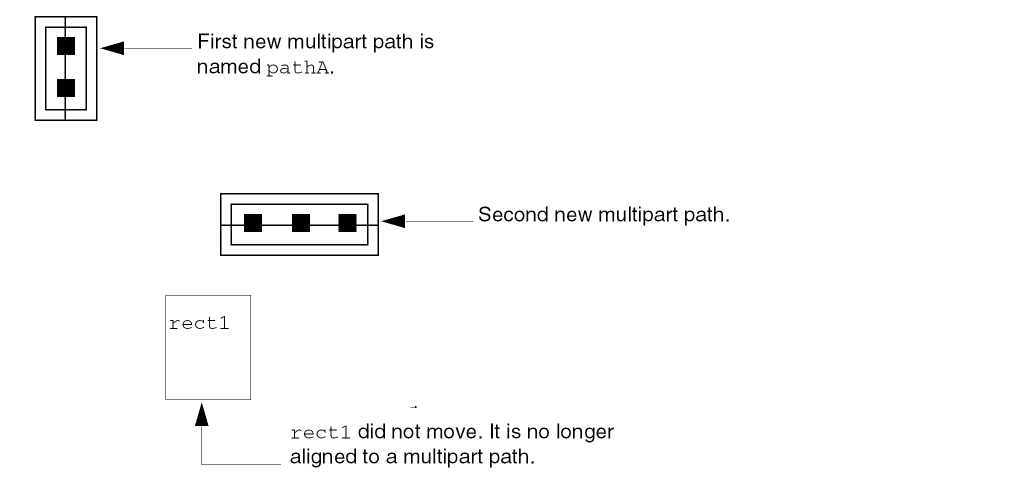
The system keeps the name pathA with the first new multipart path and assigns a unique name in the format of pathn to the second new multipart path.
Related Topics
Return to top