
Creating a Curved Polygon
The Virtuoso Layout recognizes the curved shapes, polygons, rectangle, and paths. You can edit the curved shapes in various ways, such as updating the shape, rotating, or stretching. Additionally, you can modify a regular shape to curved shape and edit the curved shape to add new arcs.
To create a curved polygon in a package layout:
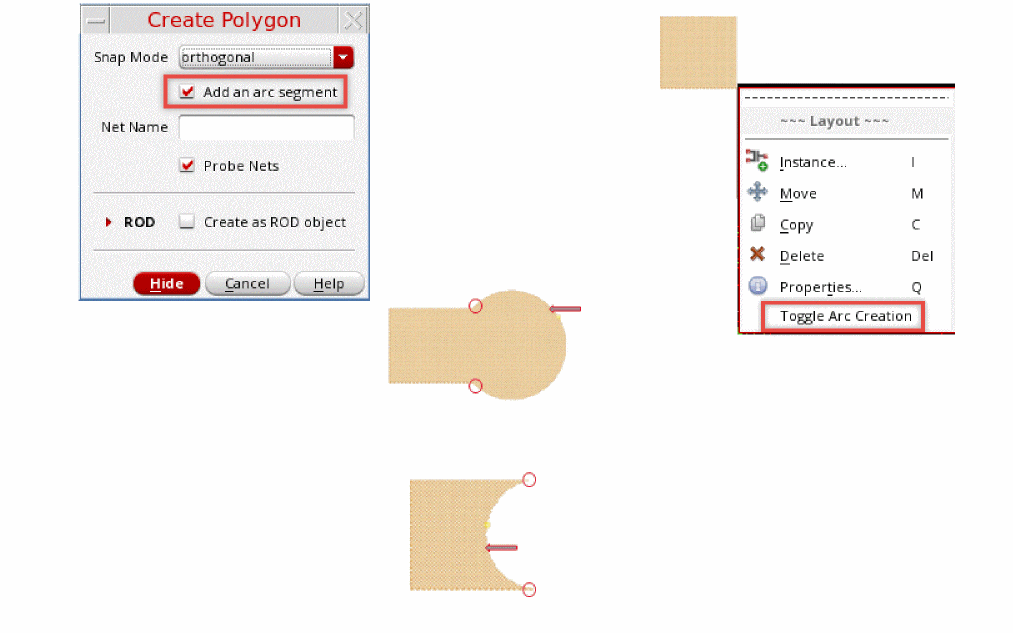
- Click Create – Shape – Polygon. The Create Arc Polygon form appears.
- Add an arc segment by selecting Add an arc segment. The curved polygon and the arc segment are created using the LPP selected in the Palette assistant.
-
Create a polygon on the canvas. You can right-click and select Toggle Arc Creation to complete the arc.
Related Topics
Return to top