
Viewing Detailed Electromigration Information
To see more information about the electromigration parameters, right-click a resistor in the EM tab of the Voltus-XFi Results Browser assistant and select the Detailed EM Info option. This option will be enabled only if the Detailed Information check box is selected in the Setup – Electromigration tab of the tungsten view.
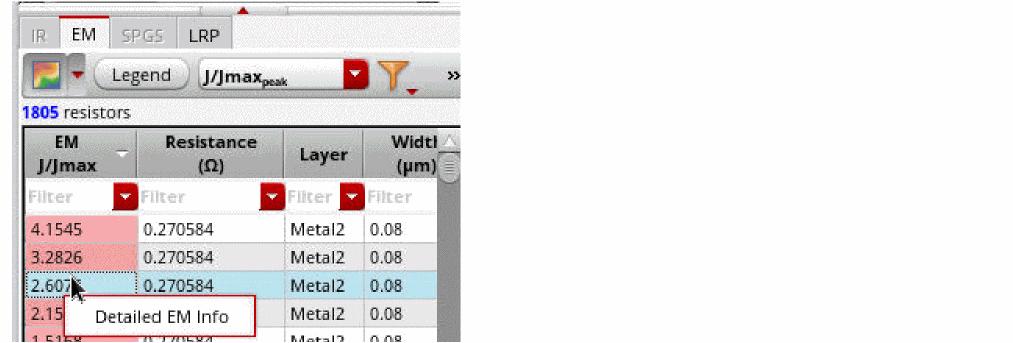
When Detailed EM Info is selected, the EM Detailed Information window opens and displays the EM details of the selected resistor.
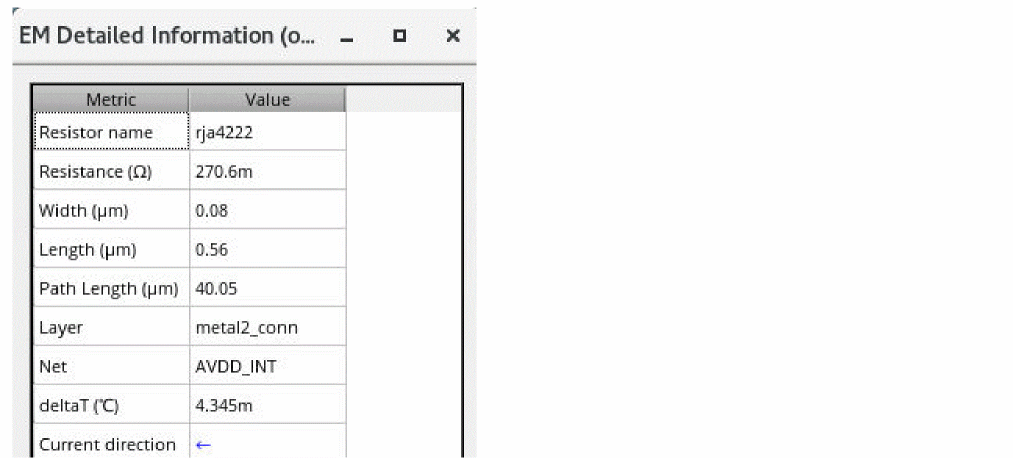
To view and compare EM details of multiple resistors in the same EM Detailed Information window, right-click the required row in the EM tab and click Detailed EM Info again. This step should be repeated for each resistor that you want to view.
Related Topics
- Visualizing EM-IR Analysis Results using Voltus-XFi Results Browser
- Querying Specific Areas and Shapes in the Layout for Node/Resistor Information
Return to top