
Specifying Custom Foundry and Node Information
Voltus-XFi allows you to specify custom foundry and node details. To specify these details:
-
Run the
generate_setup_files.pyscript located at:$ <IC installation>/share/dfII/voltusXFi/bin/as shown below:
$ <IC_linstallation>/share/dfII/voltusXFi/bin/generate_setup_files.py
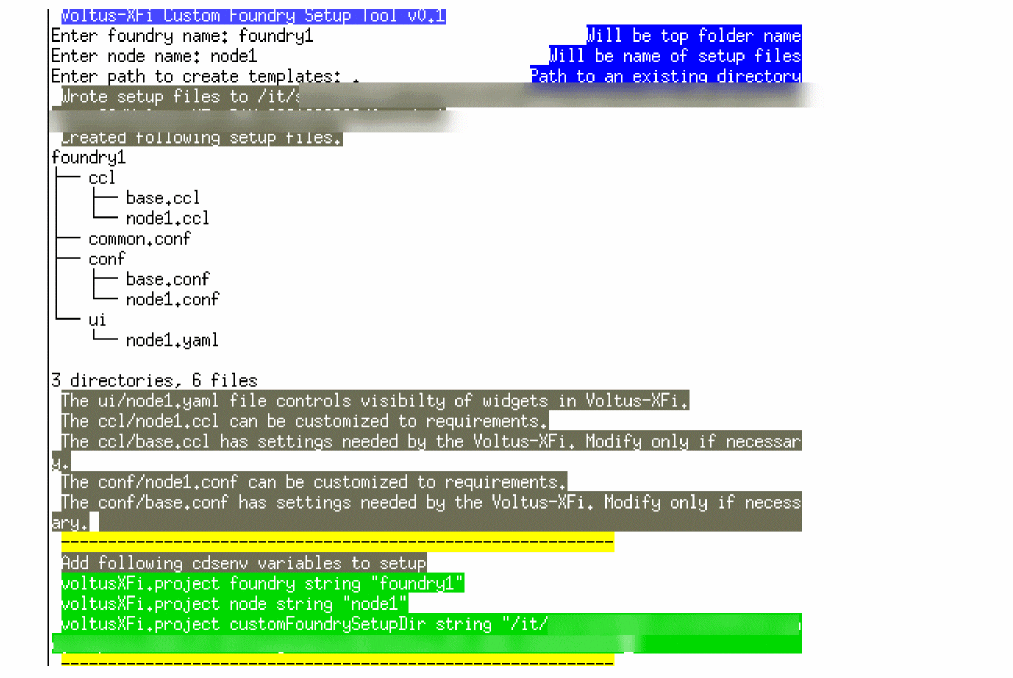
The Voltus-XFi Custom Foundry Setup Tool appears. - Specify the foundry name and press Enter.
- Specify the node name and press Enter.
-
Specify the directory path where the setup files are to be created and press Enter.
The custom foundry setup details are saved in a folder with the same name as the foundry.
-
Add the following cdsenv variables to the .cdsenv setup file:
voltusXFi.project foundry string “foundry_name”
voltusXFi.project node string “node_name”
voltusXFi.project customFoundrySetupDir string “directory_path”
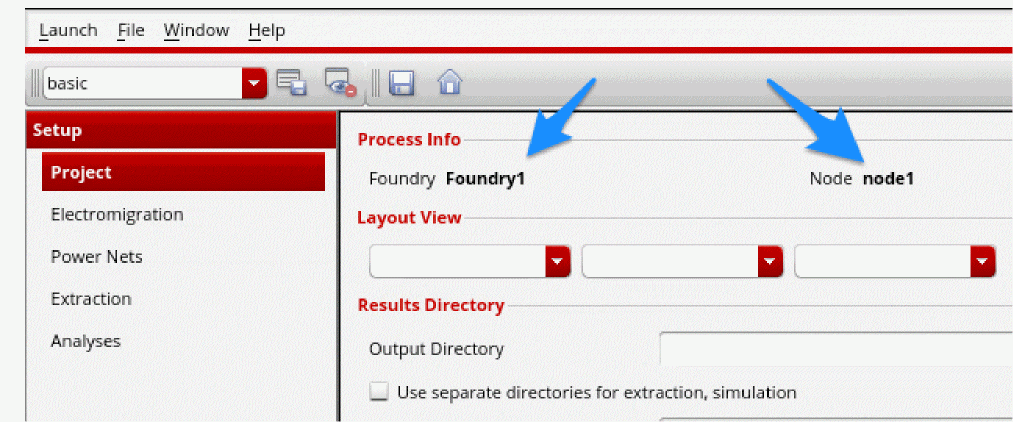
If the setup is done correctly, and the cdsenv settings are updated, the new view will show the custom foundry and node names.
Related Topics
Return to top