
Importing a Row Template from Another Cellview
Once defined, a row template is a reusable object, which makes it possible for you to import a row template defined for one design to another similar design. You can also define a set of row templates that can be used in a variety of designs and include them in the design library.
To import existing row templates from a different cellview in your design library:
-
Click Place – Row Template Manager to display the Row Template Manager form.
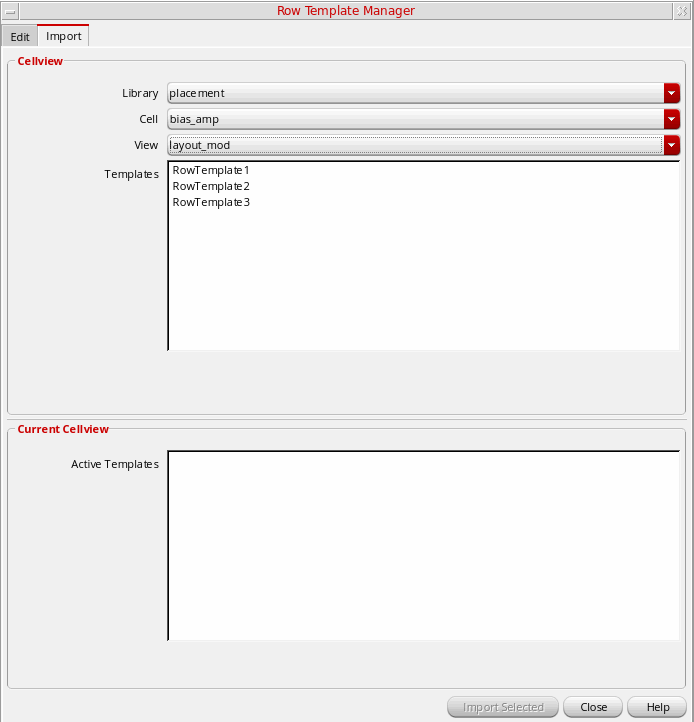
- Select the Import tab.
- Choose the Library, Cell, and View which contains the row template you want to import.
- Select the row templates you want to import. Active Templates in the Current CellView section lists all active row templates in the current cellview. Choose the required row templates.
- Click Import Selected.
After importing templates, use the Placement Planning form to generate rows in the layout canvas.
Related Topics
Creating, Editing, and Deleting a Row Template
Return to top