
Layout Support for Row Regions
This section describes areas that have been enhanced in the layout editor to support row regions.
Palette
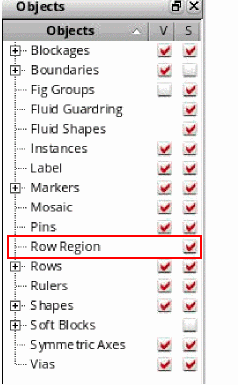
Row regions can be selected from the Objects panel of the Palette. Only the selectability (S) option is supported for row regions, as shown in the figure below.
Property Editor and Edit Properties Form
Similar to other shapes and objects, you can use the Edit Properties form or the Property Editor assistant to edit the properties of the row regions.
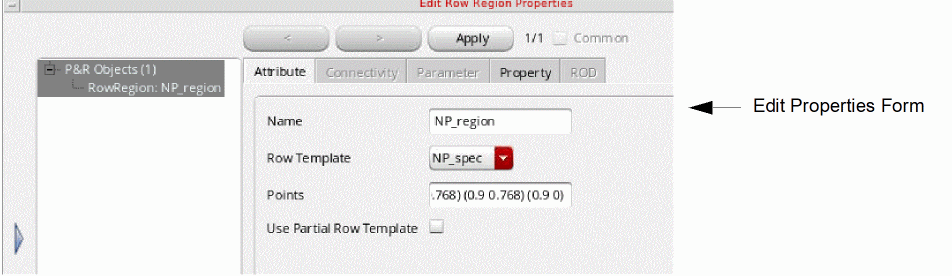

Row Region Attributes
Dynamic Display
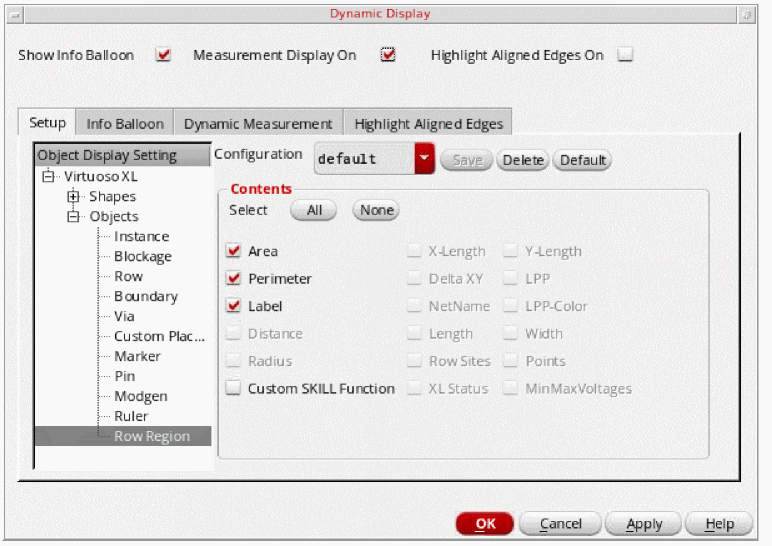
Dynamic measurement and info balloon also support row regions. You can select the parameters to include in the Info Balloon and Dynamic Measurement display in the Dynamic Display form, as shown in the figure below.
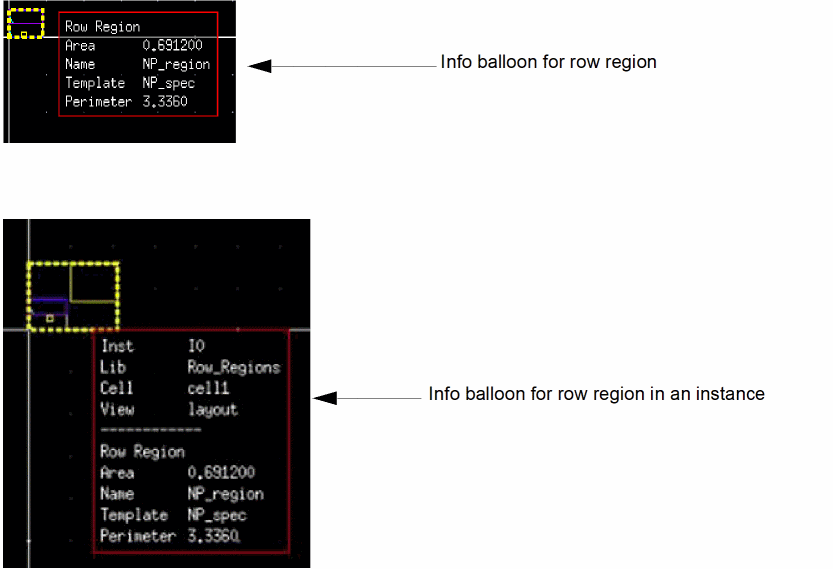
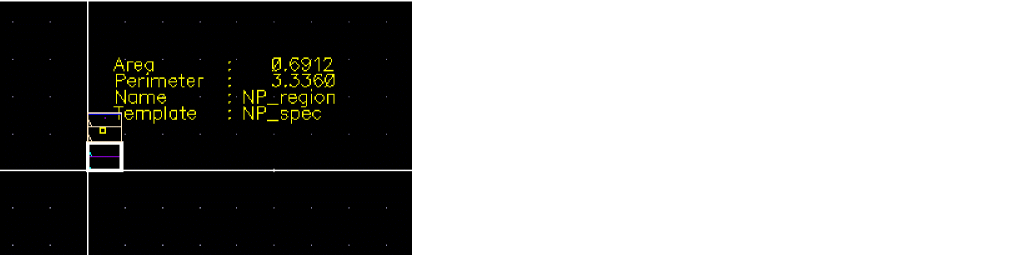
The figures below display the info balloon for the row regions.
The figure below displays the dynamic measurement for the row region object.
Show Selection Info Toolbar
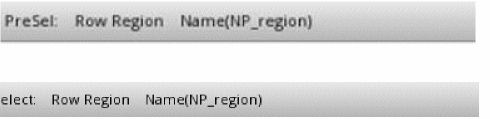
The preselect and select information for row regions is displayed on the Show Selection Info toolbar, as shown in the figures below.
Summary Window
You can also view the row region statistics in the Summary window, as shown in the figure below.

Dynamic Selection Assistant
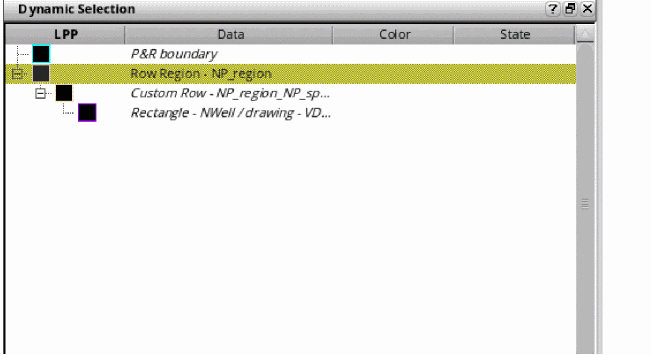
The Dynamic Selection assistant displays the row regions in a hierarchical manner. The properties of the row region and its subobjects are listed in the assistant, as shown in the figure below.
Related Topics
Editing Support for Row Regions
Return to top