
Registering Libraries
Use the registration options on the Libraries tab to register the libraries-related information. This information is used by Power Manager to read the standard and special cells modeling information. It is required to extract the power-related attributes of standard and special cells and avoids the need to access these cells for tracing the related supplies corresponding to the boundary ports.
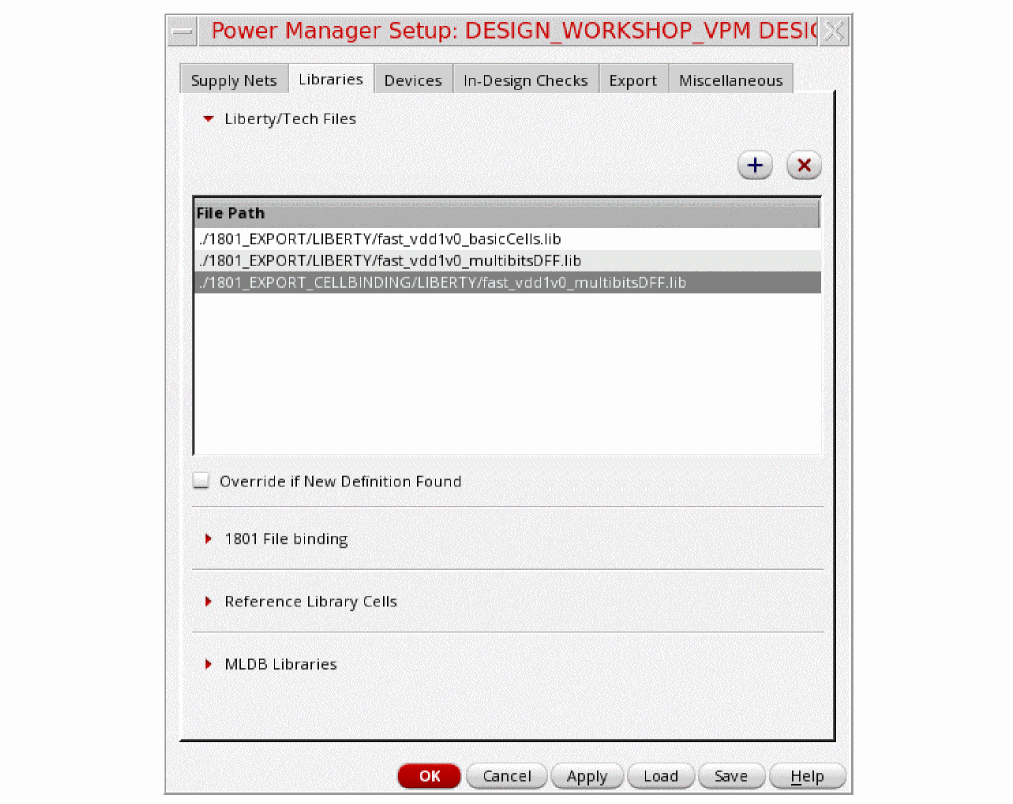
Use the Liberty/Tech Files and 1801 File binding sections to specify the Liberty models or 1801 special cell definition files as follows:
-
Click
 to add and
  to remove the Liberty/Tech Files.
Optionally, you can register a cell and bind it to its existing 1801 power intent file. The power-related information is read from the existing 1801 bound to the cell. -
Click
 to add,
  to modify, and
  to remove the binding information. It opens the Add 1801 File Binding form.
 - Specify the values in the Cell and 1801 File fields. Click OK.
This option is commonly used for black-boxing contents of a digital sub-block that has power intent.
Related Topics
Special Cell and Standard Cell Modeling
Design Sub-Block Modeling During Top-Level 1801 Design Model Extraction
Return to top