
Extracted Views Creation
Extracted cellview is created post the EM simulation where the nets and instances that are part of the model are replaced with an n-port instance. n-port is a schematic symbol that has the same number of ports as the S-Parameter matrix and points to the Touchstone file on the disk. The stitched models in the extracted view are highlighted in the schematic during backannotation.
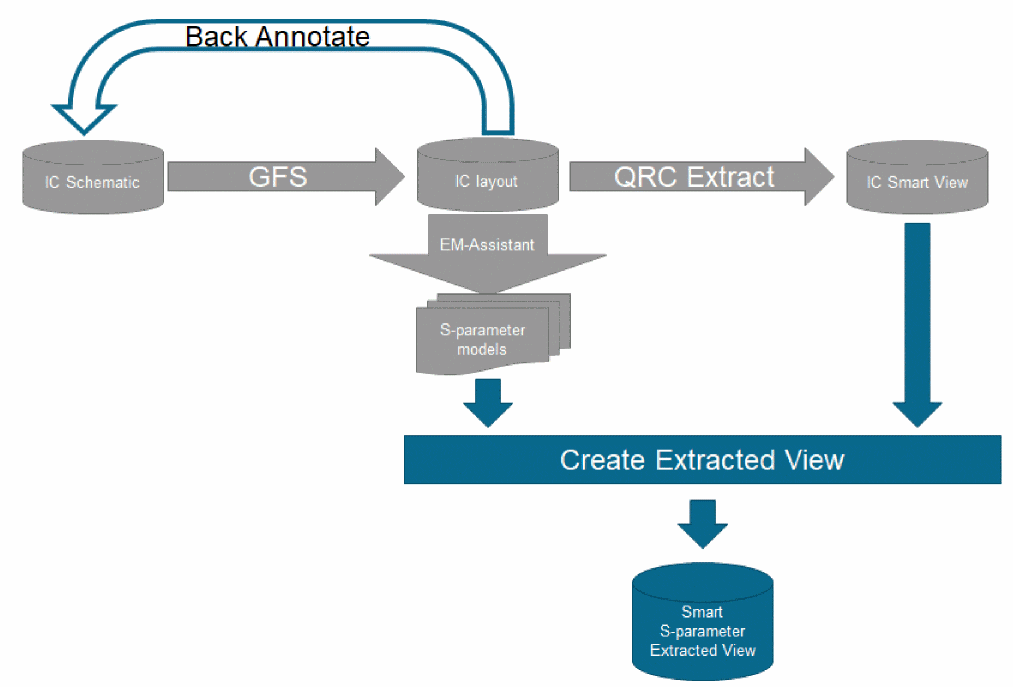
Extracted View Creation From the Schematic
While creating an extracted view from a schematic, you can use only the flat IC schematic design and the single-device model for creating the extracted view. The database size becomes large due to fractured net segments and instances of parasitic devices.
Extracted View Creation From Smart View
Creating a Smart View is better than creating an extracted view from schematic. It provides an efficient data model supported by OpenAccess Database consisting of layout OA database (layout.oa) and parasitic information database (detailed_rc.oa).
The Smart View is created with Quantus QRC.
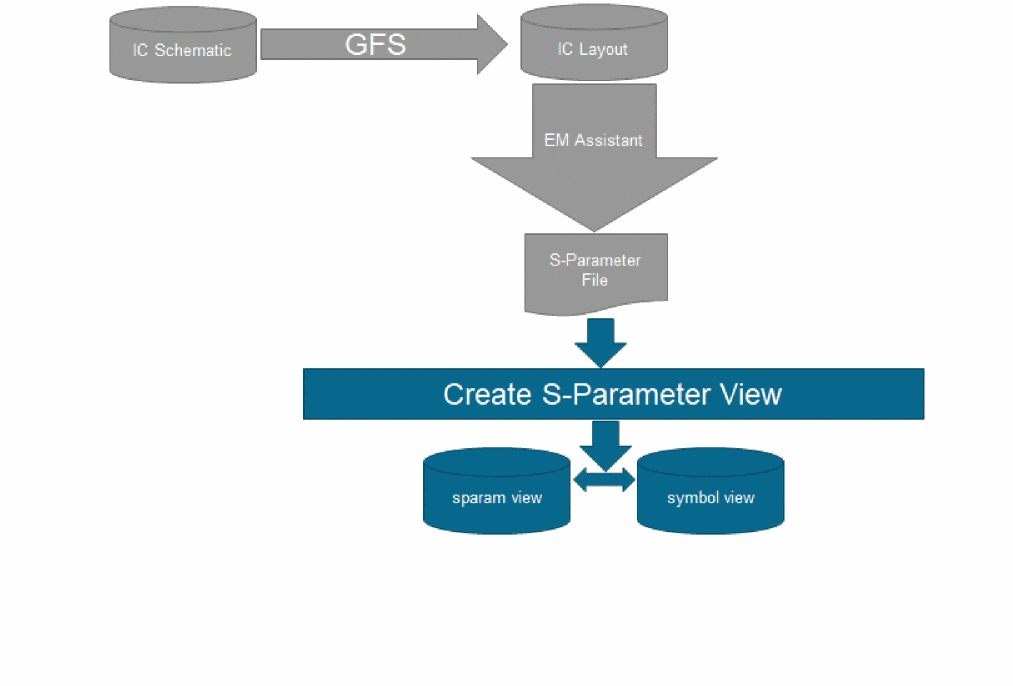
Extracted Views Creation From Full Cellviews
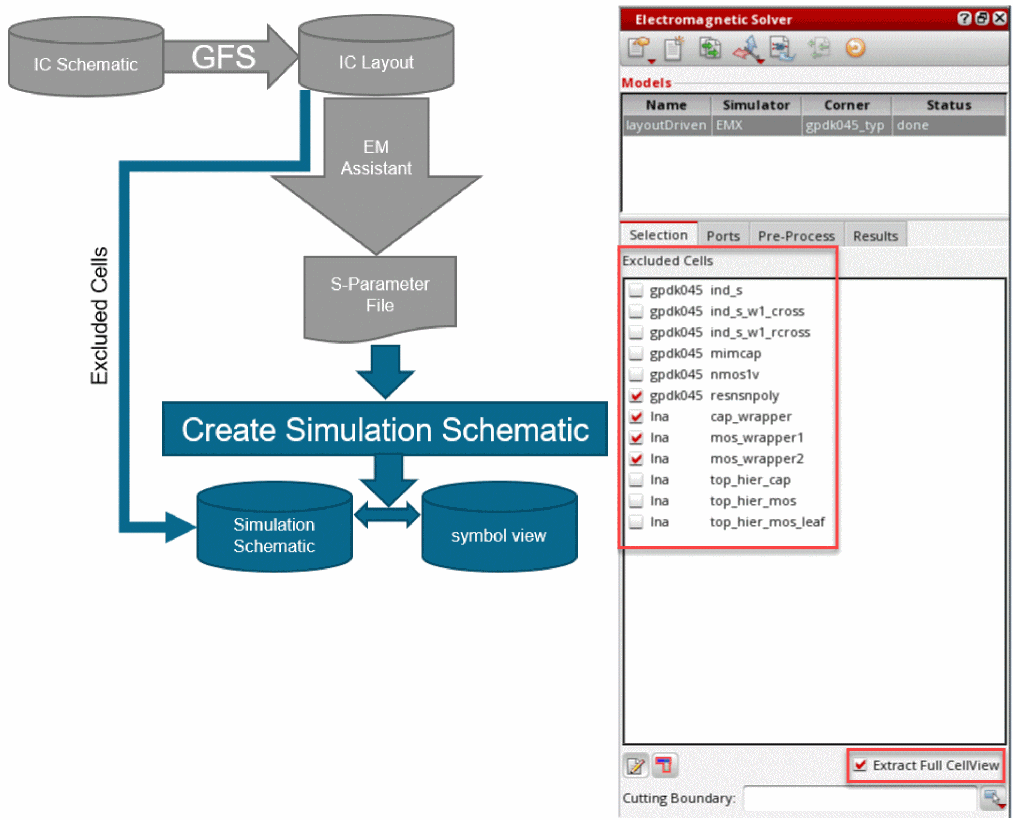
In this flow, the entire layout is extracted to an s-parameter cellview. This cellview can be selected for netlisting in the Hierarchy Editor. There is no separate extracted view and no stitching is needed because the entire layout is extracted. This is primarily a layout-driven flow.
You do not need to specify instances or nets. Select the Extract Full CellView check box to extract the entire cellview. You can exclude some cells from the layout by selecting from the Excluded Cells list. In this case, an n-port schematic is automatically created that contains the excluded cells.
Related Topic
Return to top