
Enabling and Disabling WSSPDefs
You can change the active pattern only for the WSSPDefs that are enabled.
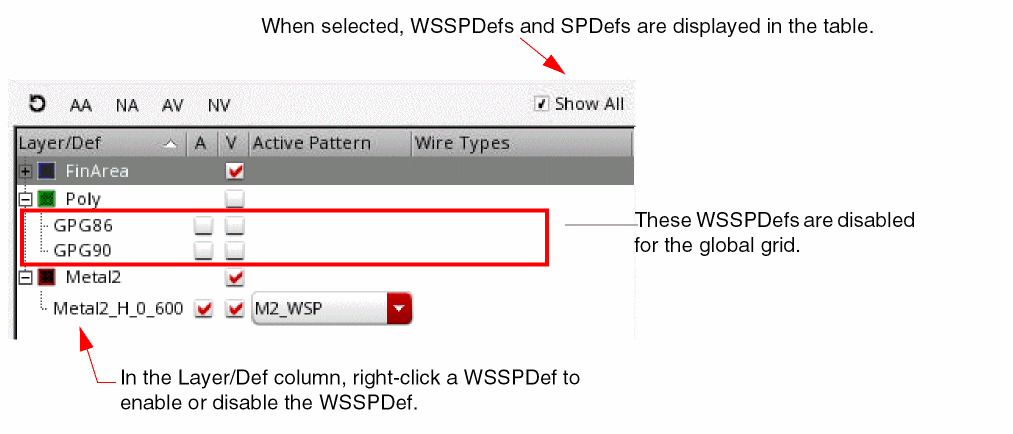
- Choose the Show all check box to show the WSSPDefs in the table, as described in Filtering by Related Snap Patterns.
-
Click the A column check box for the desired WSP.
The Active Pattern, Wire Types, and Visibility for the WSSPDef will be selectable.
To disable an enabled WSSPDef:
-
Click the A column check box for the desired WSP to deselect it.
If Show all is not selected, the WSSPDef will be removed from the Track Pattern table. The Periods and Wire Types lists in the Filter section will include periods for only the enabled WSSPDefs, and wire types for all the active patterns of only the enabled WSSPDefs, respectively.
Related Topics
Launching the Track Pattern Assistant
Track Pattern Assistant Toolbar
Return to top