
Expanding and Collapsing the Layers
To show the WSSPDefs and SPDefs for a layer in the Track Pattern table:
-
Click the plus sign (+) to the left of the layer name.
The WSSPDefs and SPDefs for the layer will be shown below the layer name.
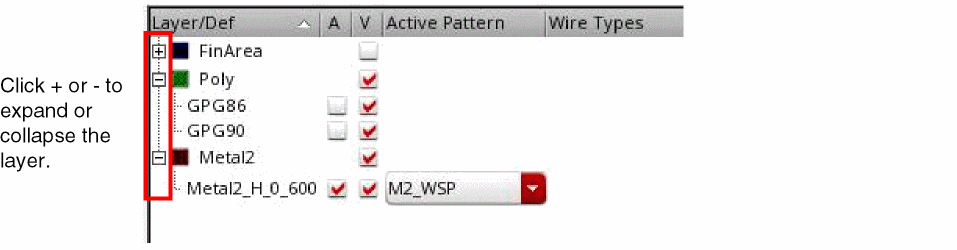
To hide the WSSPDefs and SPDefs for a layer in the Track Pattern table:
To toggle between expanding and collapsing all the layers:
Related Topics
Launching the Track Pattern Assistant
Track Pattern Assistant Toolbar
Return to top