
Splitting Sfactored Devices
The Split sfactored devices option controls whether Layout XL places schematic devices with the sfactor property as series-connected devices in the layout or as single devices. It overrides the sfactorSplit environment variable, which can also be set on the Generation of the Connectivity form.
Split sfactored devices controls only whether Layout XL generates one device or several devices in the layout view. It does not change the widths of the generated devices.
-
In the Configure Physical Hierarchy window, click the Instances tab or the Cells tab, and select the device in question.
The Split sfactored devices option is checked or unchecked depending on the default value set on the Generation of the Connectivity form.
Split sfactored devices is grayed out if the selected instances do not have the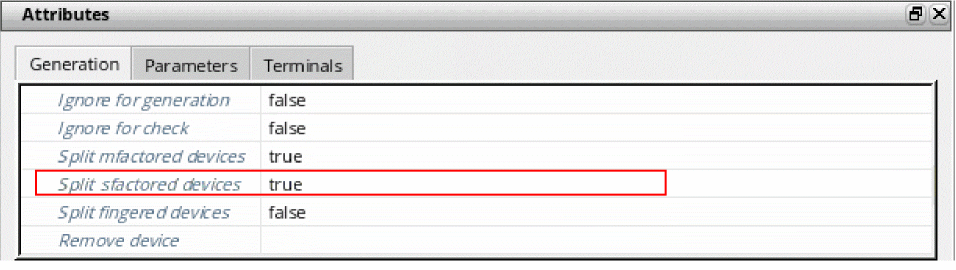
sfactorproperty. -
Set the option as required and choose File – Save from the menu bar to save the physical configuration view.
The new setting takes effect the next time you generate or update the layout view.
Related Topics
Return to top