
Viewing Extended Chain in Navigator
For an abutted instance that you select in the Navigator assistant, you can choose to extend the selection to view the entire chain highlighted in the Navigator assistant and cross-selected in the layout canvas.
To extend the selection to display the entire chain:
-
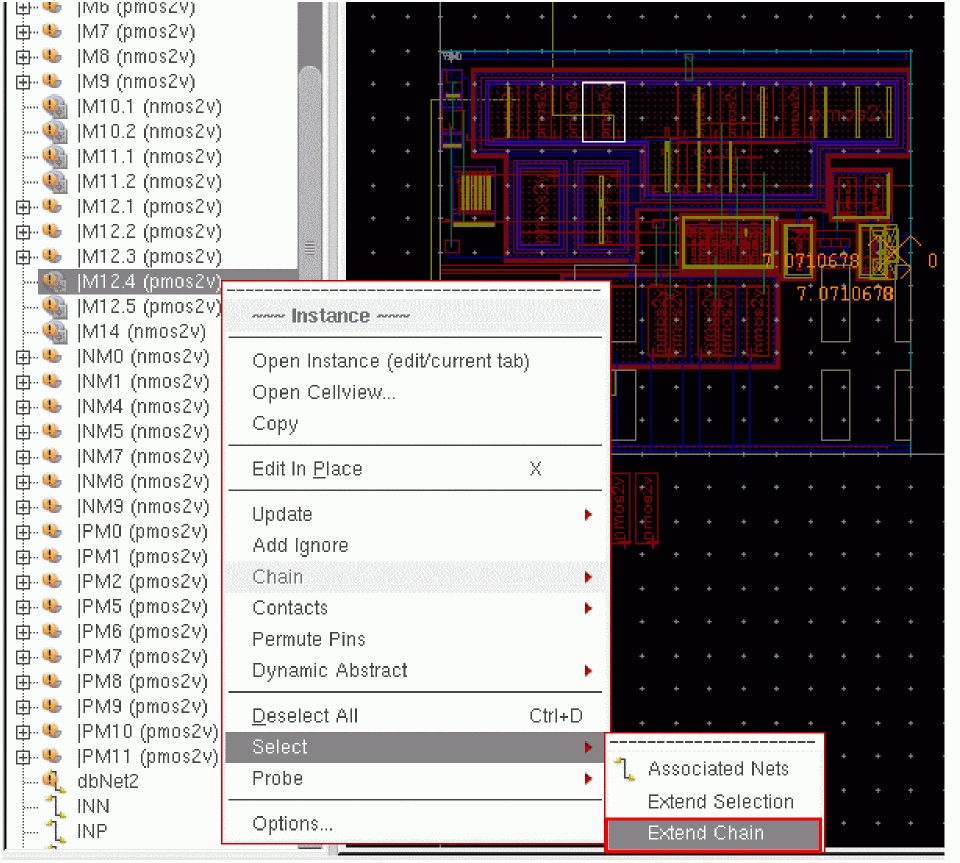
Right-click an instance in the Navigator assistant (or in the layout canvas) and choose Select – Extend Chain, as shown in the figure below.
Alternatively, select the abutted instance in the Navigator assistant (or in the layout canvas) and call the lxSelectedExtendChain SKILL function.
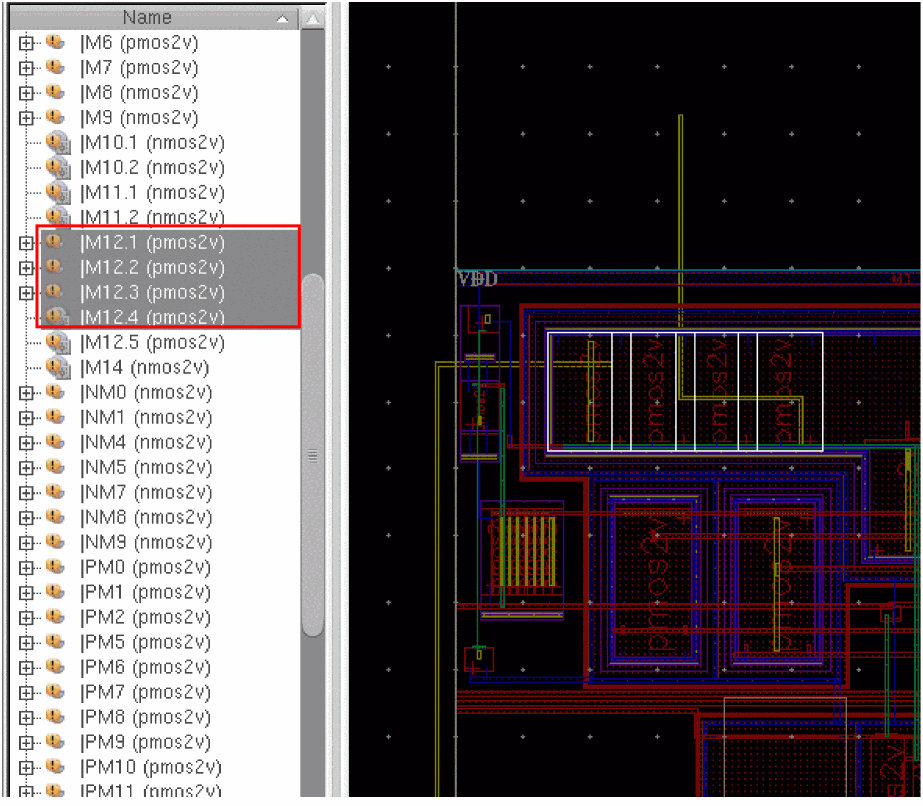
All the instances that are abutted to the selected instance are selected in the Navigator assistant as well as in the layout canvas, as shown below.
If the selected instance is not abutted to any other instance, the Select menu does not display the Extend Chain command.
Now, consider a layout design that has two chains and an instance that is unabutted, such that:
Let us now consider some scenarios to see how the Extend Chain command behaves when the selected instance belongs to either or both the chains, or is an unabutted instance from the example above.
Scenario 1: Select I1 and run Extend Chain
Because the instance I1 is abutted to instances I2 and I3, the selection is extended to the entire chain. Therefore, the selection set now includes: I1, I2, I3.
Scenario 2: Select I1 and I4 and run Extend Chain
Here, because each of the selected instances, I1 and I4, is abutted to a set of instances, the selection is extended to include the abutted instances from both the chains. Therefore, the selection set now includes: I1, I2, I3, I4, I5, I6.
If any of the selected instances are not part of chain, they are still retained in the selection set after the command is run.
Scenario 3: Select I1 and I7 and run Extend Chain
Here, because the instance I1 is abutted to instances I2 and I3, the selection is extended to the entire chain. Also, instance I7 is retained as selected although it is not part of a chain. Therefore, the selection set includes: I1, I2, I3, I7.
Scenario 4: Select I7 and run Extend Chain
Because the selected instance is not abutted, there are no instances available to extend the selection to. This is the reason why the Extend Chain command is not available for an unabutted instance, making this a hypothetical scenario. Also, if you select such an instance and call the lxSelectedExtendChainnil, indicating the extend operation failed as no new instances could be added to the selected set.
Related Topics
Return to top