
Accessing Smart Display Options
To display Smart Display Options form:
-
Choose Options – Smart Display.
The Smart Display Options form is displayed. The figures below show the default settings for Abstracted and Schematic modes.
By default, all option categories are in a collapsed state. To expand a category to view the options listed under it, click the category name.
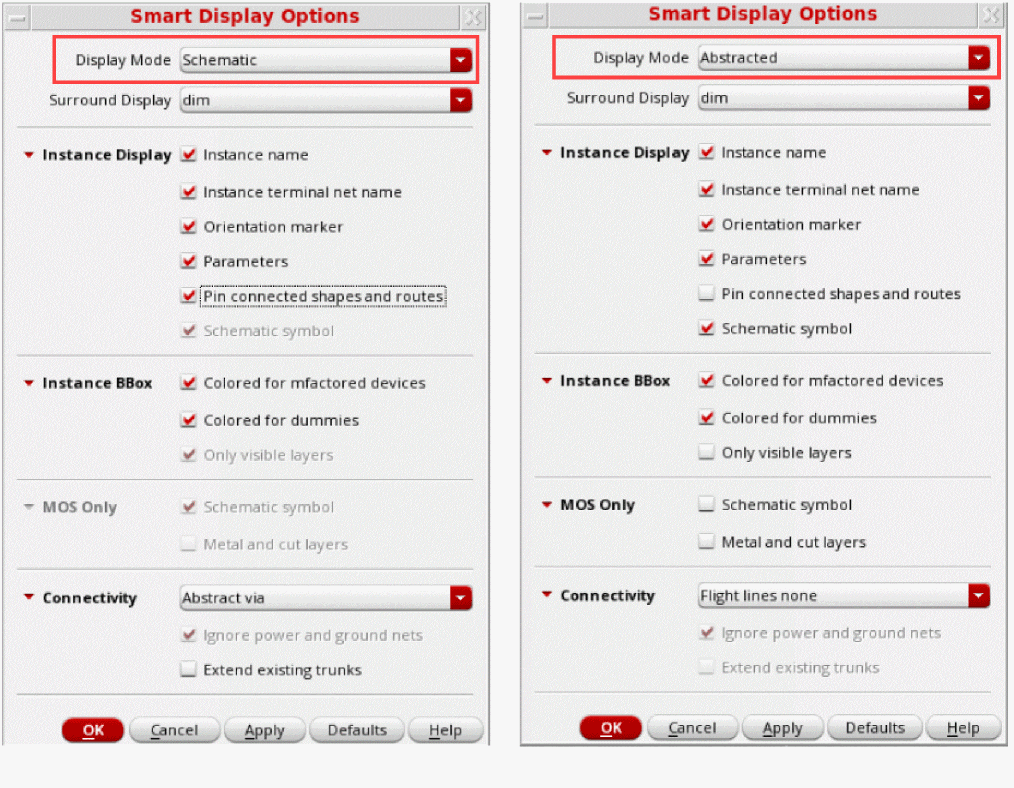
The options that are available both in the form and on the toolbar are synchronized. For example, if you select the display mode as Abstracted in the form and click Apply, the value in the toolbar is updated to reflect this change.
Related Topics
Return to top