
Stretching an Object in Level-1 Editing Mode
Use the Stretch command in Level-1 Editing mode to stretch place and route boundaries, snap boundaries, and other pins without entering Edit In Place mode. You can stretch multiple pins, including the place and route boundary and snap boundary both at level 1 and at the top level, in a single operation.
Stretched objects are snapped to a grid depending on the block type.
A pin that is assigned a status of firm or locked is not moved. If a grid is not initialized, moved pins are not snapped.
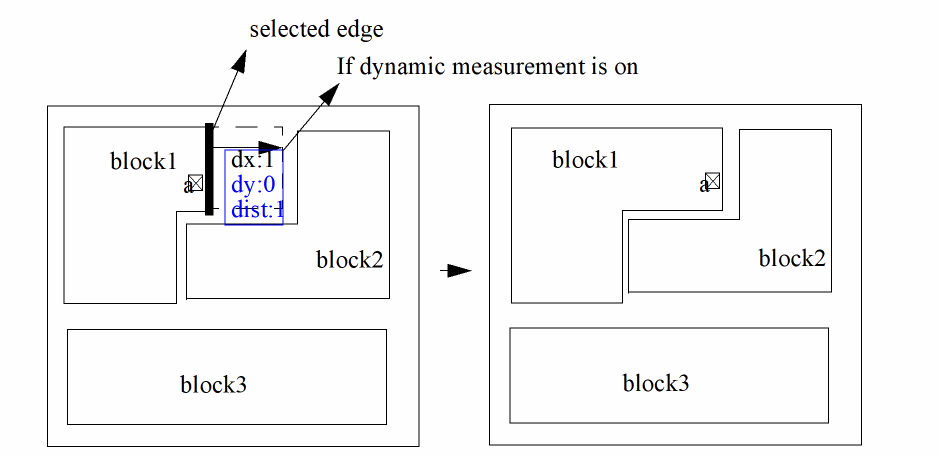
If you have Measurement Display mode switched on, the measurements (dx, dy and dist) of the object are shown to be changing dynamically as it is being stretched.
F4 to toggle between partial selection and full selection modes.The picture below illustrates the effect of using the Stretch command on a level-1 place and route boundary or snap boundary. You can select the boundary to be stretched either before or after you have started the command.
Related Topics
Return to top