
Array Generation - Mosaic
-
Mosaic: A compact array of instances that belong to the same mfactored instance and, therefore, have the same master and connectivity. In addition, array creation is supported for vectored instances with same master and same connectivity for each bit.
To generate a mosaic array, the selected set must not contain any pins and the selected instances must not be members of any top-level modgen constraint.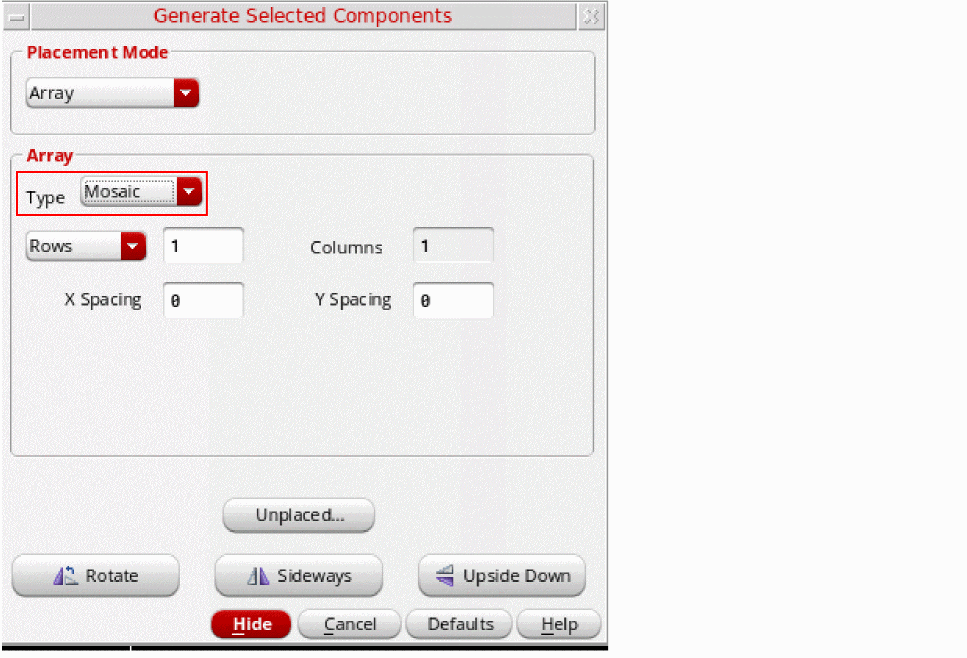
Mosaics have restricted routing capabilities and are recommended for generating large mfactored arrays because they consume less memory.
The selected components are generated in the layout as a compact mosaic, as shown in the figure below. If required, you can modify the row, column, and spacing values of the generated mosaic by using the Property Editor assistant.
Depending on the row, column, and spacing values that you specify in the Generate Selected Components form, you can control the configuration of the array to be generated. The figure below displays the possible configurations in which a set of selected schematic components can be generated as an array in the layout view.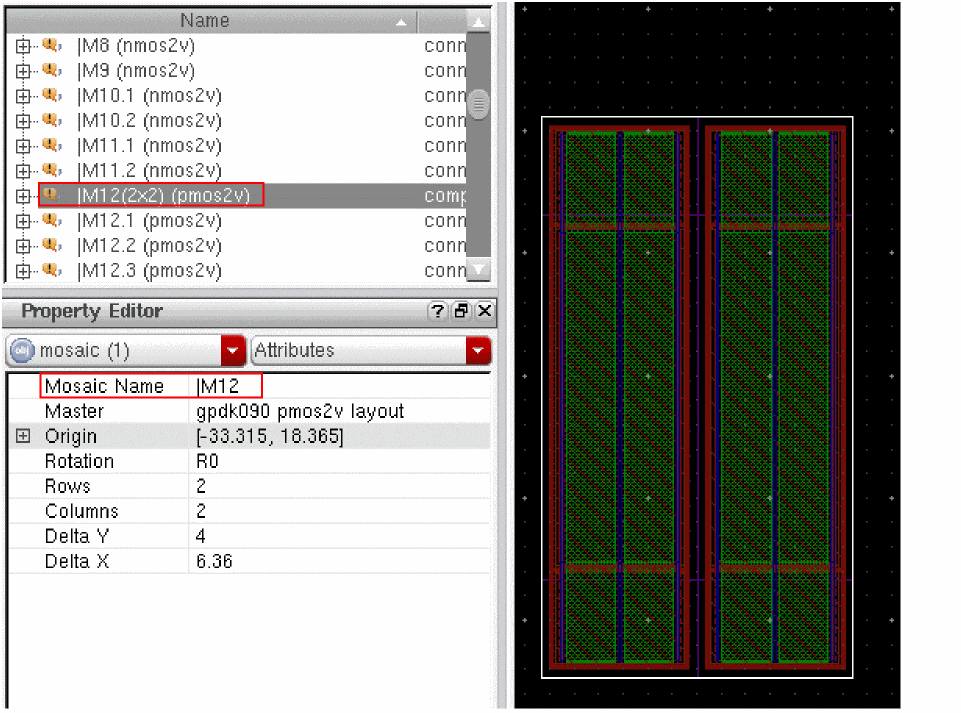
By default, the number of rows to be generated is set to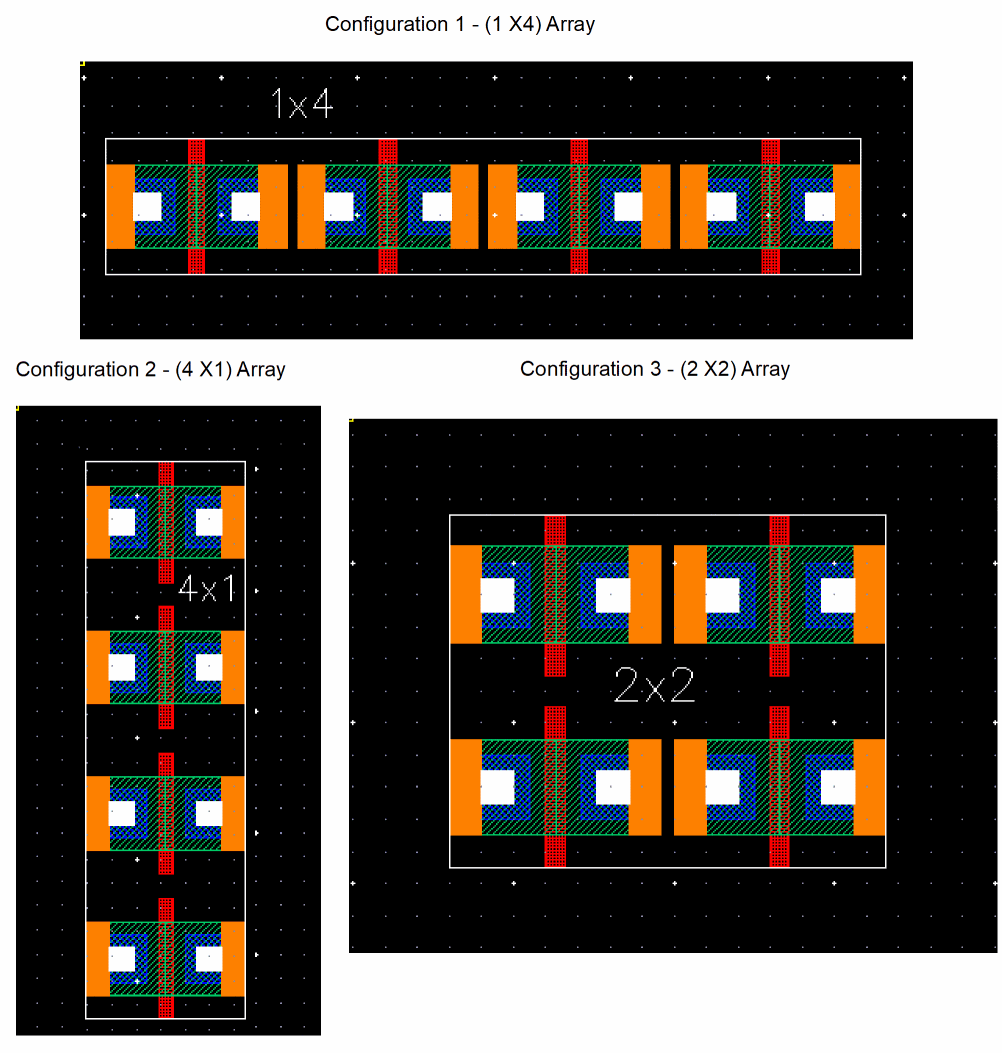
1and the number of columns to be generated is set to the selected number of instances. However, you can choose to modify either the number of rows or the number of columns to be generated.
If the selected set of components cannot be generated as an array, a text label is displayed in the layout canvas to indicate this, as shown in the figure below.
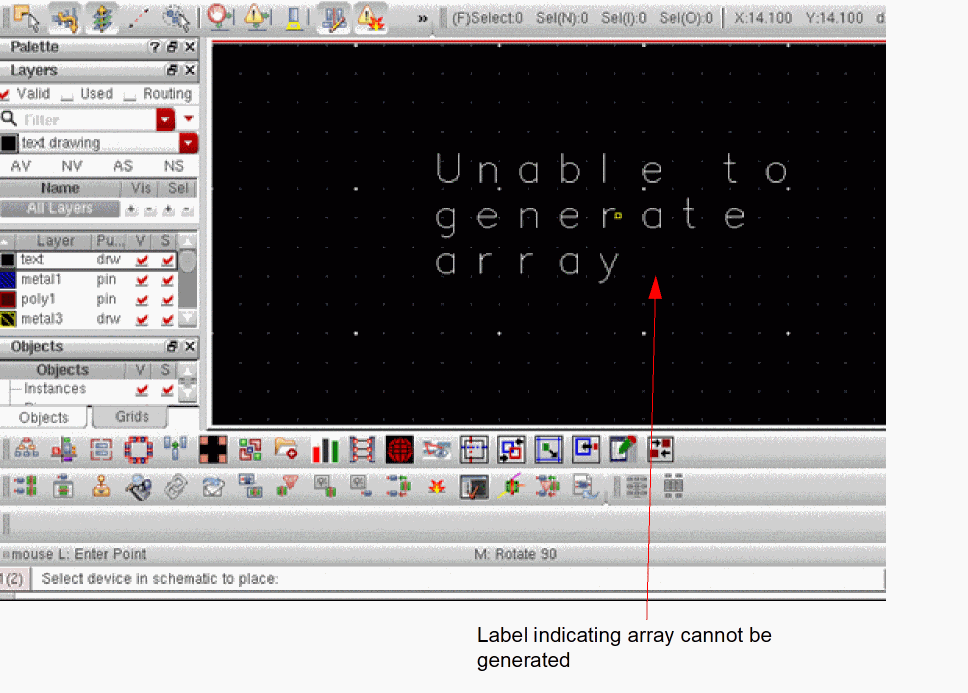
A 1X1 mosaic cannot be generated using Array placement mode in Generate Selected Components form.
Related Topics
Array Generation - Group Array
Return to top