
Renaming a Clone Family
-
From the layout window menu bar, choose Connectivity – Update – Clone Families.
The Update Clone Families form is displayed, as shown in the figure below. -
Select the clone family to be renamed and click Rename Family.
The Rename Clone Family form is displayed, as shown in the figure below.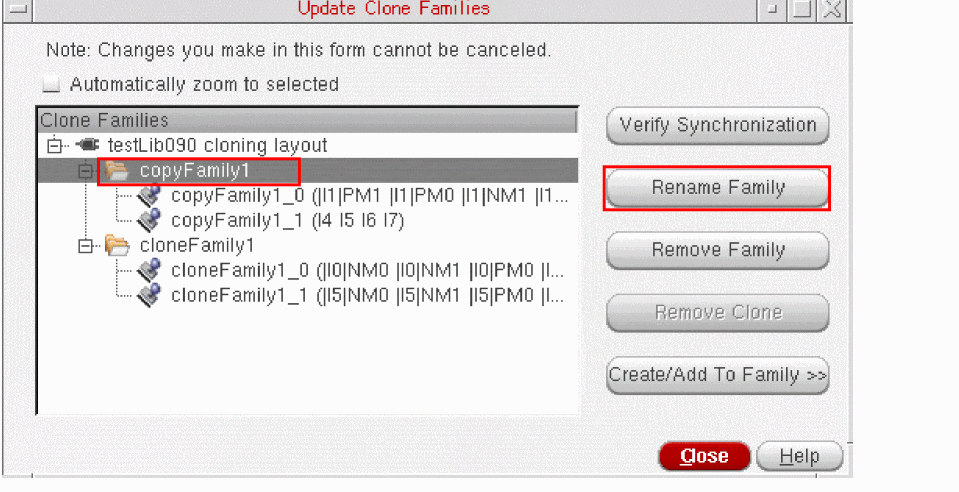
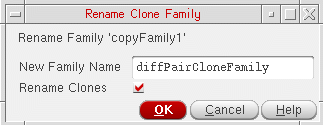
- In the New Family Name field, type a new name for the clone family.
-
Select the Rename Clones check box if you also want to rename all the clone members using the new family name,
Alternatively, set the environment variable,renameClonesWhenFamilyIsRenamed, tot. -
Click OK to rename the clone family.
The selected clone family and the clone members (if set for renaming), display the new clone family base name, as displayed in the figure below.
Click Close to dismiss the Update Clone Families form.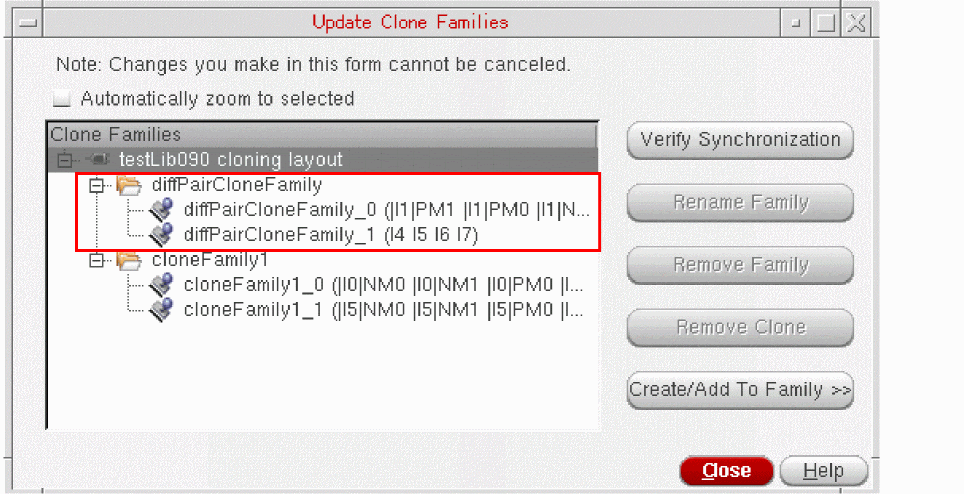
Related Topics
renameClonesWhenFamilyIsRenamed
Return to top