
Specifying Values for Selected Pins During Layout Generation
To update the values of selected pins in the list:
-
Bring up the I/O Pins tab of the Generate Layout form.
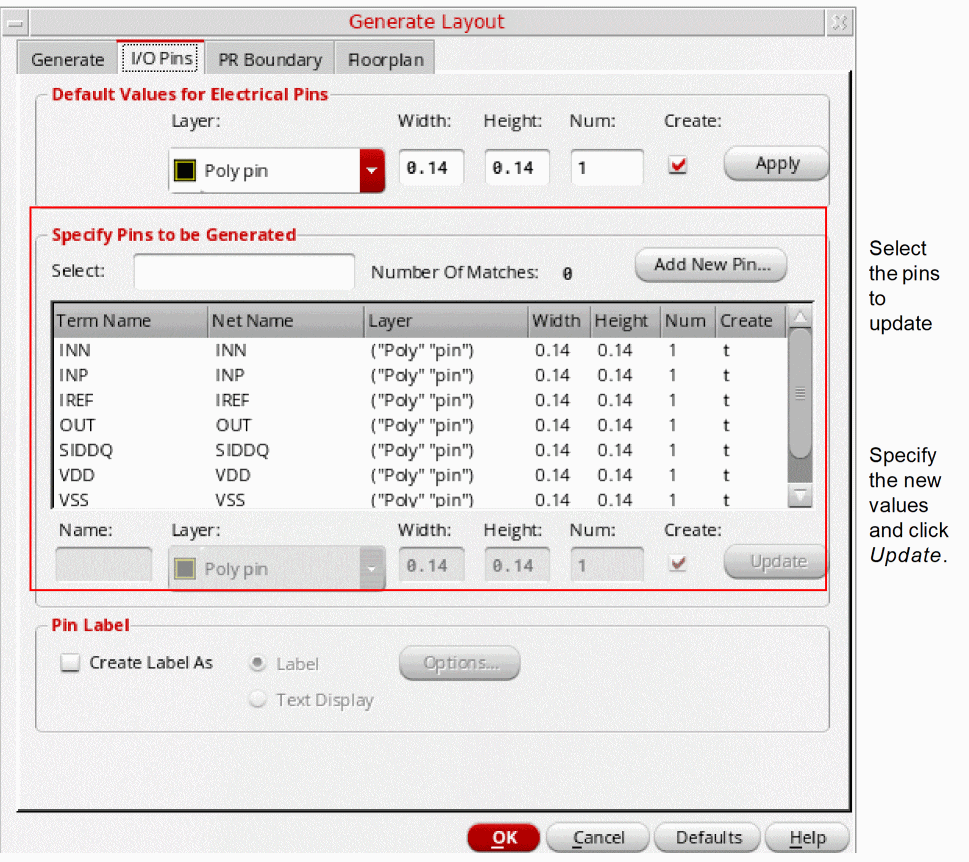
- In the list box, select the pins you want to update.
-
Choose the routing layer for the selected pins from the Layer cyclic field.
The Layer Purpose Pair (LPP) list on the Generate Layout form is filtered based on the values specified for theinitIOPinLayerNamesandinitIOPinPurposeNamesenvironment variables. - Specify the default Height and Width of the selected pins and the Number of each pin you want to create.
- Check the Create box to specify that the selected pins are to be created in the layout view; clear it to prevent a pin from being generated in the layout.
-
Click Update.
The selected pins are updated with the new values.
Return to top